EasyManua.ls Logo

JVC KY-D29 - Page 17

JVC KY-D29
56 pages
Print Icon
To Next Page IconTo Next Page
To Previous Page IconTo Previous Page
Loading...
2.
CONTROLS,
CONNECTORS
AND
INDICATORS
2-5
VIEWFINDER
DISPLAY
(Cont'd)
2.
Alarm
message
display
---MENU---
DDETAIL
:
NORMAL
MASTER
BLACK
:NORMAL
IRIS
:
NORMAL
V.RESOLUTION
:NORMAL
AUTO
KNEE
:ON
BARS
TIME
MODE:ON
CLOCK
SET
AUTO
WHITE1
OPERATION
SHUTTER
1/1000
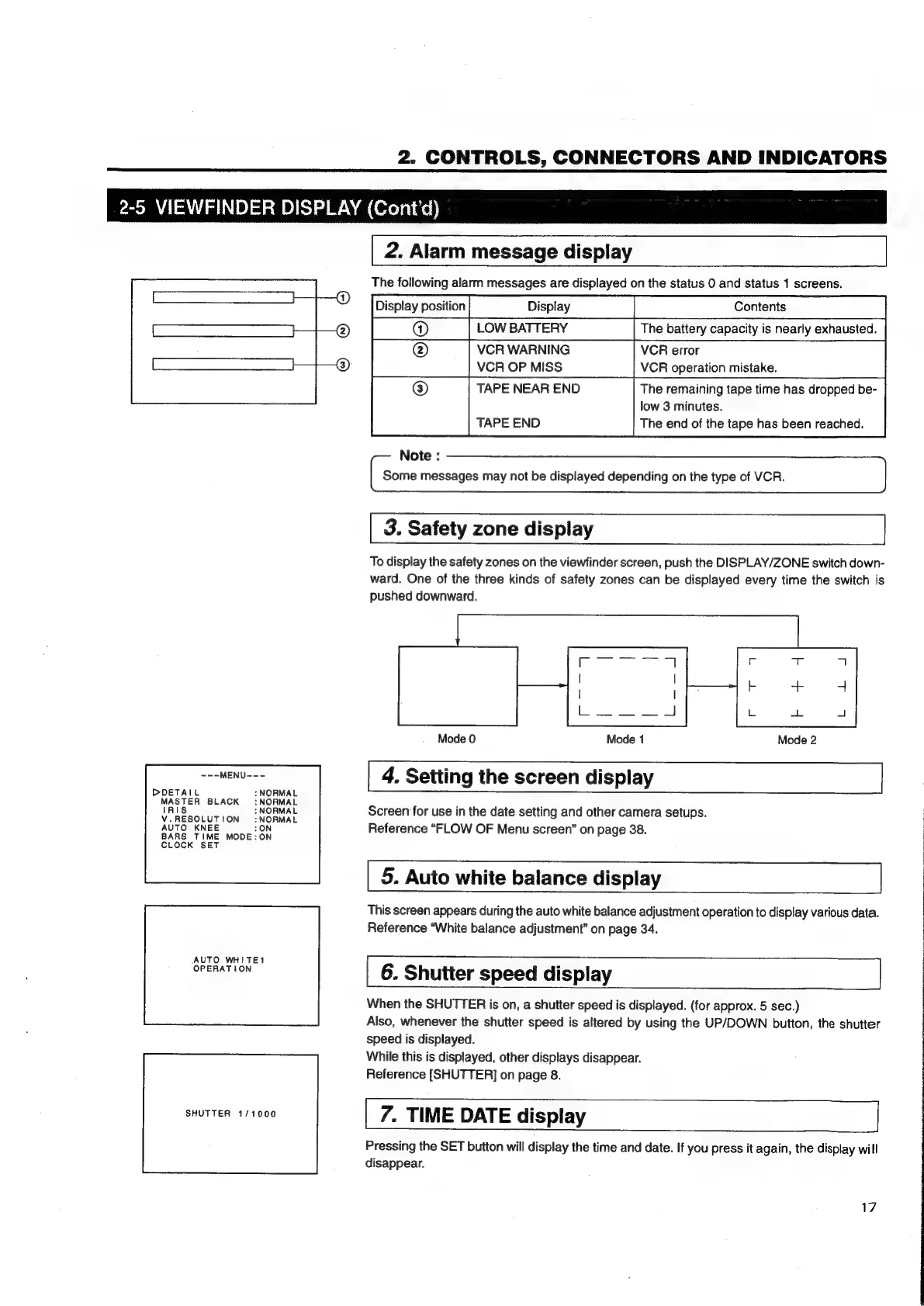
The
following
alarm
messages
are
displayed
on
the
status
0
and
status
1
screens.
LOW
BATTERY
The
battery
capacity
is
nearly
exhausted.
VCR
WARNING
VCR
error
VCR
OP
MISS
VCR
operation
mistake.
TAPE
NEAR
END
The
remaining
tape
time
has
dropped
be-
low
3
minutes.
The
end
of
the
tape
has
been
reached.
TAPE
END
Note
:
Some
messages
may
not
be
displayed
depending
on
the
type
of
VCR.
3.
Safety
zone
display
To
display
the
safety
zones
on
the
viewfinder
screen,
push
the
DISPLAY/ZONE
switch
down-
ward.
One
of
the
three
kinds
of
safety
zones
can
be
displayed
every
time
the
switch
is
pushed
downward.
Mode
0
Mode
1
Mode
2
4.
Setting
the
screen
display
Screen
for
use
in
the
date
setting
and
other
camera
setups.
Reference
“FLOW
OF
Menu
screen”
on
page
38.
5.
Auto
white
balance
display
This
screen
appears
during
the
auto
white
balance
adjustment
operation
to
display
various
data.
Reference
“White
balance
adjustment”
on
page
34.
6.
Shutter
speed
display
When
the
SHUTTER
is
on,
a
shutter
speed
is
displayed.
(for
approx.
5
sec.)
Also,
whenever
the
shutter
speed
is
altered
by
using
the
UP/DOWN
button,
the
shutter
speed
is
displayed.
While
this
is
displayed,
other
displays
disappear.
Reference
[SHUTTER]
on
page
8.
7.
TIME
DATE
display
Pressing
the
SET
button
will
display
the
time
and
date.
If
you
press
it
again,
the
display
will
disappear.
17

Table of Contents

Related product manuals