Docu-No.: 0590020601-EN Rev. 1.6.0 Page 35
Programming Reference 1
Machine setup menu 1.7
1.7.2 Changing feeder control application type
To change the feeder from one application type to another, perform
the following procedure.
1. Select <APPLICATION>
2. With NEXT, select the desired new application like <WBF>.
3. Press ENTER.
4. Press ENTER again or wait for the parameter <APPLICATION> to
again appear.
5. Select <Confirm>
6. Press ENTER to load new application.
APPLICATION
Control Type or
Application Type
Input of the application type:
Selection:
LWF, WBF, SFM, PID, VOL, LWB, WBB, SFB, XTR, Confirm
Input range: See list Default: LWF for LWF
LANGUAGE
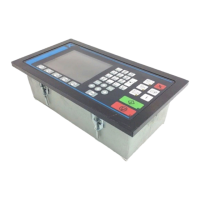
Only in KSU-II/KCM
Selects the desired language for the Display. Choices are English,
German, French, Spanish, Italian and Custom.
SCREEN SAVER
Only in KSU-II/KCM
When set to <On> activates the KSU-II and KCM screen saver
function.
Input range: On or Off Default: On
Feeder Name
Only for KSL
Enter feeder name at KSL only.
Parameter
Definition
Table page 2 of 2



 To Next Page