K990400 16 April 2008
5-1
Chapter
5
Managing Patient Data
Patient Information
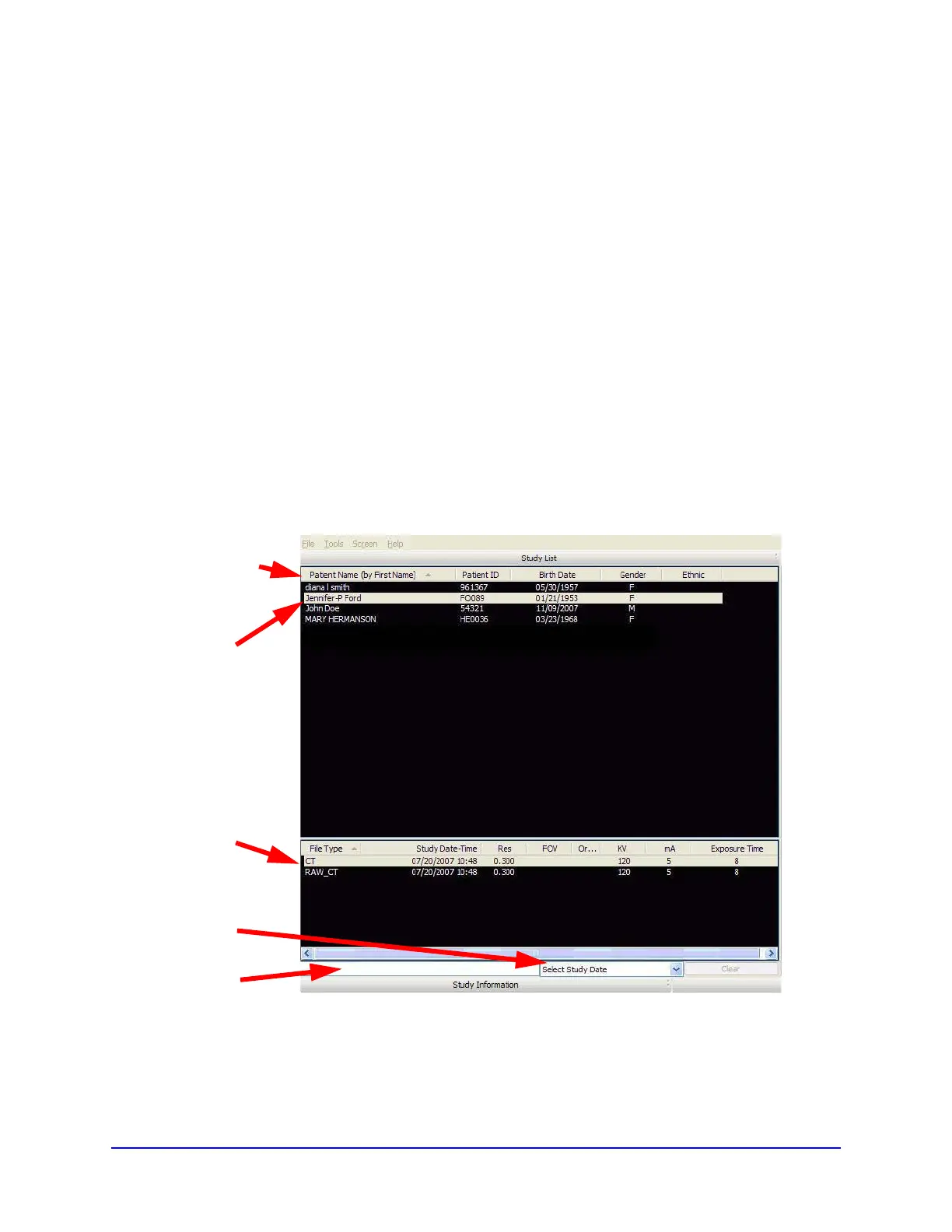
When Vision is launched, the Patient Information window is
displayed. The Study List (shown below) lists all Patients that were
entered into the database. When a Patient is selected (highlighted),
that Patient’s scanned images are listed in the window beneath the
Study List.
The order in which patients are listed may be altered by clicking a
header above the Study List. For example, clicking Birth Date
changes the Study List to display numerically by birth dates, starting
Study
Patient’s
Select
Study
Scans
List
Date
Headers
Search
Field



 To Next Page