K990400 16 April 2008
Acquisitioning (Scanning)
6-11
PAN Scan (Optional)
A PAN scan is a scan mode that creates a Panoramic exposure that
is a two dimensional image.
Patient positioning is critical for PAN scans. The device must also
be properly aligned to ensure quality Patient images. Prior to
performing a PAN scan, the Scanner alignment should be checked,
to ensure optimal system performance. It is recommended to check
the Scanner alignment monthly or if PAN image quality has
degraded. Also, perform a PAN Phantom test described in the
Quality Assurance chapter.
To check Scanner alignment:
1. Replace the Chin Cup with
the Chair Center Locator.
2. Ensure that the deice is in
the home position by
closing and opening the
device software.
3. Press the Alignment Light
button on the device Front
Panel to display lasers.
Lasers are available while the Volume tab is selected (not PAN).
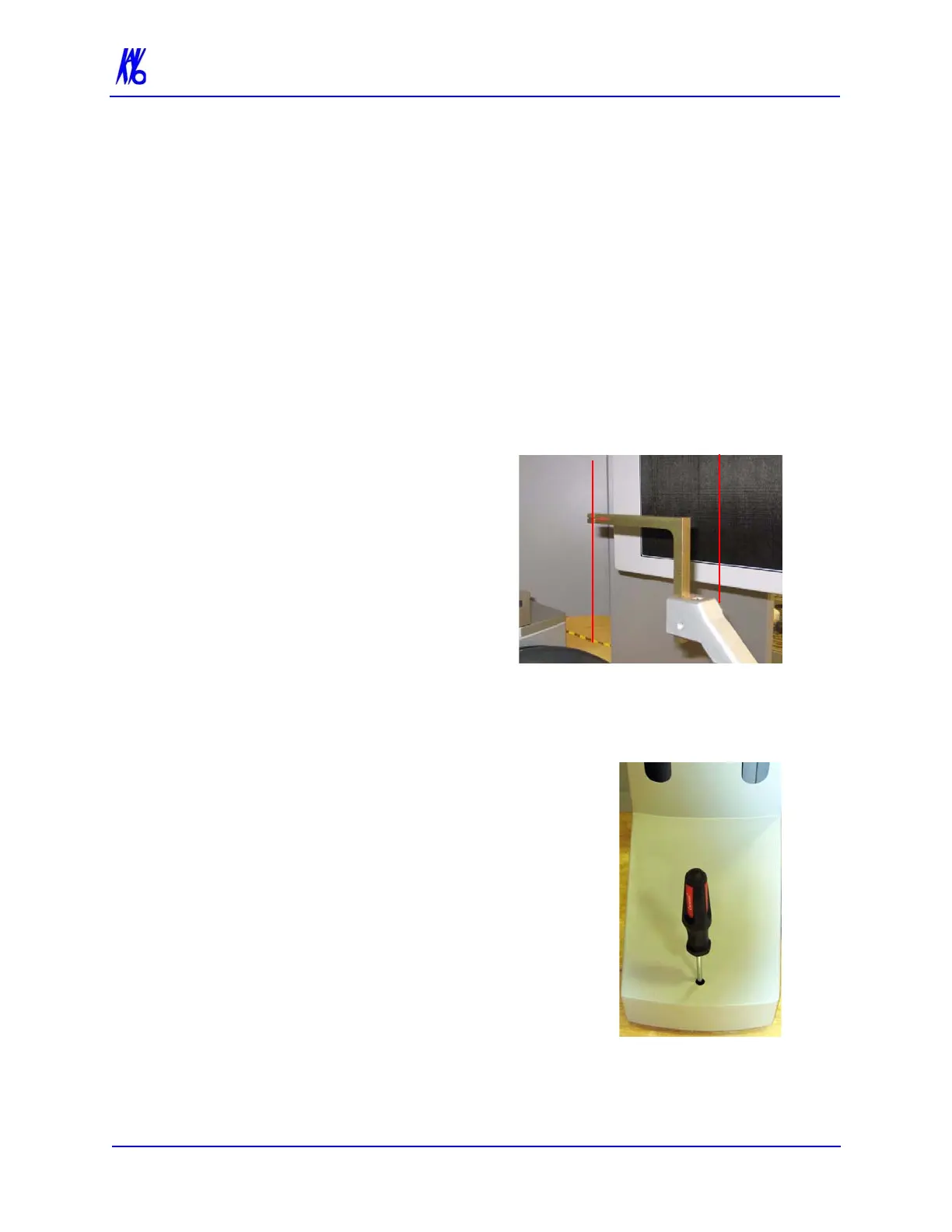
4. Ensure that the Vertical Laser intersects the notches on the
Receptor Panel and the Chair Center Locator tool, as shown.
5. If the Vertical Laser is in the correct
position, then the device is ready to
perform a PAN scan.
If the Vertical Laser is out of position,
then adjust the chair foot, using a 1/4
inch nut driver.
• Turn nut driver clockwise -
moves alignment tool towards
rear of Scanner.
• Turn nut driver counter-
clockwise - moves alignment tool
towards front of Scanner.
NOTE: Perform a PAN Phantom test, described in Quality
Assurance, if image quality has degraded.
Vertical
Laser
Vertical
Laser



 To Next Page