K990400 16 April 2008
Acquisitioning (Scanning)
6-3
7. Make sure the Patient’s chin is stabilized in the chin support.
8. Slide the head support forward for additional head stabilization.
9. Secure the head strap around the forehead.
10. For scans that are specific to TMJ or orthodontics, only the head
support and head strap should be used. It is recommended that
the chin support not be used because it can affect the Condular
position in Fossa and interfere with soft tissue at the chin.
Acquisitioning
Once Patient data is entered and the Patient is properly positioned,
acquisitioning can begin.
Acquire a new acquisition:
1. From the Main menu select File > New Patient.
2. In the Select Patient Pane, highlight patient and click OK or just
double-click the patient to be scanned.
The Acquire window is displayed.
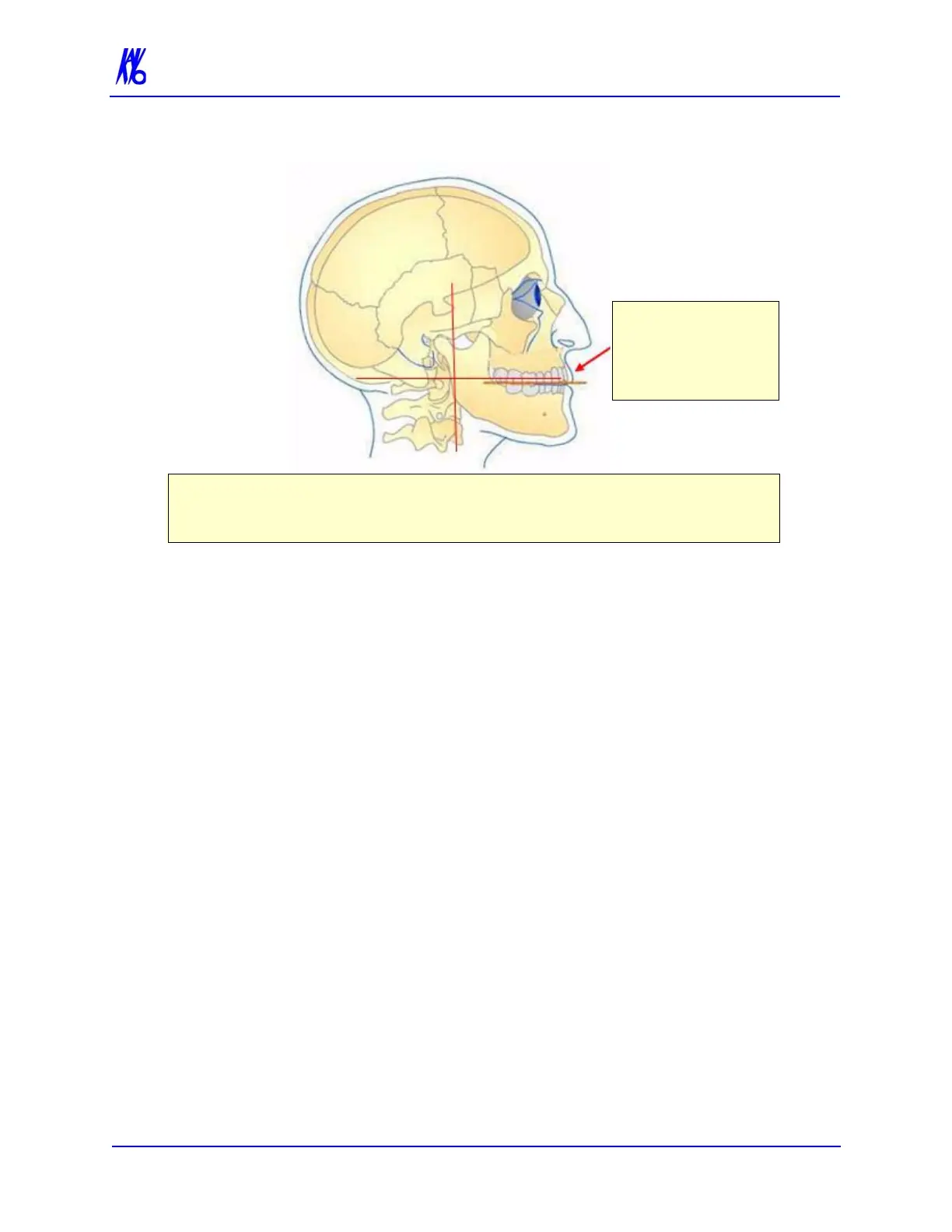
Tilt:
Occlusal Plane Flat,
Frankfort Plane tilted
up slightly.
Position of Alignment Lights for Full Head Scan:
Horizontal: Occlusal plane between the lips.
Vertical: 1.5 inches in front of condyle (chin support adjusted to acquisition position.



 To Next Page