K990400 16 April 2008
Reconstruction of Anatomy
7-11
2. While the cursor is an X, click mouse to return to the preview
screen.
This can also be performed by clicking Screen>Preview Screen
on menu bar.
Filter Settings
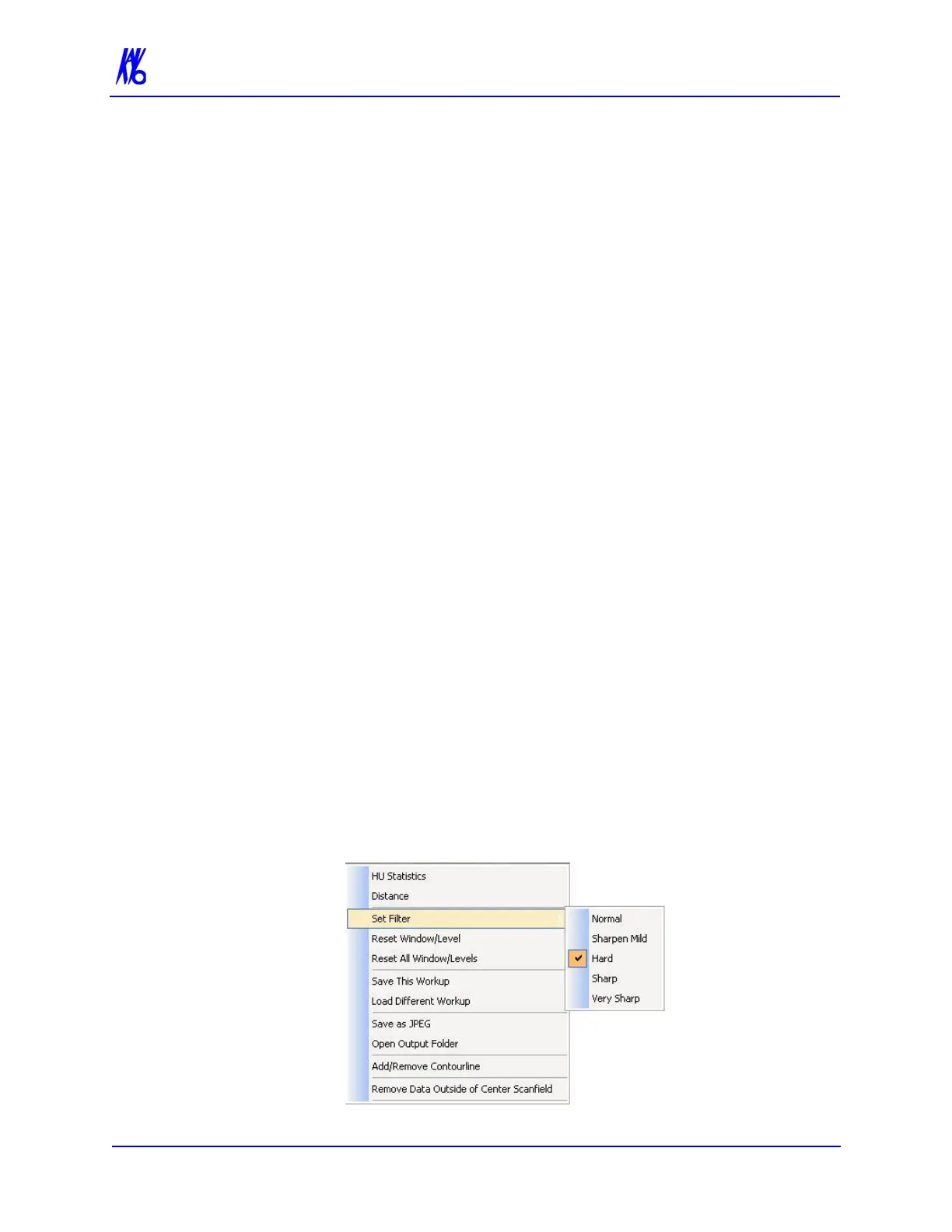
Filtering is provided for all image views. Images can be softened/
sharpened as desired by selecting one of five filter settings (Normal,
Sharpen Mild, Hard, Sharp or Very Sharp).
Default filter values are selected for all screens as follows:
• Preview Screen: Hard on Panoramic and Sharpen Mild
for all others.
• Implant Screen: Sharpen Mild on Axial Slice and Cross
Sections - Hard on Panoramic Map.
• TMJ Screen: Hard for top row images and Sharpen Mild
for Condyle Ceph Images.
• MPR Screen: Sharpen Mild all images.
• Ceph Screen: Sharp for Upper Left Right Lateral and Hard
for all others.
These defaults can always be changed by using one of the methods
described below.
Setting Filters for a Single Image
To change the filter setting for an individual image:
1. Right-click image and select Set Filter > and select filter setting.
The selected filter setting is applied.



 To Next Page