Kavo 3D eXam ® Operators’ Manual
K990400 16 April 2008
7-22
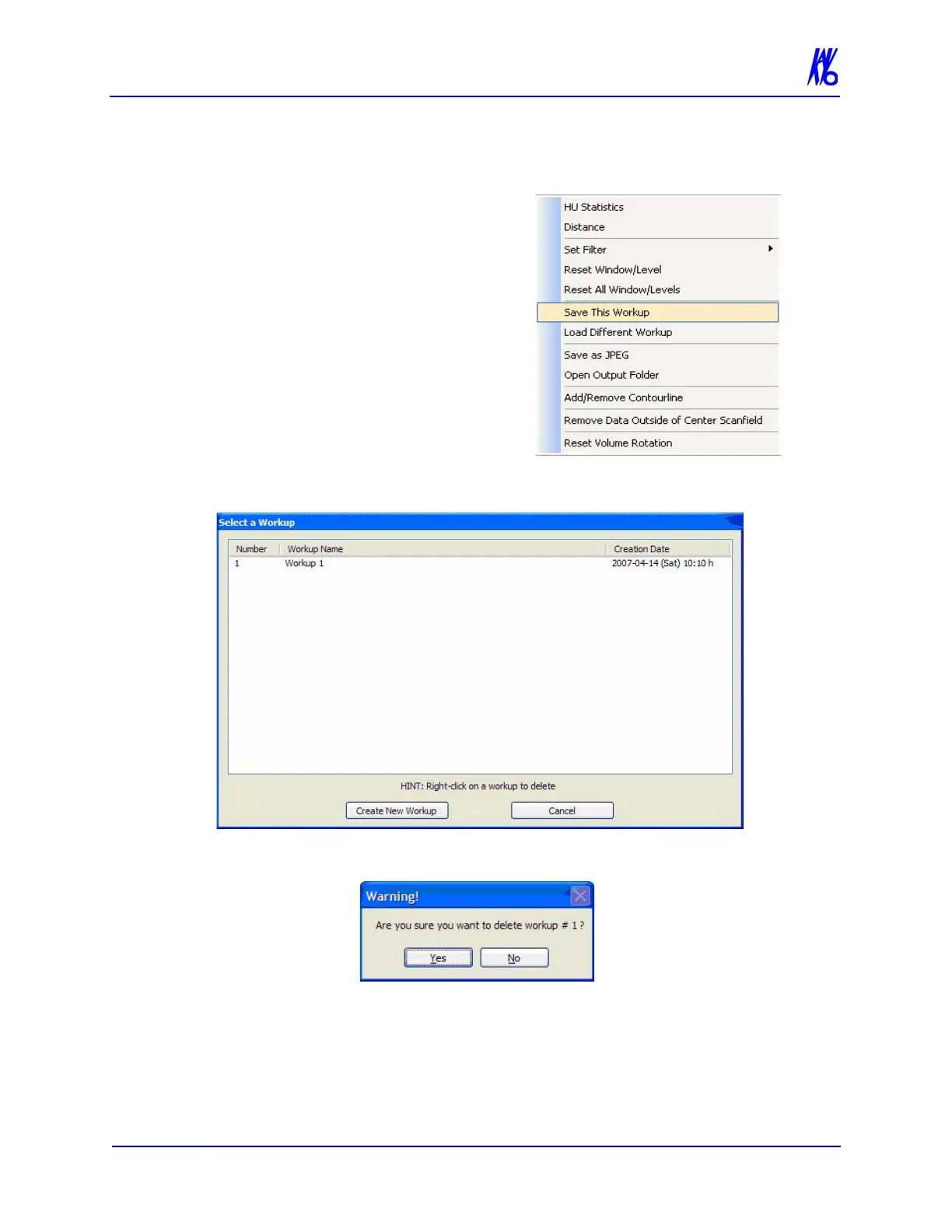
Delete an Existing Workup
To delete an existing workup:
1. Right-click any image on
Preview screen and select
Save This Workup.
2. Right-click the Workup to delete.
3. Click Yes. The dialog box closes and the selected Workup is
deleted.
4. Click Cancel to close.



 To Next Page