Kavo 3D eXam ® Operators’ Manual
K990400 16 April 2008
6-10
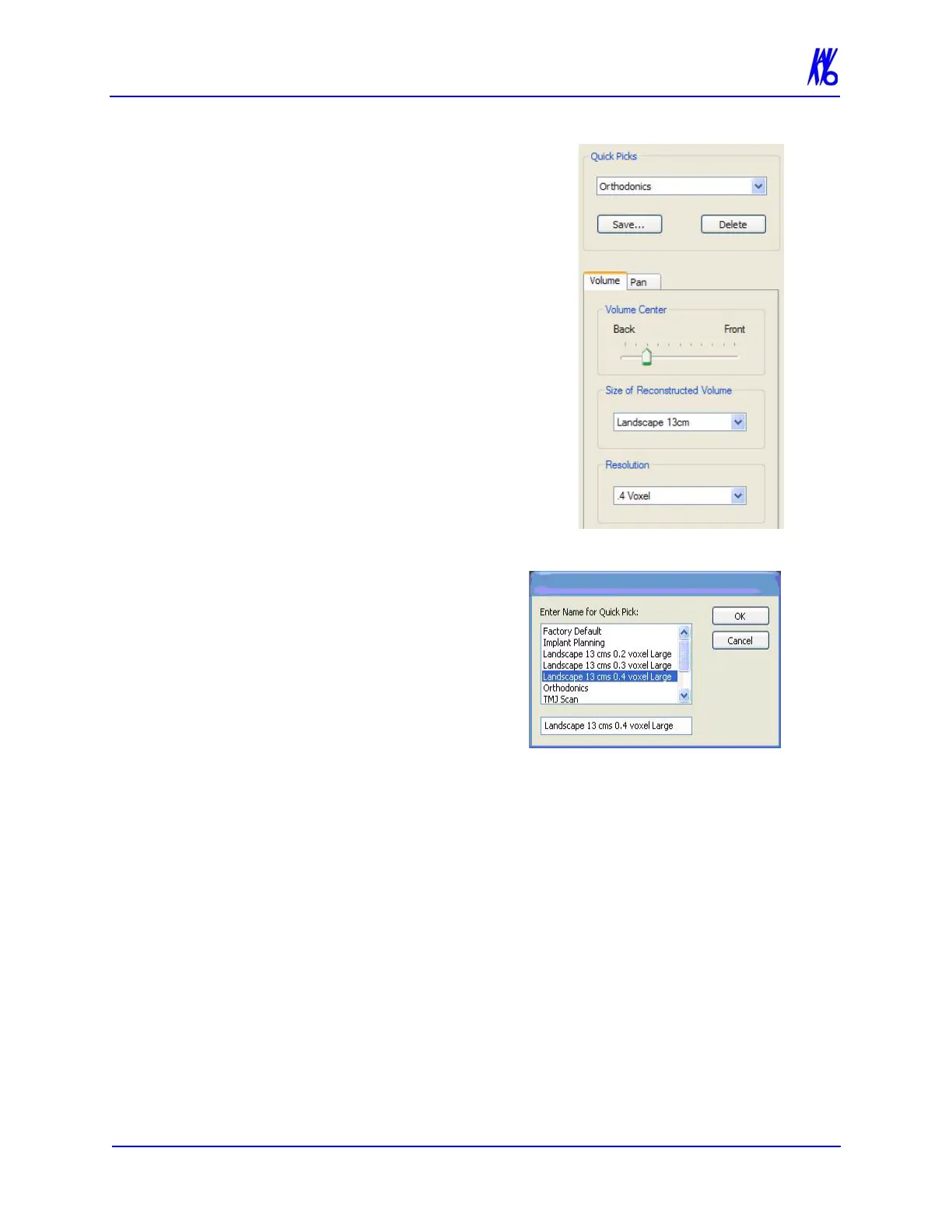
To add a Quick Pick:
1. Select scan settings:
• Exposure (if available)
• Volume Center
• Size of Reconstructed Volume
• Resolution
2. Click Save… button, below the
Quick Picks list box.
This saves the selected settings.
3. Enter a name for the new
Quick Pick.
4. Click OK.
The newly created Quick
Pick is now available from
the Quick Picks drop-down
list box.
To delete a Quick Pick:
1. Select the Quick Pick to delete from the Quick Picks drop-down.
2. Click Delete button below the Quick Picks drop-down.
3. A confirmation box is displayed, click Yes to delete.



 To Next Page