Kavo 3D eXam ® Operators’ Manual
K990400 16 April 2008
7-2
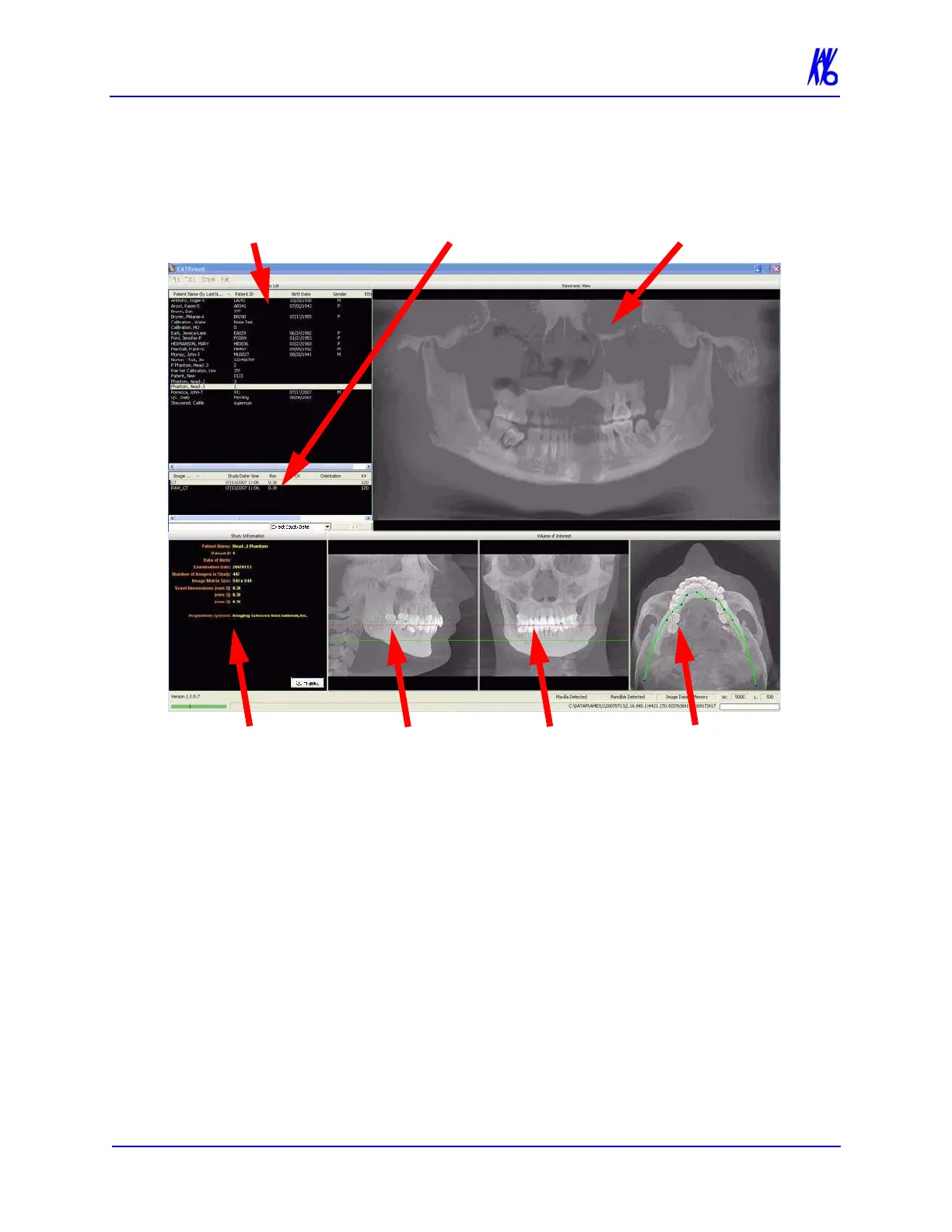
Once data is successfully reconstructed, the Preview screen appears
as shown below, showing the Panoramic, Sagittal, Coronal, and
Axial views of the skull through midline.
The Preview Screen is divided into seven views:
• Patients in Database
• Patient Images
• Patient Detail View
• Panoramic View
• Sagittal View
• Coronal View
• Axial View
Patients in Database lists all Patients and their data who are entered
into the database.
PATIENT DETAIL
VIEW
SAGITTAL
VIEW
CORONAL
VIEW
AXIAL
VIEW
PATIENT DATABASE PATIENT IMAGES PANORAMIC VIEW



 To Next Page