Features of your vehicle
24
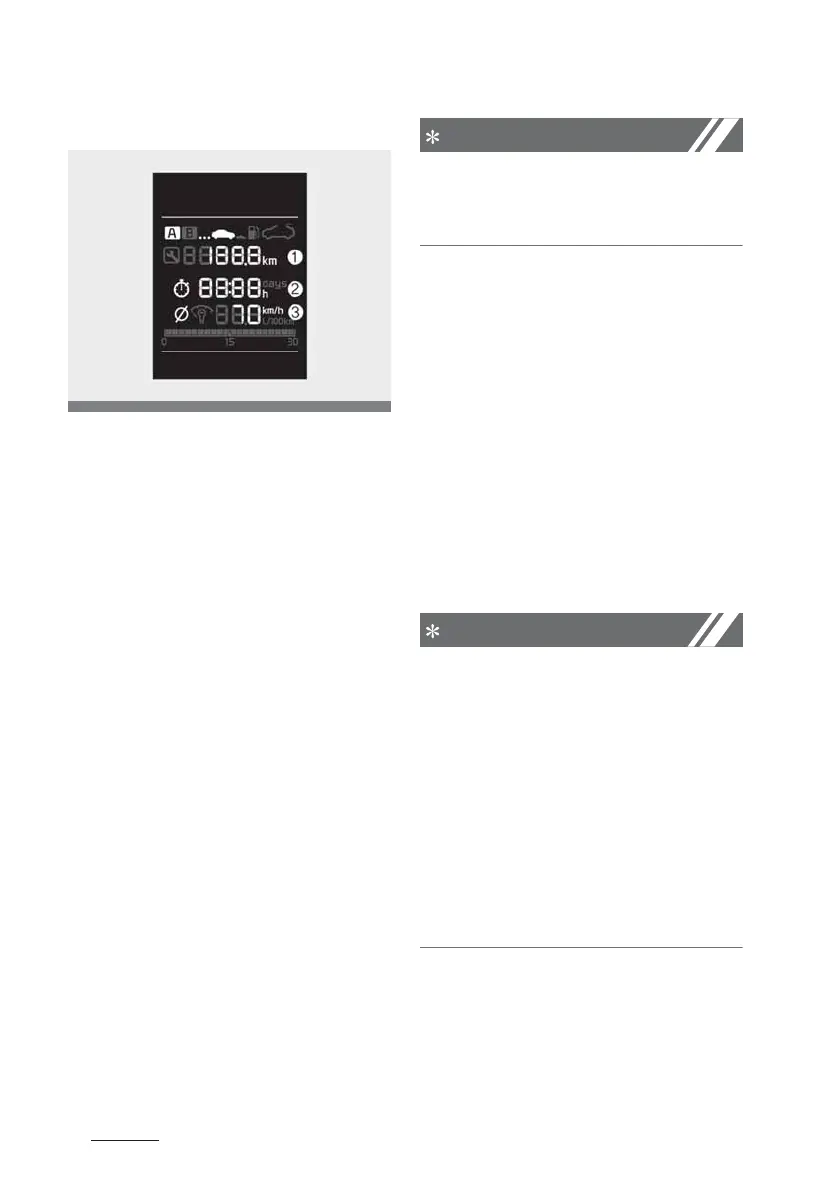
Trip Computer
Trip A/B
Tripmeter ()
䳜 The tripmeter is the total driving
distance since the last tripmeter
reset.
- Distance range : 0.0 ~ .
km or mi.
䳜 To reset the tripmeter, press the
3ESET button on the steering
wheel for more than 1 second
when the tripmeter is displayed.
Elapsed Time ()
䳜 The elapsed time is the total driv
-
ing time since the last elapsed
time reset.
- Time range (hh:mm) : 00:00 ~
:
䳜 To reset the elapsed time, press
the 3ESET button on the steering
wheel for more than 1 second
when the elapsed time is dis
-
played.
Even if the vehicle is not in motion,
the elapsed time keeps going whilst
the engine is running.
Average Vehicle Speed (3)
䳜 The average vehicle speed is cal
-
culated by the total driving dis
-
tance and driving time since the
last average vehicle speed reset.
- Speed range : 0 ~ km/h or
mph
䳜 To reset the average vehicle
speed, press the 3ESET button on
the steering wheel for more than
1 second when the average vehi
-
cle speed is displayed.
䳜 The average vehicle speed is not
displayed if the driving distance is
less than 300 meters (0.1 miles)
or the driving time is less than 10
seconds since the ignition switch
or the ENGINE STA3T/STOP but
-
ton is turned to ON.
䳜 Even if the vehicle is not in
motion, the average vehicle speed
keeps going whilst the engine is
running.



 To Next Page