3
4
4
Features of your vehicle Trip Computer
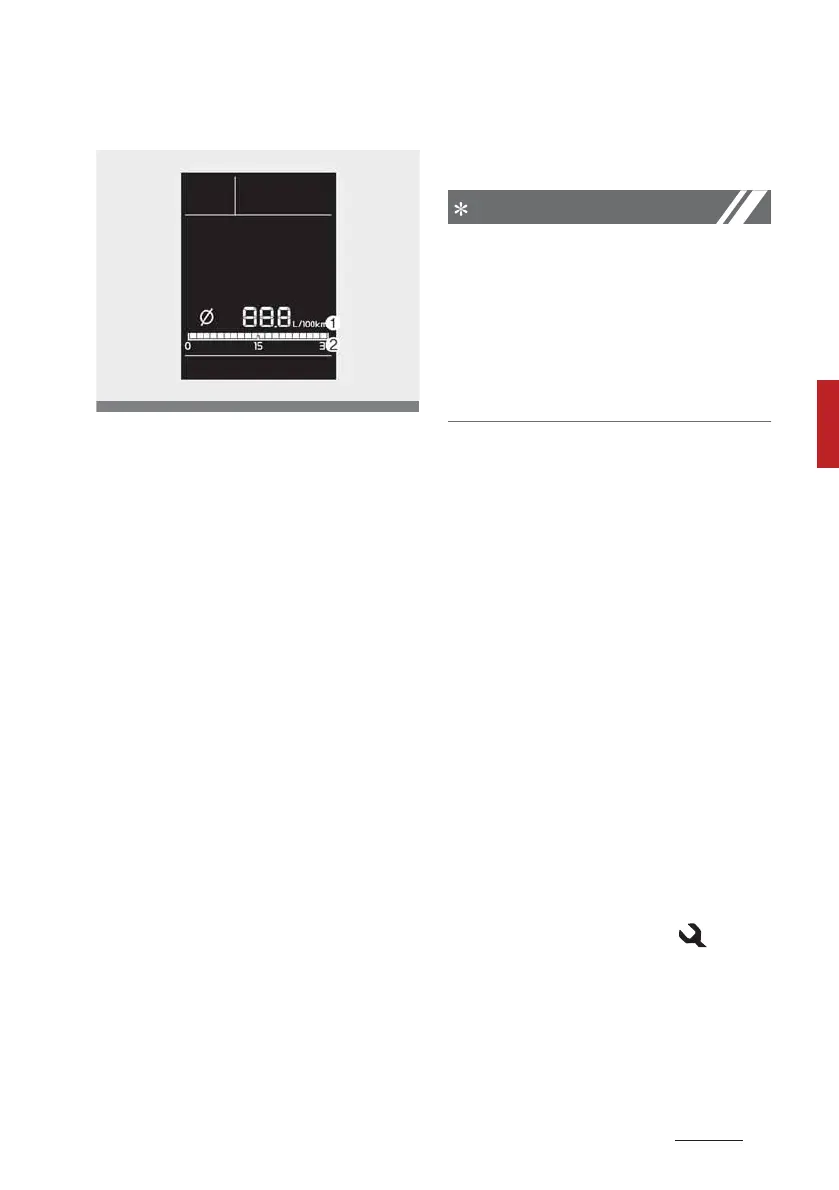
Fuel Economy
Average Fuel Economy ()
䳜 The average fuel economy is cal
-
culated by the total driving dis
-
tance and fuel consumption since
the last average fuel economy
reset.
- Fuel economy range: 0 ~ . L/
100km, km/L or MPG
䳜 The average fuel economy can be
reset both manually and auto
-
matically.
䳜 Manual reset
To clear the average fuel econ
-
omy manually, press the 3ESET
button on the steering wheel for
more than 1 second when the
average fuel economy is dis
-
played.
䳜 Automatic reset
To make the average fuel econ
-
omy be reset automatically.
- 8hen refuelling : After refuel
-
ling more than 6 litre (1.6 gal
-
lons) and driving over 1 km/h (1
mph), the vehicle will reset to
default automatically.
The average fuel economy is not
displayed for more accurate calcula
-
tion if the vehicle does not drive
more than 10 seconds or 300
meters (0.1 miles) since the igni
-
tion switch or ENGINE STA3T/STOP
button is turned to ON.
Instant Fuel Economy ()
䳜 This mode displays the instant
fuel economy during the last few
seconds when the vehicle speed is
more than 8 km/h ( MPH).
- Fuel economy range: 0.0 ~ 30 L/
100km, km/L or 0.0 ~ 0.0 MPG
To change the Fuel Economy unit
(km/- ↔ -/00km)
Press the T3IP button for sec
-
onds, the Fuel Economy unit is blink.
And then press the 3ESET button,
the fuel economy unit is changed.
Service Reminder
If the remaining mileage or time
reaches 1,00 km (00 miles) or 30
days, the service symbol ( ) will
blink for several seconds each time
you set the ignition switch or
ENGINE ST3AT/STOP button to the
ON position.



 To Next Page