Features of your vehicle
4
Trip Computer
display (3efer to "User settings
mode" on page 4-71).
- Off : You may set to default
manually by using the trip switch
reset button.
- After vehicle On: If opening the
driver's door after turning off the
engine or 3 minutes passes after
restarting the engine, the vehicle
will reset to default automatically.
- After refuelling: After refuelling
more than 6 litres and driving over
1 km/h, the vehicle will reset to
default automatically.
The average fuel economy is not
displayed for more accurate calcula
-
tion if the vehicle does not drive
more than 10 seconds or 300
meters (0.2 miles) since the ignition
switch or ENGINE STA3T/STOP but
-
ton is turned to ON.
Instant Fuel Economy ()
䳜 This mode displays the instant
fuel economy during the last few
seconds when the vehicle speed is
more than 8 km/h ( mph).
- Fuel economy range:
0 ~ 30 L/100km, km/L or 0 ~ 0
MPG
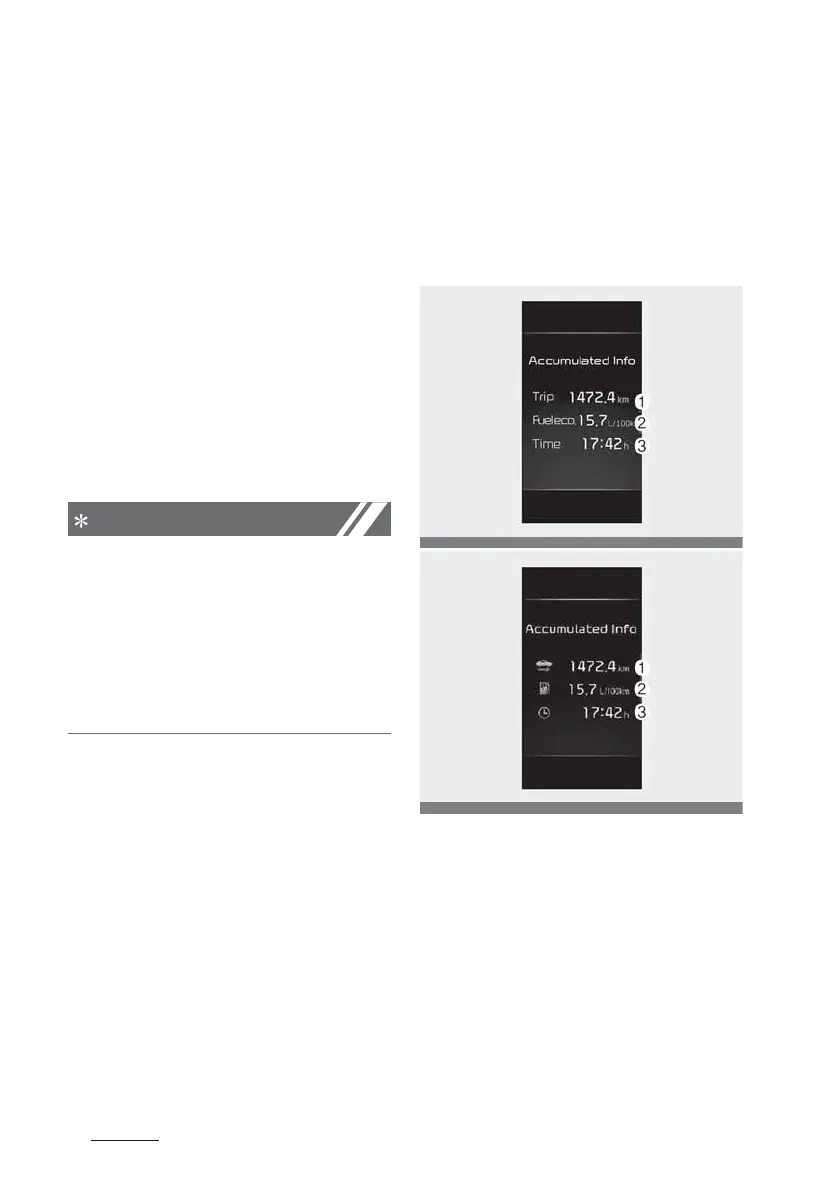
Accumulated driving information
mode
This display shows the accumulated
trip distance (1), the average fuel
efficiency (2), and the total driving
time (3).
䳜 Accumulated information is calcu
-
lated after the vehicle has run for
more than 300 meters (0.2 miles).
䳜 If you press "OK" button for more
than 1 second after the Cumula
-
tive Information is displayed, the
information will be reset.
䳜 If the engine is running, even
when the vehicle is not in motion,
the information will be accumu
-
lated.



 To Next Page