7
4
4
Features of your vehicle Trip Computer
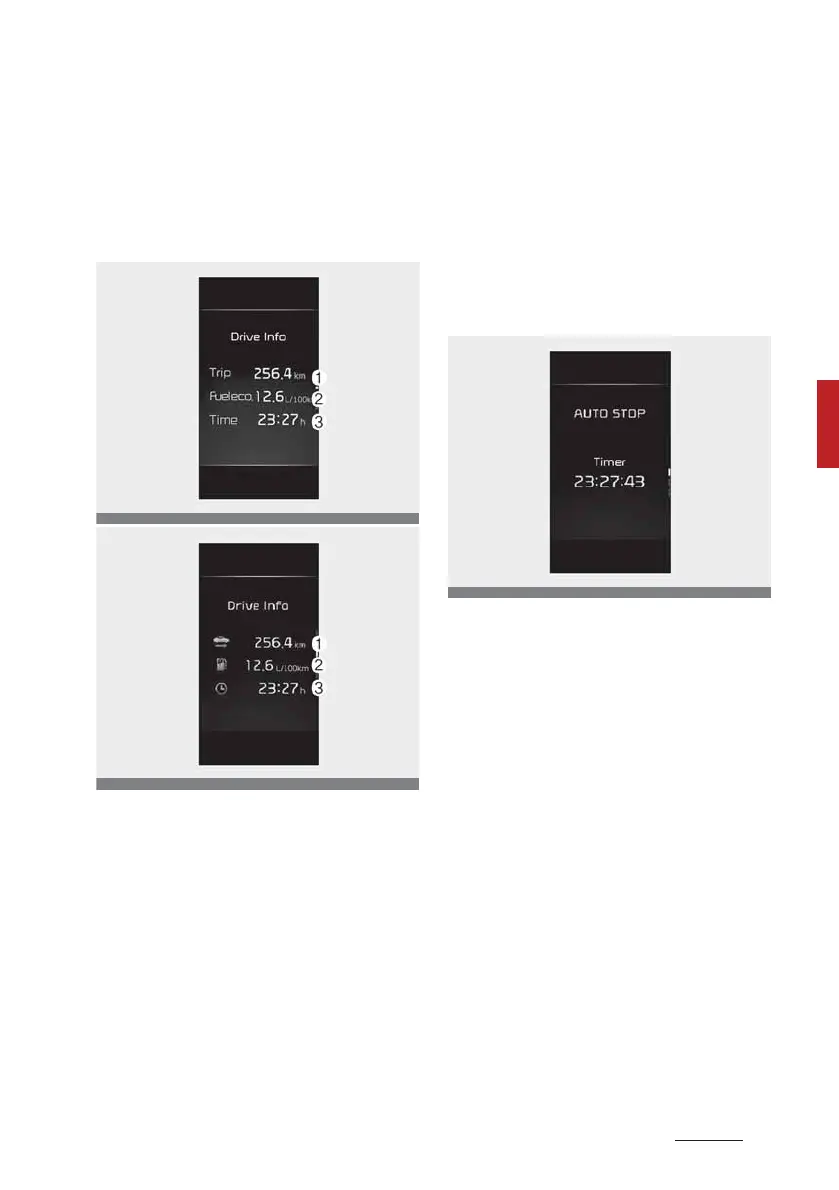
Drive Info display
This display shows the trip distance
(1), the average fuel efficiency (2),
and the total driving time (3) infor
-
mation once per one ignition cycle.
䳜 Fuel efficiency is calculated after
the vehicle has run for more than
300 meters (0.2 miles).
䳜 If opening the driver's door after
turning off the engine or 3 min
-
utes passes after restarting the
engine, the Driving Information is
reset.
䳜 If you press "OK" button for more
than 1 second after the Driving
Information is displayed, the
information will be reset.
䳜 If the engine is running, even
when the vehicle is not in motion,
the information will be accumu
-
lated.
Auto stop time (if equipped)
This mode displays the elapsed time
of Auto stop by "Idle stop and go
system".For more details, refer to
"Idle Stop and Go (ISG) system (if
equipped)" on page -17.
Energy flow (for 48V HEV) (if
equipped)
The mild hybrid system informs the
driver regarding the energy flow in
various operating modes. 8hilst
driving, the current energy flow is
specified in 3 modes.



 To Next Page