Driving your vehicle
1425
Smart Cruise Control (SCC)
Select the appropriate set speed on
inclines and apply the brake pedal or
accelerator pedal according to the
road and driving conditions ahead.
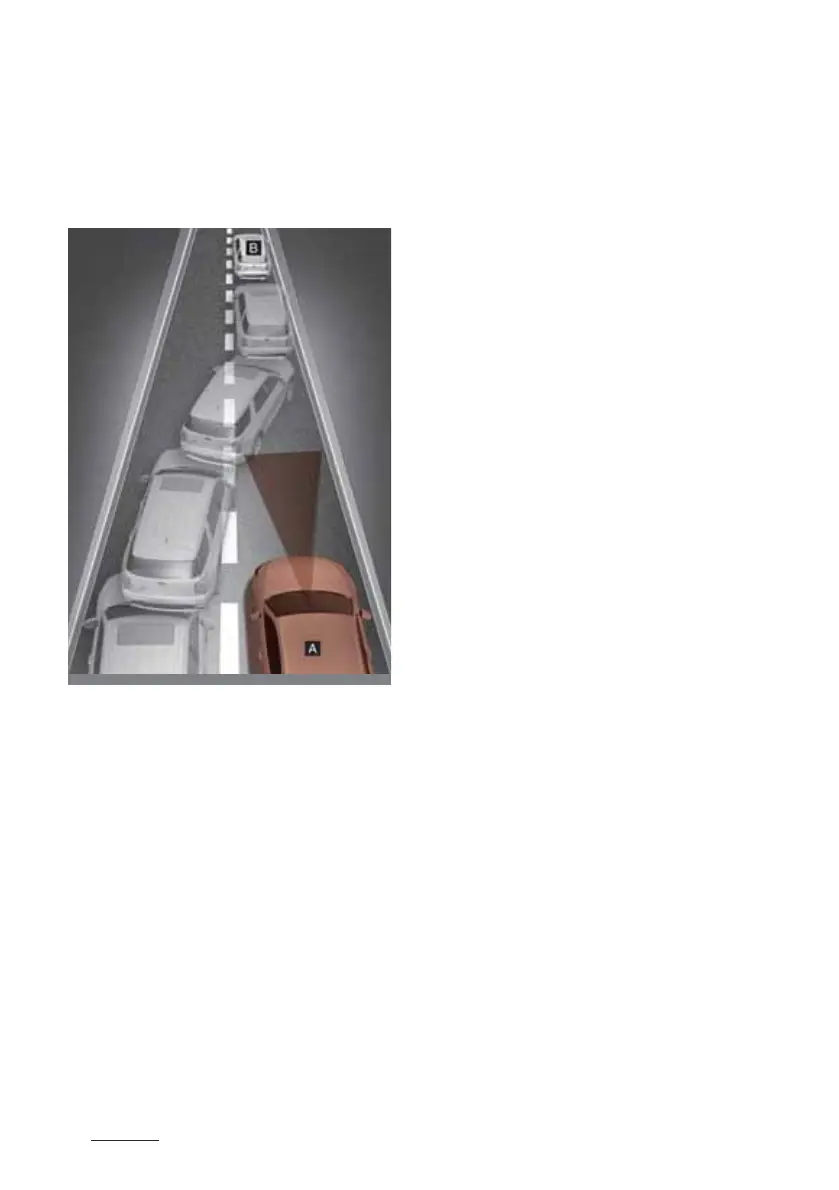
䳜 Changing lanes
[A]: Your vehicle, [B]: Lane changing
vehicle
8hen a vehicle moves into your lane
from an adjacent lane, it cannot be
detected by the sensor until it is in
the sensor's detection range.
Smart Cruise Control may not
immediately detect the vehicle
when the vehicle changes lanes
abruptly. In this case, you must
maintain a safe braking distance,
and if necessary, depress the brake
pedal to reduce your driving speed
in order to maintain a safe distance.
䳜 Detecting vehicle
In the following cases, some vehicles
in your lane cannot be detected by
the sensor:
䳜 Vehicles offset to one side
䳜 Slow-moving vehicles or sudden-
decelerating vehicles
䳜 Oncoming vehicles
䳜 Stopped vehicles
䳜 Vehicles with small rear profile,
such as trailers
䳜 Narrow vehicles, such as motor
-
cycles or bicycles
䳜 Special vehicles
䳜 Animals and pedestrians
In the following cases, the vehicle in
front cannot be detected by the
sensor:
䳜 Vehicles with higher clearance or
vehicles carrying loads that stick
out of the back of the vehicle
䳜 Vehicles that has the front lifted
due to heavy loads
䳜 You are steering your vehicle
䳜 Driving on narrow or sharply
curved roads
Adjust your vehicle speed by
depressing the brake pedal accord
-
ing to the road and driving condi
-
tions ahead.
8hen a vehicle ahead disappears at
an intersection, your vehicle may
accelerate. Always pay attention to



 To Next Page