- 73 -
FUNCTION SETTINGS
9. TRAIN CORRECT
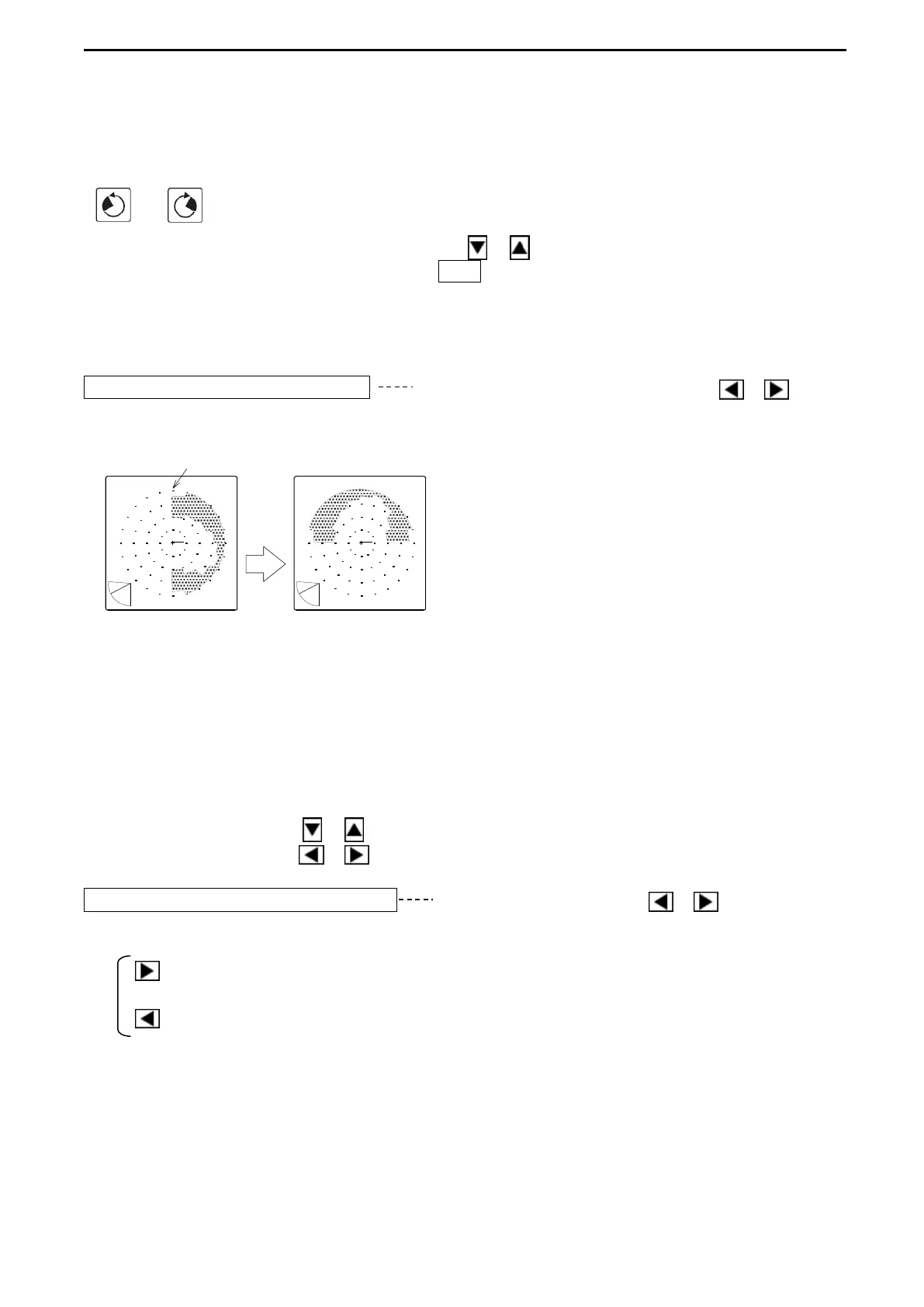
This changes the center direction of the detection range into the bow direction (0°).
Select the SONAR MODE and set the desired position by using the Bearing keys
( or ) .
Open “MENU 2” and use the Cursor Shift key ( or ) to select “OTHERS-TRAIN
CORRECT”. Press the Cursor Selection (O / +) so that the confirmation sign appears on
the screen. Selecting “OK” displays the value for adjustment and the displayt of the current
center direction is changed into the bow direction (0°). Selecting “CANCEL” cancel the
current operation.
TRAIN CORRECT 90° After pressing the Cursor Shift key ( or ),
the angle of the center direction set at the menu of SONAR MODE appears.
BOW DIRECTION (0°)
display rotated 90° counterclockwise
To release this function, setting the current bearing at 0° and the procedure “TRAIN
CORRECT” above again are required.
10. PANEL BRIGHTNESS
The backlight brightness of operation panel can be changed.
Use the Cursor Shift key ( or ) to select “PANEL BIRHGTNESS”.
Use the Cursor Shift key ( or ) to change the setting.
PANEL BRIGHTNESS 15 Use the Cursor Shift key ( or ) to change.
[0 - 15]
: increases the value and sets brighter.
: decreases the value and sets darker.



 To Next Page