106
KMHA 500-000099
Revision D
KDR
TM
AU-DDR Advanced U-Arm System with
Dynamic Digital Radiography (KDR AU DDR)
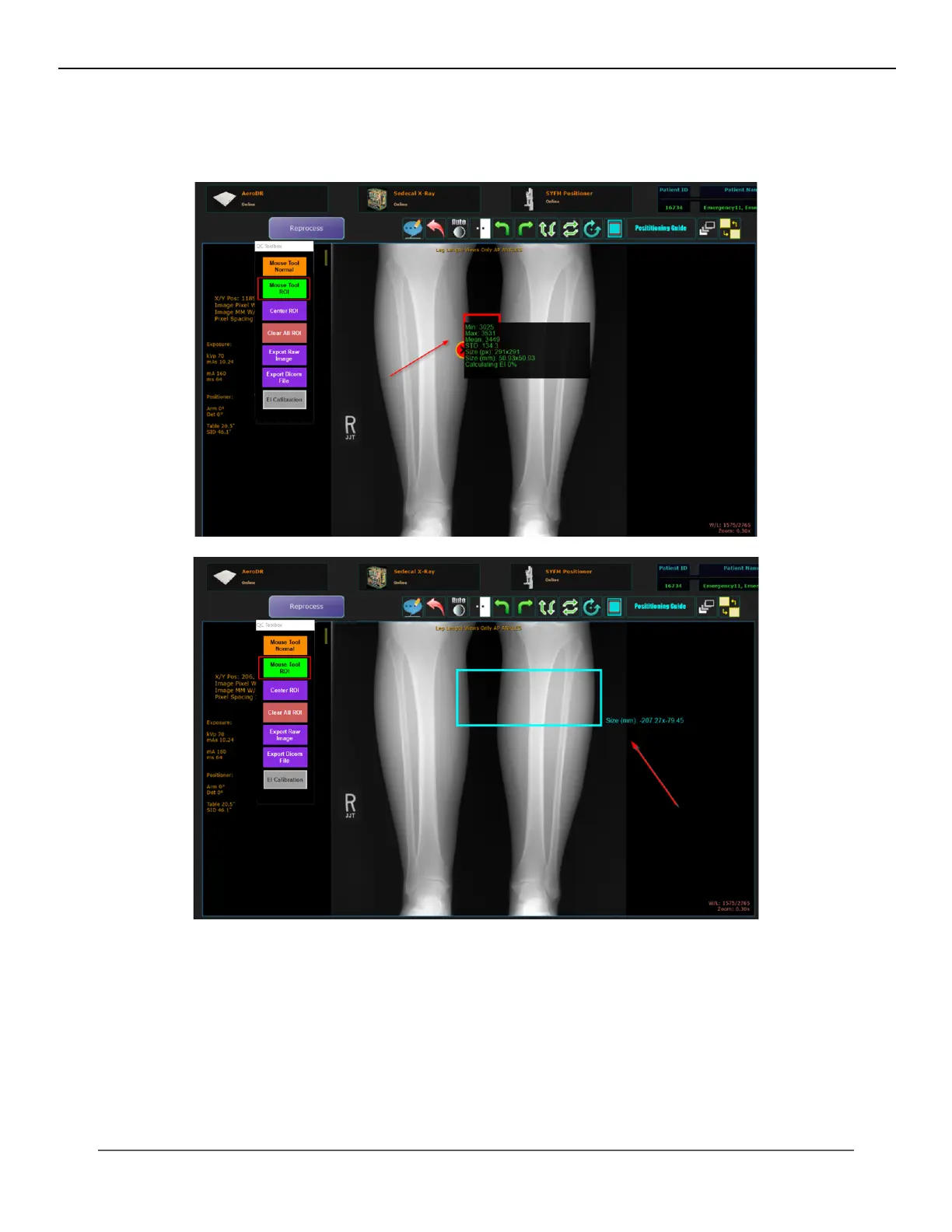
3. The Mouse Tool ROI: This tool is used to identify a region of interest in an image and review the values of that
selected region.
Click on the Mouse Tool ROI button and click on a desired area of the image to draw a 51mm x 51 mm ROI.
4. Center ROI: Click on Center ROI to automatically draw a 51mm x 51 mm ROI at center of the image.
IV. SOFTWARE



 To Next Page
 Loading...




