35
KMHA 500-000099
Revision D
KDR
TM
AU-DDR Advanced U-Arm System with
Dynamic Digital Radiography (KDR AU DDR)
III. USER INTERFACES
13.2 Turning On the Positioner
For instructions on turning on the entire system, see Section 9.1 “System Start Up,” step 1.
13.3 Turning On the Positioner Control Panel
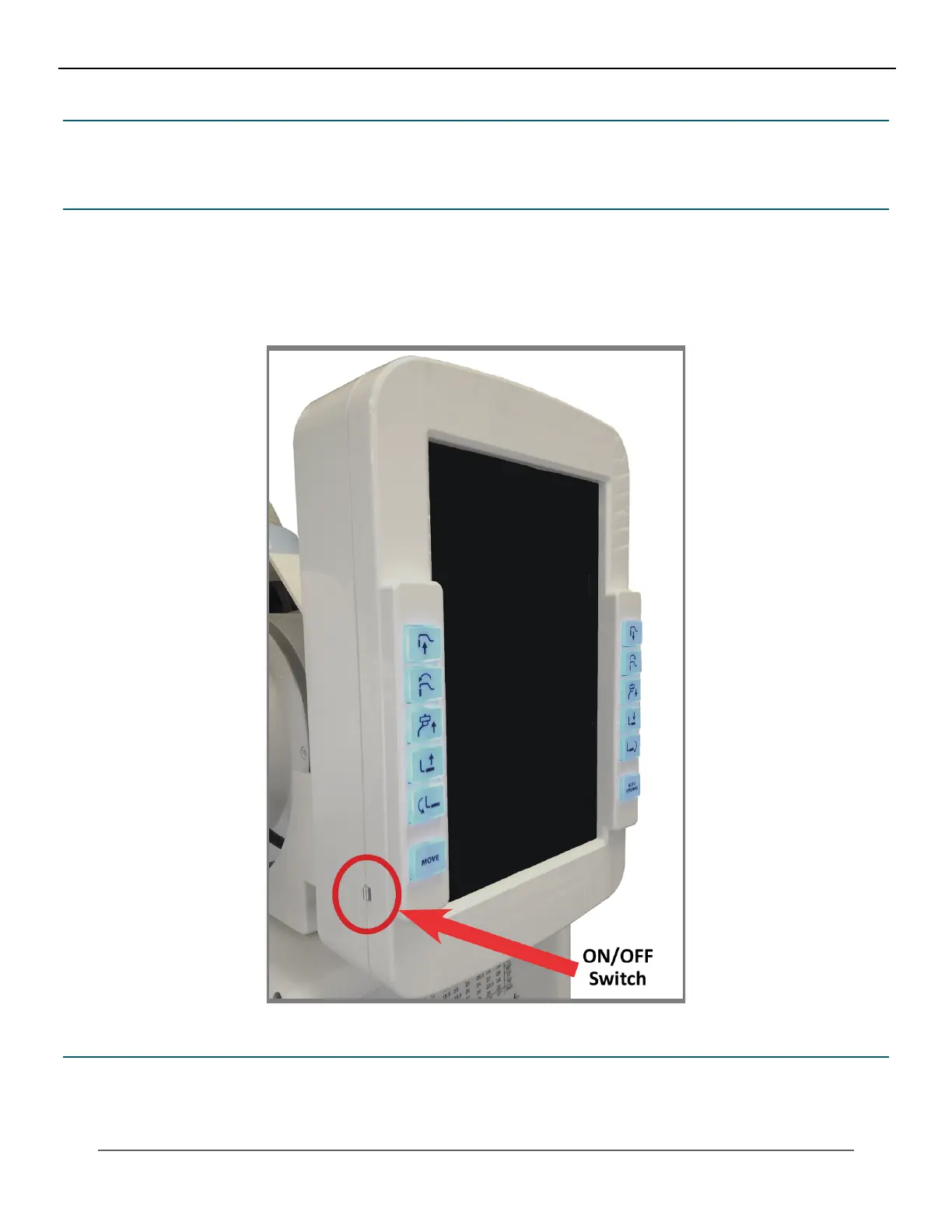
To turn ON the control panel, press the ON/OFF switch and hold it more than ve seconds until it shows a beginning
screen (see Figure 13.3.1). Turning the panel OFF is unnecessary. The panel will automatically switch itself off within three
minutes after the main power is turned off.
Figure 13.3.1
Posioner Control Panel
13.4 Emergency Stop Switch
In case of a malfunction or unintended movement in the stand, press the emergency stop switch to stop the unit immedi-
ately (see Figure 13.4.1). Remove the obstruction from the path of the positioner. To re-enable movement of the position-
er, pull and twist the emergency stop switch. In case of a persistent malfunction, contact your service engineer concerning
the issue.



 To Next Page
 Loading...




