97
KMHA 500-000099
Revision D
KDR
TM
AU-DDR Advanced U-Arm System with
Dynamic Digital Radiography (KDR AU DDR)
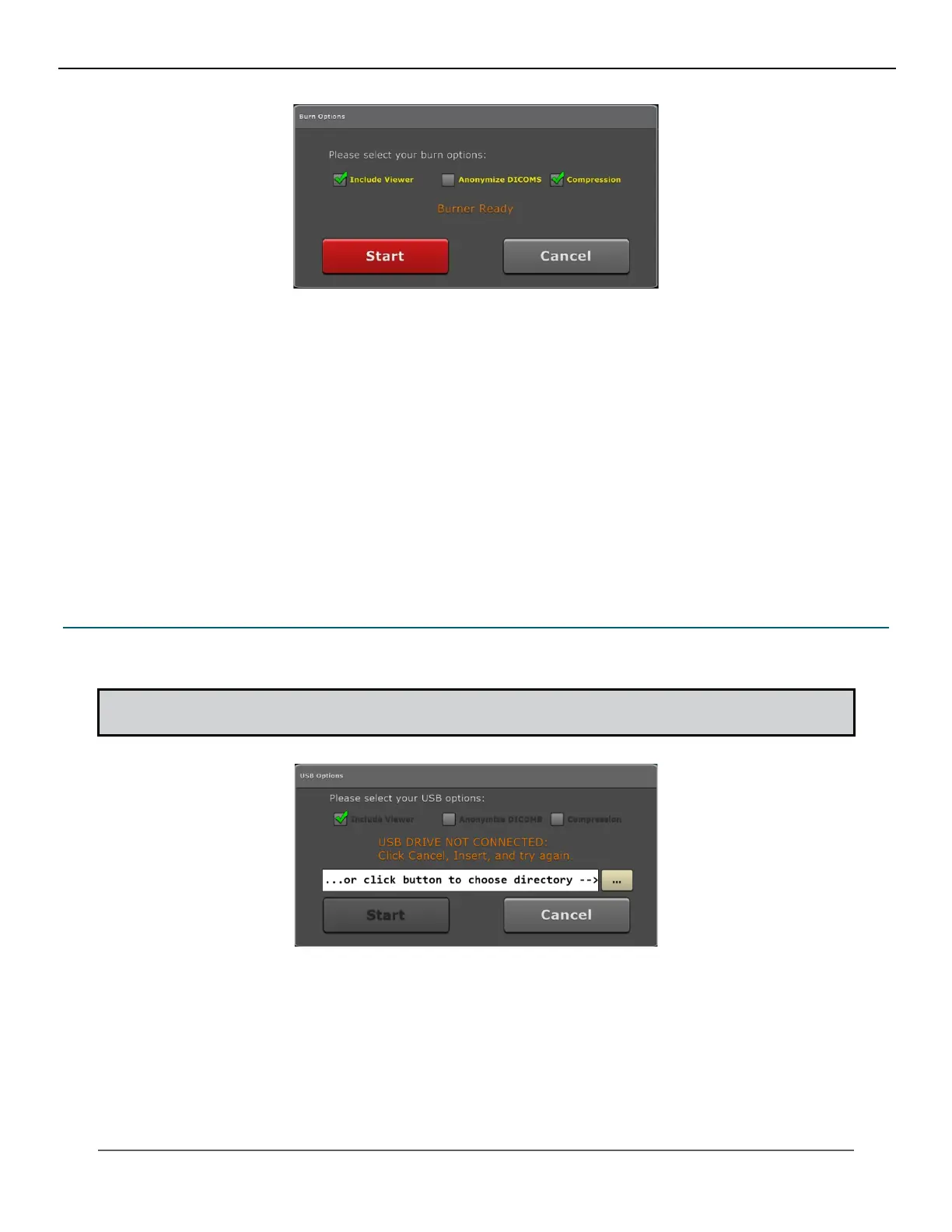
3. Select burn options as needed. When saving images, you can include the Opal viewer, remove patient demo-
graphics, or compress the images.
• Include Viewer – burns the CD/DVD with the Ultra viewer executable included. Including the viewer
makes viewing images easy from any computer (selected by default).
• Anonymize DICOMS – when selected, all patient demographic and personalized information is removed
from the study and replaced with generic rst and last names.
• Compression – saves the le in a compressed format, reducing the le size, which allows for more stor-
age.
4. Click Start to begin burning the CD/DVD. The progress indicator is displayed in the top left corner.
5. You can remove the CD/DVD once the progress indicator displays “Done”.
21.4 Copying a Study to a USB Drive
1. Click the USB button from the More menu.
2. Insert an USB external drive.
NOTE: Until an external drive is inserted, a status message will display “USB Drive Not Connected.” Once the
drive is ready, the status message will change to “USB Drive Connected: Press Start.”
IV. SOFTWARE



 To Next Page
 Loading...




