63
KMHA 500-000099
Revision D
KDR
TM
AU-DDR Advanced U-Arm System with
Dynamic Digital Radiography (KDR AU DDR)
17.4 Reset Entire Image to Remove All Applied Post Processing
Clicking the Reset Entire Image icon removes all the of post processing that you have applied to the image and resets it to
the original raw image.
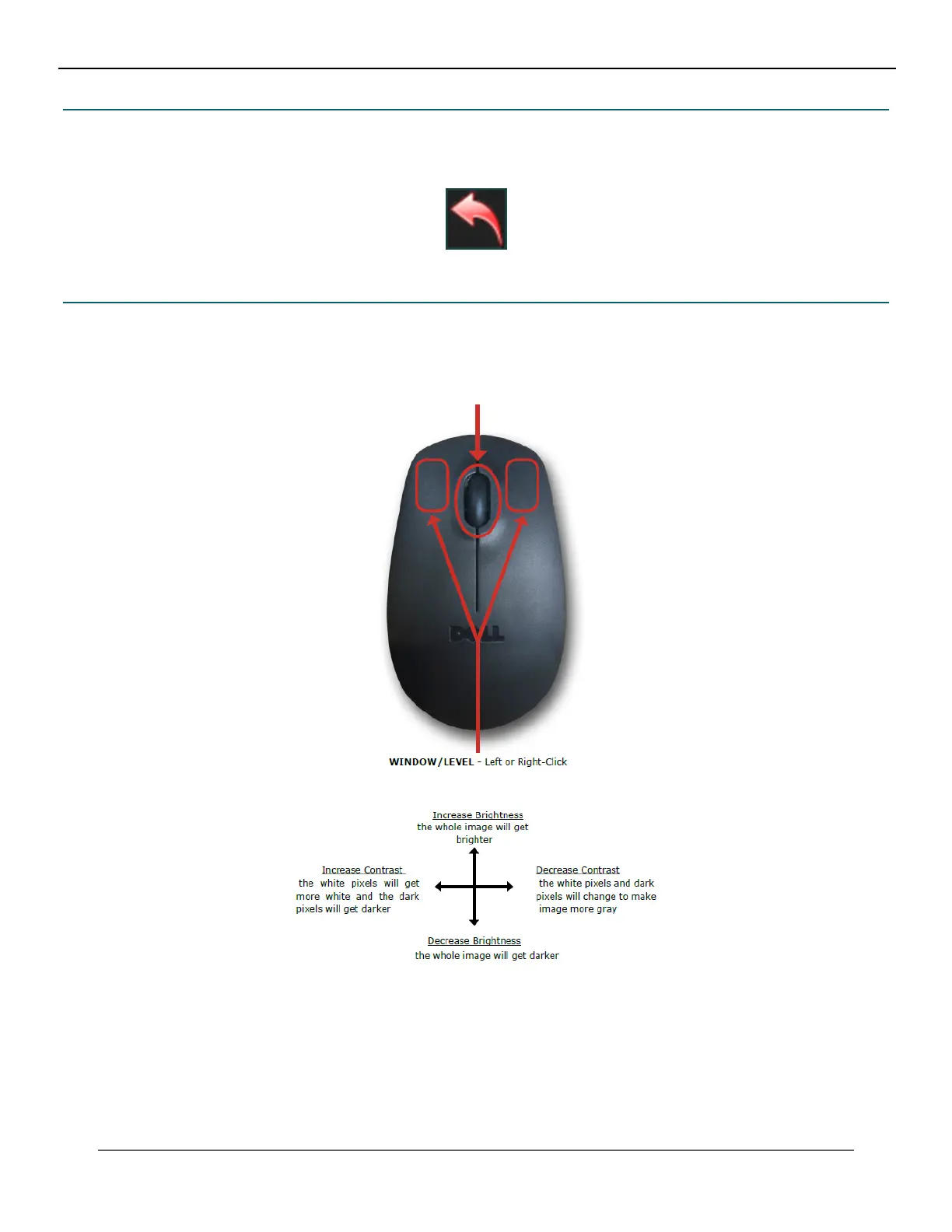
17.5 Mouse Functions
• Zoom In – scroll wheel up.
• Zoom Out – scroll wheel down.
• Pan – click and hold the wheel, then move your mouse.
IV. SOFTWARE



 To Next Page
 Loading...




