102
KMHA 500-000099
Revision D
KDR
TM
AU-DDR Advanced U-Arm System with
Dynamic Digital Radiography (KDR AU DDR)
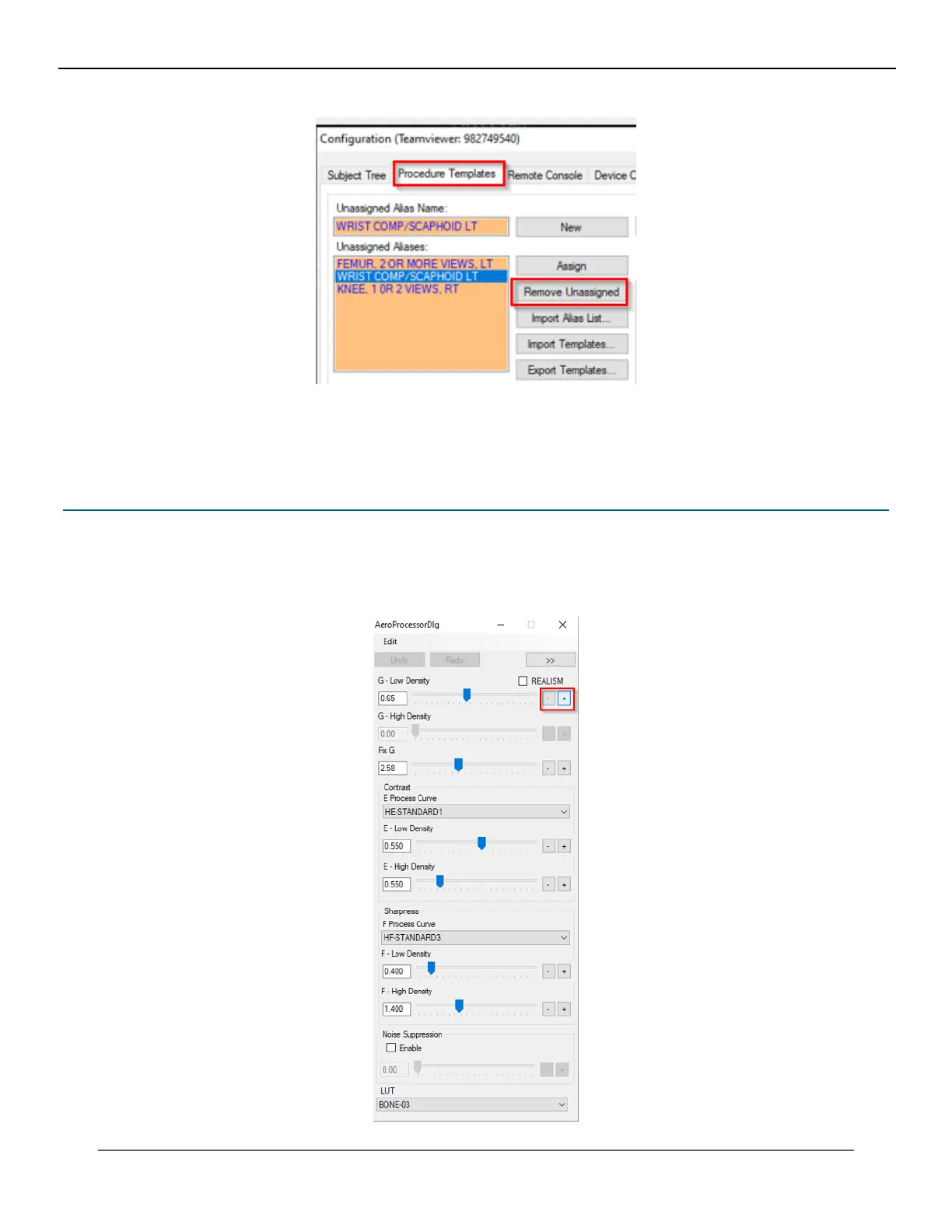
10. The selected alias name in the Unassigned Alias name list is removed.
11. Click Apply to save changes.
22.4 Regius Tuner Popup – Fine Tune
The Regius tuner popup can be used to adjust the density values in small increments.
1. In the acquisition screen, press Ctrl+O to launch Regius tuner popup.
2. To increase or decrease the density values in smaller increments (Fine Tune), click the + / - buttons.
IV. SOFTWARE



 To Next Page
 Loading...




