47
KMHA 500-000099
Revision D
KDR
TM
AU-DDR Advanced U-Arm System with
Dynamic Digital Radiography (KDR AU DDR)
IV. SOFTWARE
15.0 PERFORMING AN EXAM IN ULTRA
15.1 MWL Worklist
New patient exams from a congured Modality Worklist server will show up in the Ultra Worklist screen when you click the
Query button.
NOTE: New patient exams will show up automatically in the Worklist if your MWL sites are congured to Auto
Query.
15.2 Navigating the Ultra Worklist Screen
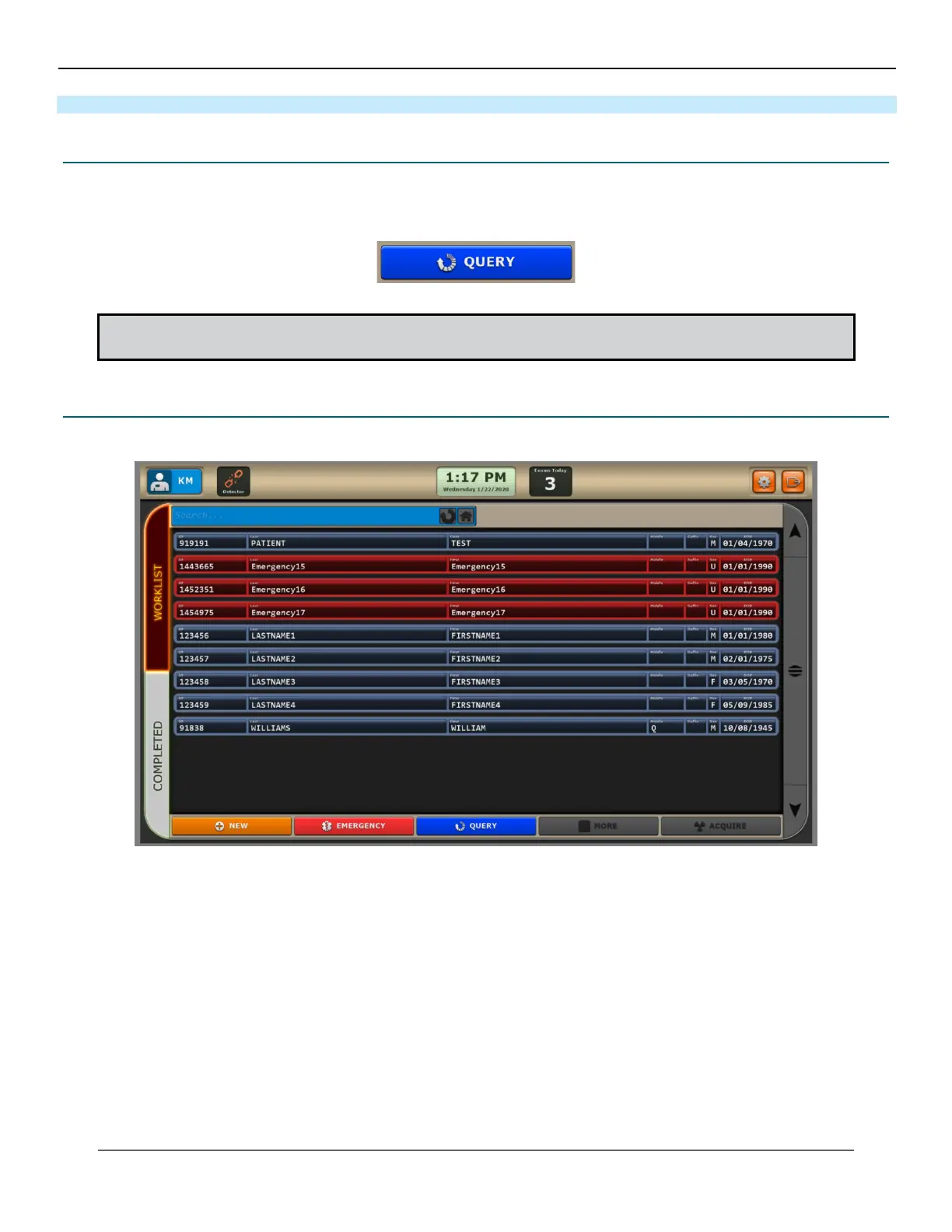
Ultra Worklist Screen
Adjusting the Size of the Worklist Screen
You can increase or decrease the display size of the exam views within the Worklist screen, by holding down the Ctrl but-
ton and pressing + to increase the size or pressing – to decrease the size of the exam views.
Worklist Screen Colors
Each worklist exam entry is color coded based on its current status.
Blue – new worklist entry
• If the entry ashes, it indicates that an exam has been started and suspended.
• If the entry does not ash, the exam has not been started. However, procedures may have been added.



 To Next Page
 Loading...




