112
KMHA 500-000099
Revision D
KDR
TM
AU-DDR Advanced U-Arm System with
Dynamic Digital Radiography (KDR AU DDR)
IV. SOFTWARE
25.0 POSITIONER CONTROL PANEL SOFTWARE FUNCTIONS
25.1 Performing an Exam with a Worklist on the Positioner Control Panel
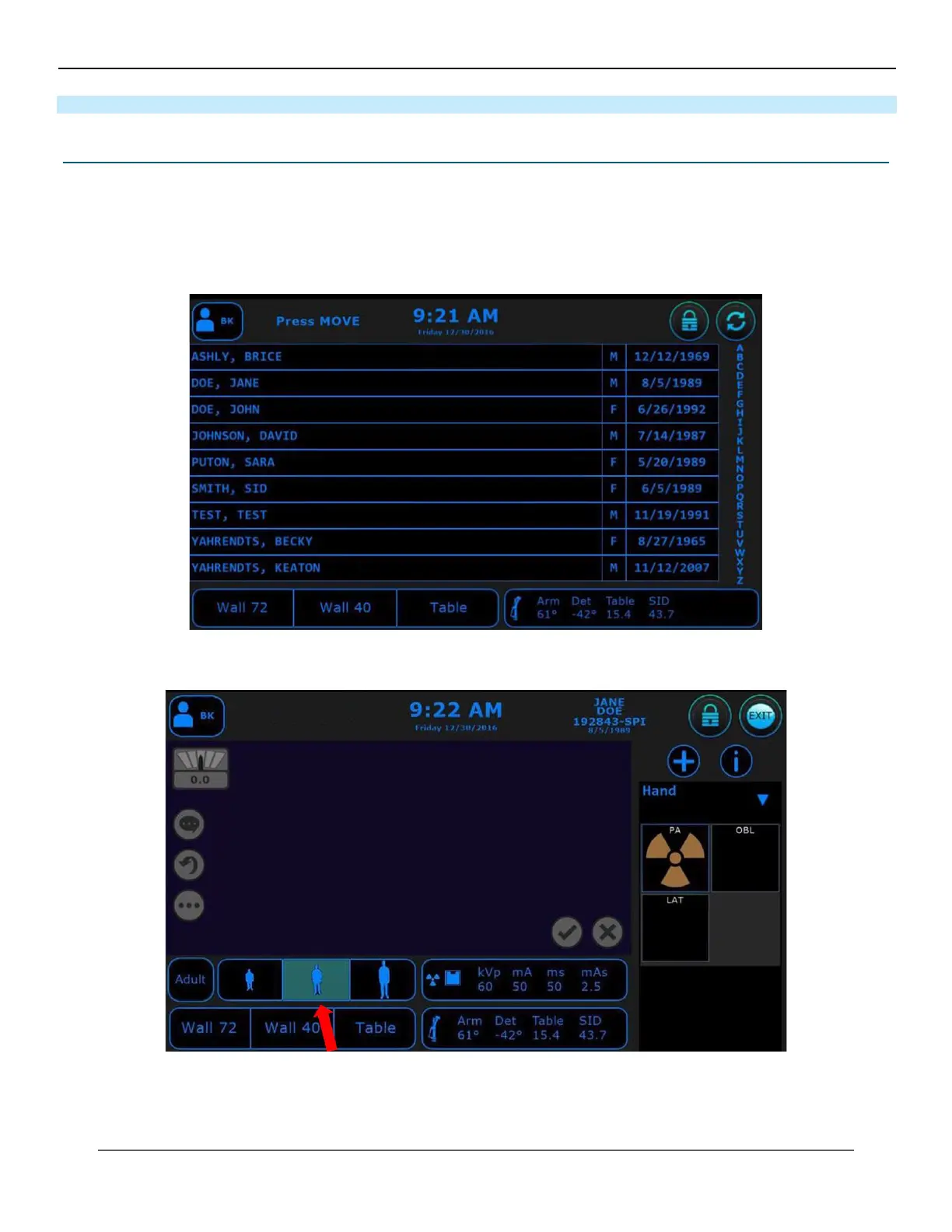
1. Select the appropriate technologist.
2. Double click on the patient’s name (see Figure 25.1.1).
3. This will bring you to the acquisition screen (see Figure 25.1.2).
Figure 25.1.1
Paent’s Name
Figure 25.1.2
Acquision Screen
4. Select the body habitus of your patient (see Figure 25.1.2).
5. Position your patient and expose the rst image.



 To Next Page
 Loading...




