48
KMHA 500-000099
Revision D
KDR
TM
AU-DDR Advanced U-Arm System with
Dynamic Digital Radiography (KDR AU DDR)
Red – indicates that the exam is an emergency patient exam. Once patient information has been lled in, the exam will
turn blue.
Orange – indicates that an exam has missing views or body parts, or the exam is missing images because they are no lon-
ger in the archive. Images that are affected are replaced with the following image icon in the exam:
15.3 Performing an Exam Without a Worklist
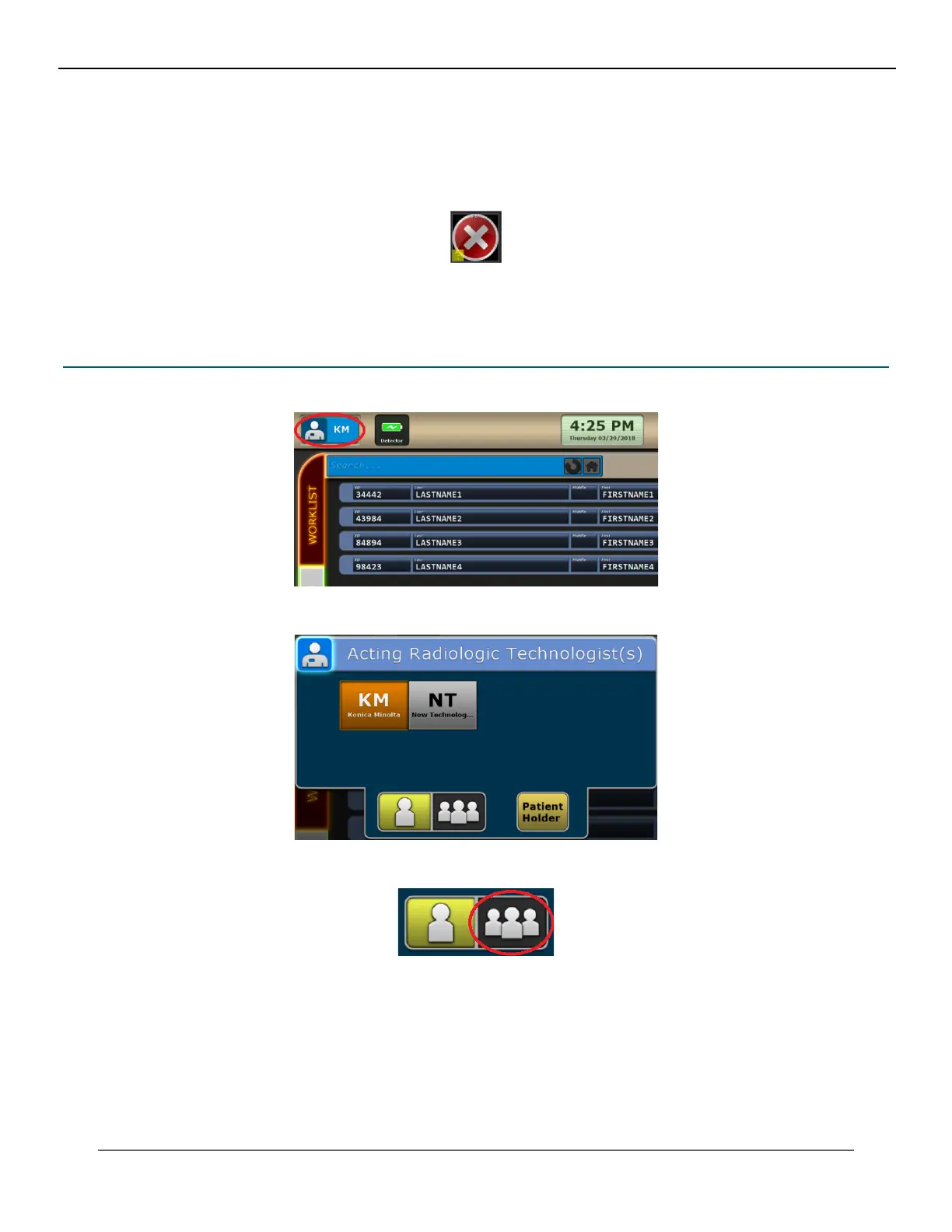
1. Click the Technologist icon.
2. Select the technologist(s) for the exam.
3. To select more than one technologist, click the Groups icon and select each acting technologist.
4. Type in the name of a patient holder, if applicable to the exam, and click OK.
IV. SOFTWARE



 To Next Page
 Loading...




