49
KMHA 500-000099
Revision D
KDR
TM
AU-DDR Advanced U-Arm System with
Dynamic Digital Radiography (KDR AU DDR)
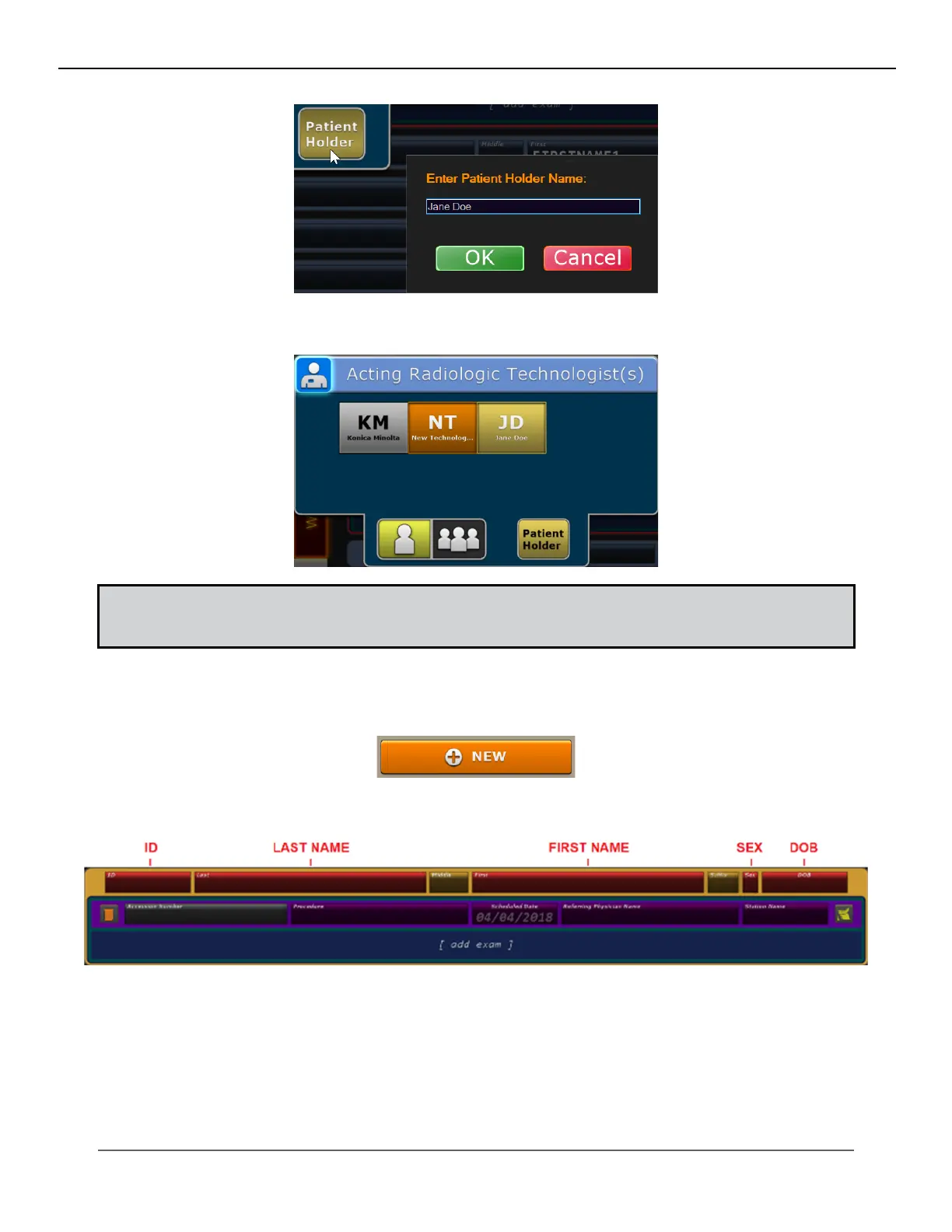
5. The patient holder will display next to your selected technologist(s) on the selected exam and in log reports.
NOTE: A patient holder is usually a designated family member or guardian to assist with patients that cannot
maintain the physical or mental demands of being stationary during an exposure. The patient holder is tempo-
rary and only applies to the current exam.
6. After selecting your technologist, select the patient’s exam from the worklist.
7. To perform an exam without a MWL Worklist, click the New button.
8. Enter the patient’s information in the required RED boxes
9. Press Tab or click in the Accession Number eld, and type in the exam’s Accession Number (optional).
10. Press Tab or click in the Procedure eld, and select or search for your exam from the Choose a procedure list.
IV. SOFTWARE



 To Next Page
 Loading...




