74
KMHA 500-000099
Revision D
KDR
TM
AU-DDR Advanced U-Arm System with
Dynamic Digital Radiography (KDR AU DDR)
IV. SOFTWARE
19.0 STITCHING IMAGES
Stitching joins multiple images together to form one unied image.
The auto stitching process joins multiple Leg Length or Scoliosis images together to form one unied image. Manual
stitching can also be performed by selecting the Stitching icon.
19.1 Auto Stitching a Leg Length Study
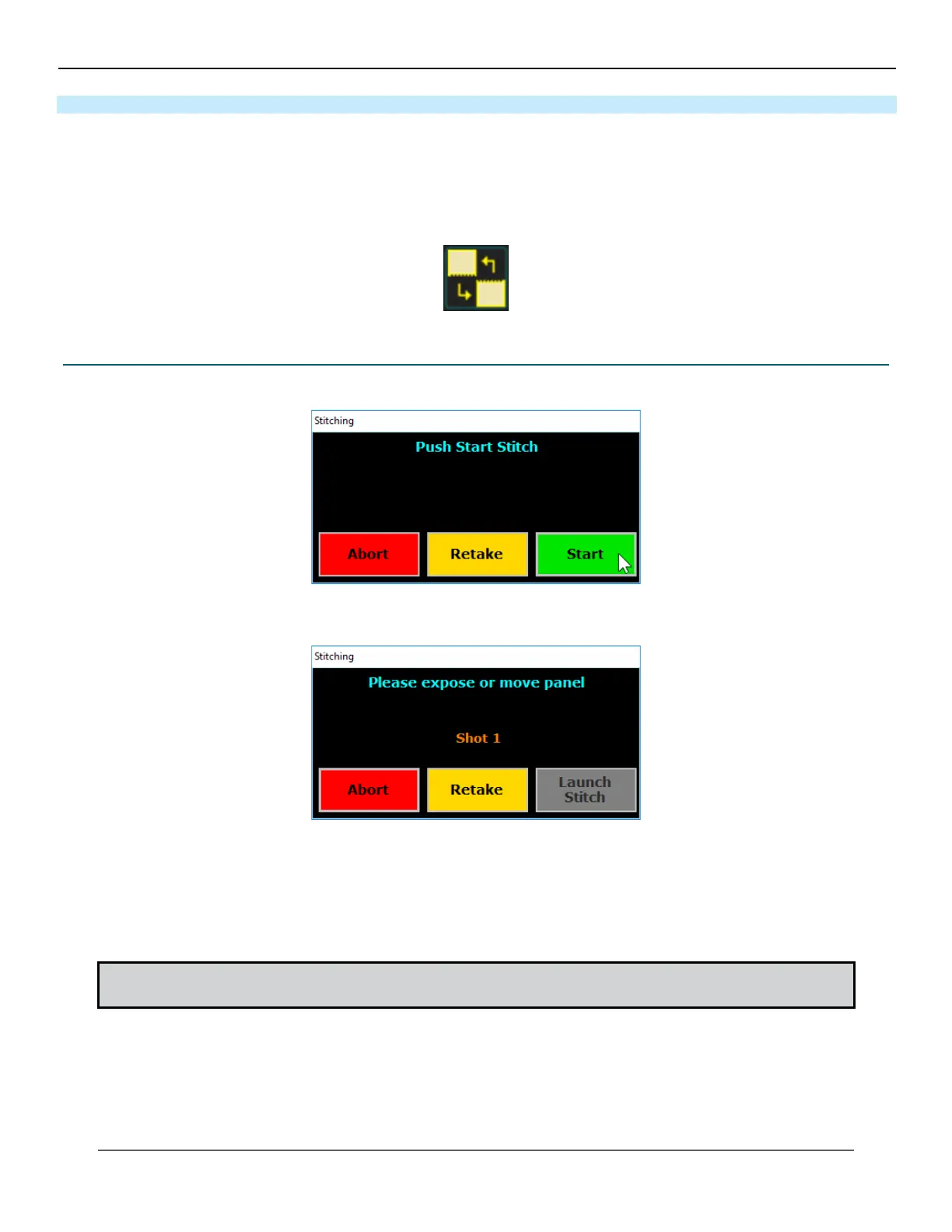
1. When you are ready to begin the exam click the stitching Start button.
2. The Ultra software will now indicate that you are ready to take Shot 1.
3. Press and hold the Move button on the remote to move the U-Arm into the rst position, when the LED light
turns from Red to Blue.
4. Hold until the LED light on the stand turns green.
5. When the software and the green LED light on the stand indicate you have reached the rst position, go into the
room and make any necessary height adjustments to the U-Arm with the patient on the stand.
NOTE: The rst position should always start at the bottom of the patient and move up towards the patient’s
head.



 To Next Page
 Loading...




