6
Print functions of the printer drivers for Windows
6-14 magicolor 8650
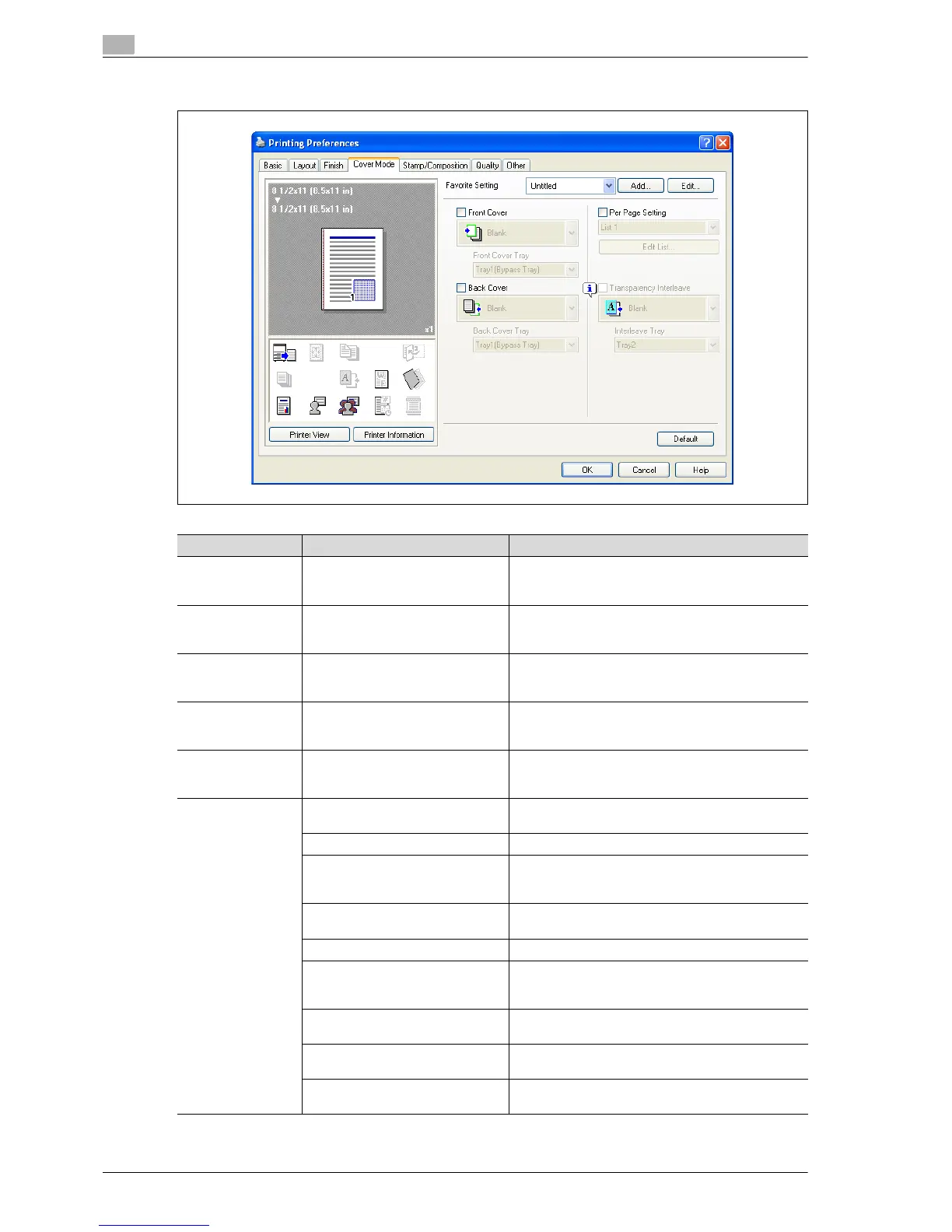
6.4.4 Cover Mode tab
Function name Option Description
Front Cover ON/OFF, Blank/Print Attaches a front cover page.
You can specify it when "Auto" is not selected for the
paper tray.
Front Cover Tray Tray2-5, Tray1 (Bypass Tray),
Tray4 (LCT)
Selects the paper tray for the cover.
The selectable items differ depending on the options
that are installed.
Back Cover ON/OFF, Blank/Print Attaches a back cover page.
You can specify it when "Auto" is not selected for the
paper tray.
Back Cover Tray Tray2-5, Tray1 (Bypass Tray),
Tray4 (LCT)
Selects the paper tray for the back cover.
The selectable items differ depending on the options
that are installed.
Per Page Setting ON/OFF Inserts paper between pages and switches the paper
and tray for each page. [Edit List] allows you to create
a list by setting conditions by page.
[Edit List] List Name Selects the name of the list to be edited. The settings
are listed.
[Edit List Name..] Renames a list.
[Up]/[Down] Moves the selected condition row up or down. Move
the rows so that the page numbers are arranged in as-
cending order.
[Add] Adds a condition. Conditions are specified in
"Add/Delete".
[Delete] Deletes the selected condition row.
Page Number Specifies the page numbers. To specify multiple pag-
es, separate each page number with a comma or
specify the range using a hyphen.
Print Type Specifies the print type from the "Change Setting"
drop-down list.
Paper Tray Specifies the paper tray used for printing from the
"Change Setting" drop-down list.
Staple Specifies the number of staples and the stapling posi-
tion from the "Change Setting" drop-down list.














 To Next Page