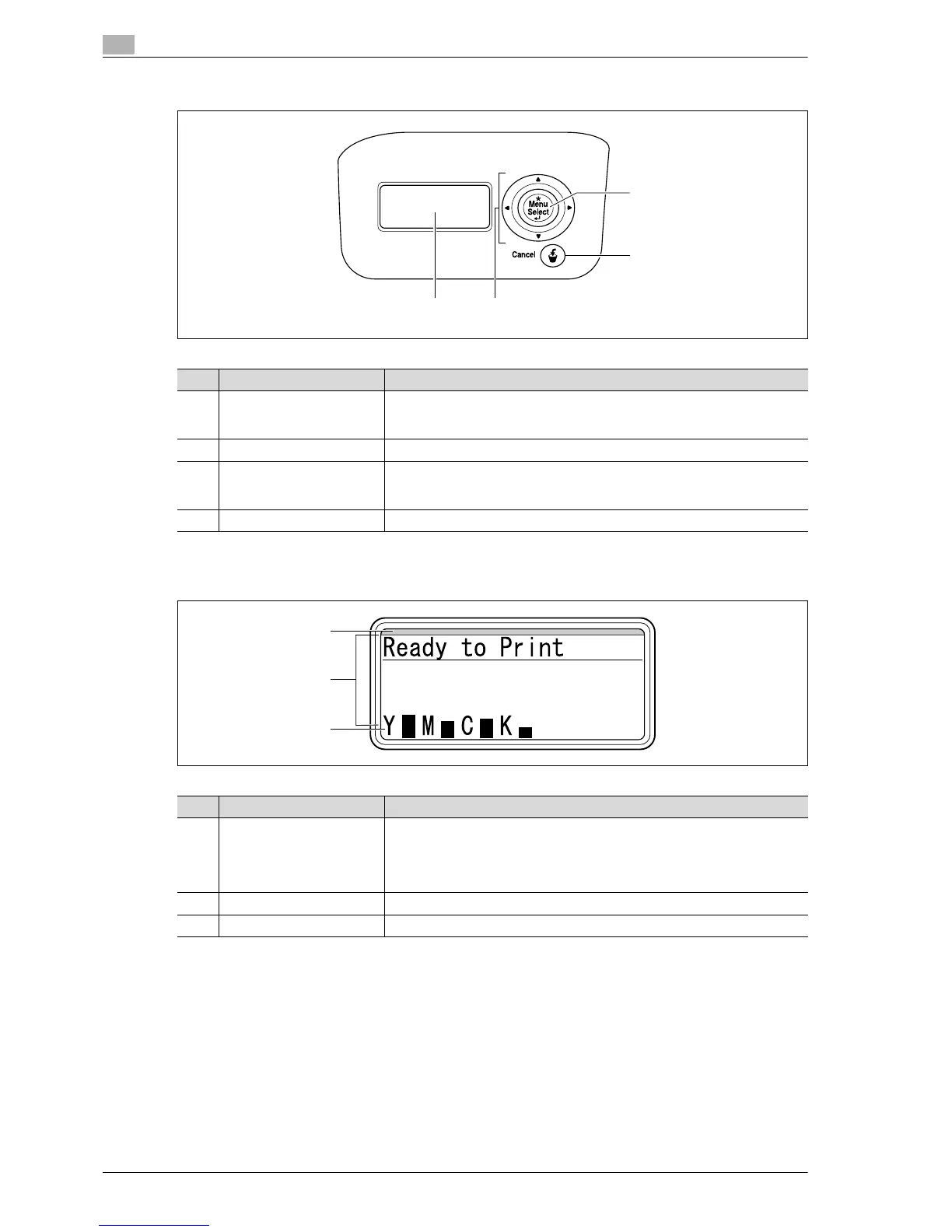
No. Part name Description
1 [Menu/Select] key While the machine is waiting to receive data, press this key to display the set-
tings menu.
If this key is pressed while a setting is displayed, that setting is selected.
2 [Cancel] key Press this key to quit changing the settings in the menu.
3 Cursor keys
([+], [,], [*], [)])
The [+] and [,] keys switch among parameters of the "Utility" menu.
The [*] and [)] keys move the hierarchy of each Menu screen.
During numeric value entry, they move the position of changeable digit.
4 Display panel Displays various screens and messages.
No. Part name Description
1 LED line The machine’s current status is indicated by the color and lighting/flashing of
the indicator.
Flashing in blue: Printing normally, Low Power mode, Sleep mode
Flashing in orange: Warning
Lit in orange: Stopping operating
2 Message area Displays the status of the machine, setting, and warnings.
3 Toner supply indicators Displays the amount of toner remaining.














 To Next Page