magicolor 8650 9-5
Settings for control panel
9
Operations for changing numeric values
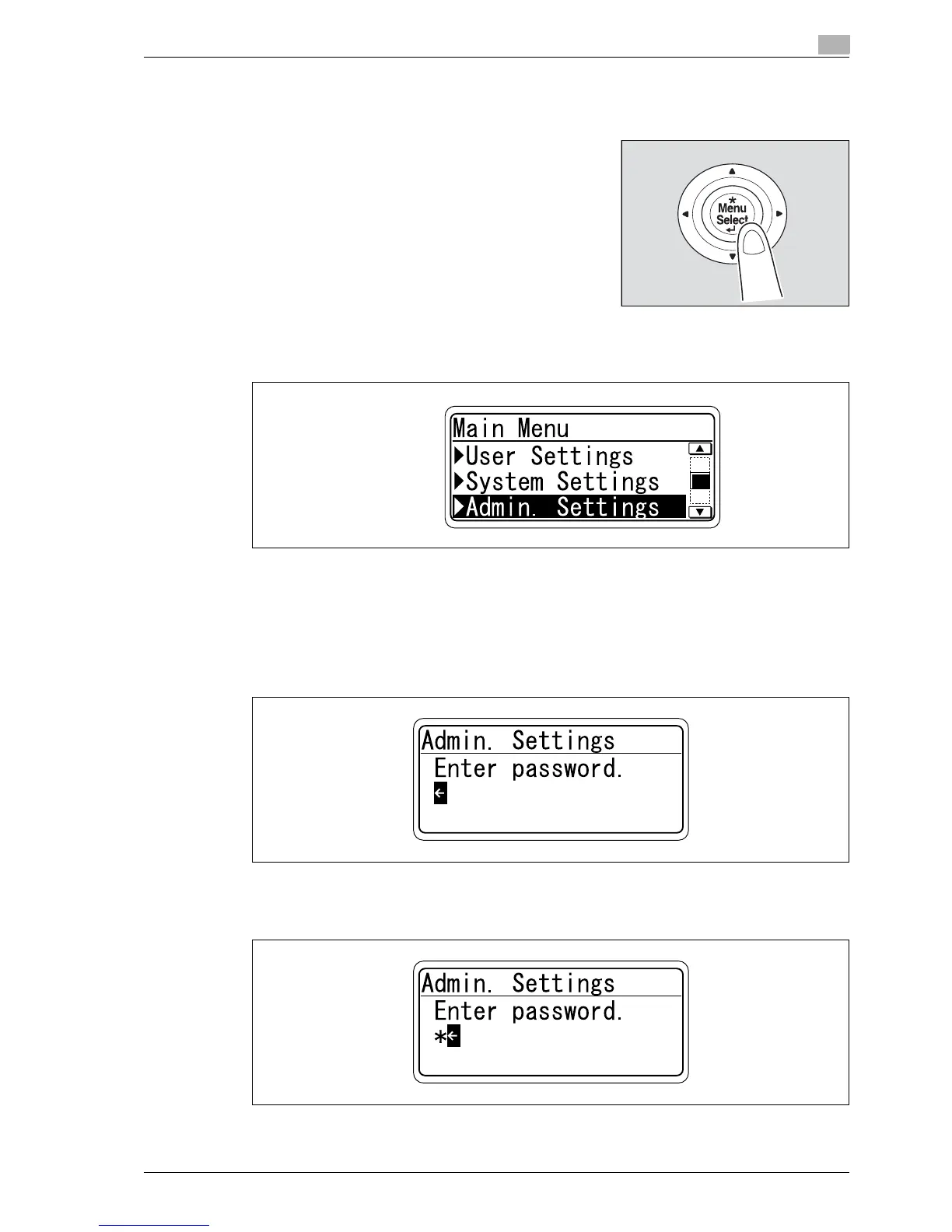
Example: Displaying the Administrator Settings screen
1 Press the [Menu/Select] key.
The Main Menu of the "Utility" menu appears.
2 Press the [,] key several times to select [Admin. Settings], and then press the [Menu/Select] key.
The password input screen appears.
3 Press the [+] or [,] key several times to display the character to be entered at the first character place.
Press the [+] key to switch the display in the order of "a, b, c...".
Press the [,] key to switch the display in the order of "9, 8, 7...".
Characters are displayed in the following order:
[+] abcde···xyzABCDE···XYZ!#$%&'()*,-./:;<=>?@[\]^_`{|}~0123456789 [,]
4 Press the [)] key to move the cursor to the second character place.
If an incorrect value was entered, press the [*] key to move the cursor, and then specify the correct
value.














 To Next Page