3
Network settings
3-18 magicolor 8650
3.4.5 Specifying Bonjour print settings
Specify settings for printing by connecting this machine to a Macintosh computer using Bonjour. When
connecting this machine to a Macintosh computer using Bonjour, the Bonjour settings must be specified.
Note
For details on installing the printer driver, refer to the "Installing the printer driver for Macintosh" on
page 5-3.
Bonjour Setting
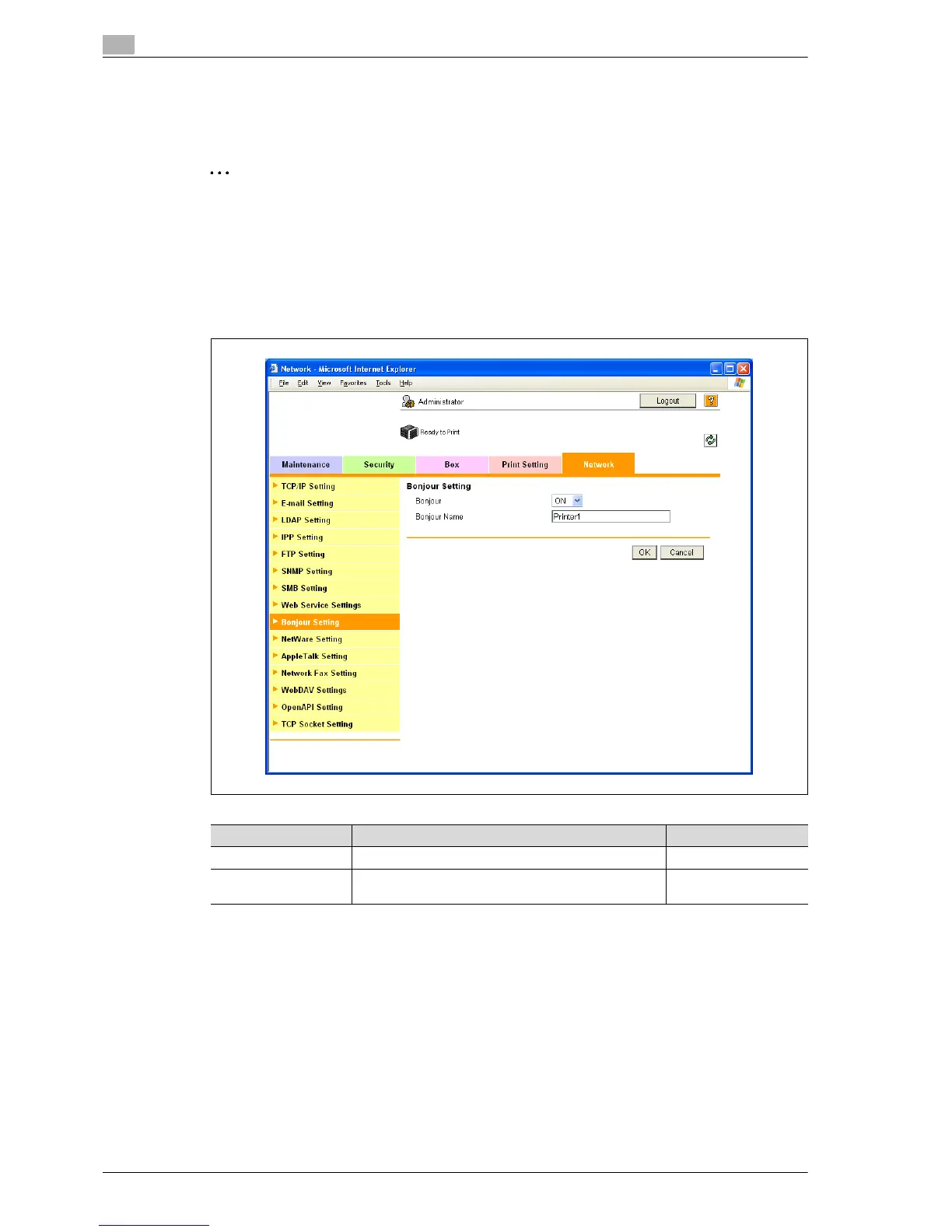
1 In Administrator mode of PageScope Web Connection, select the Network tab - "Bonjour Setting".
2 Specify the following settings.
Item Definition Prior confirmation
Bonjour Select "ON".
Bonjour Name Specify the Bonjour name that appears as the name of
the connected device (up to 63 characters).














 To Next Page