Detail
For details on the positions of paper misfeeds, refer to "Paper misfeed indications" on page 11-4.
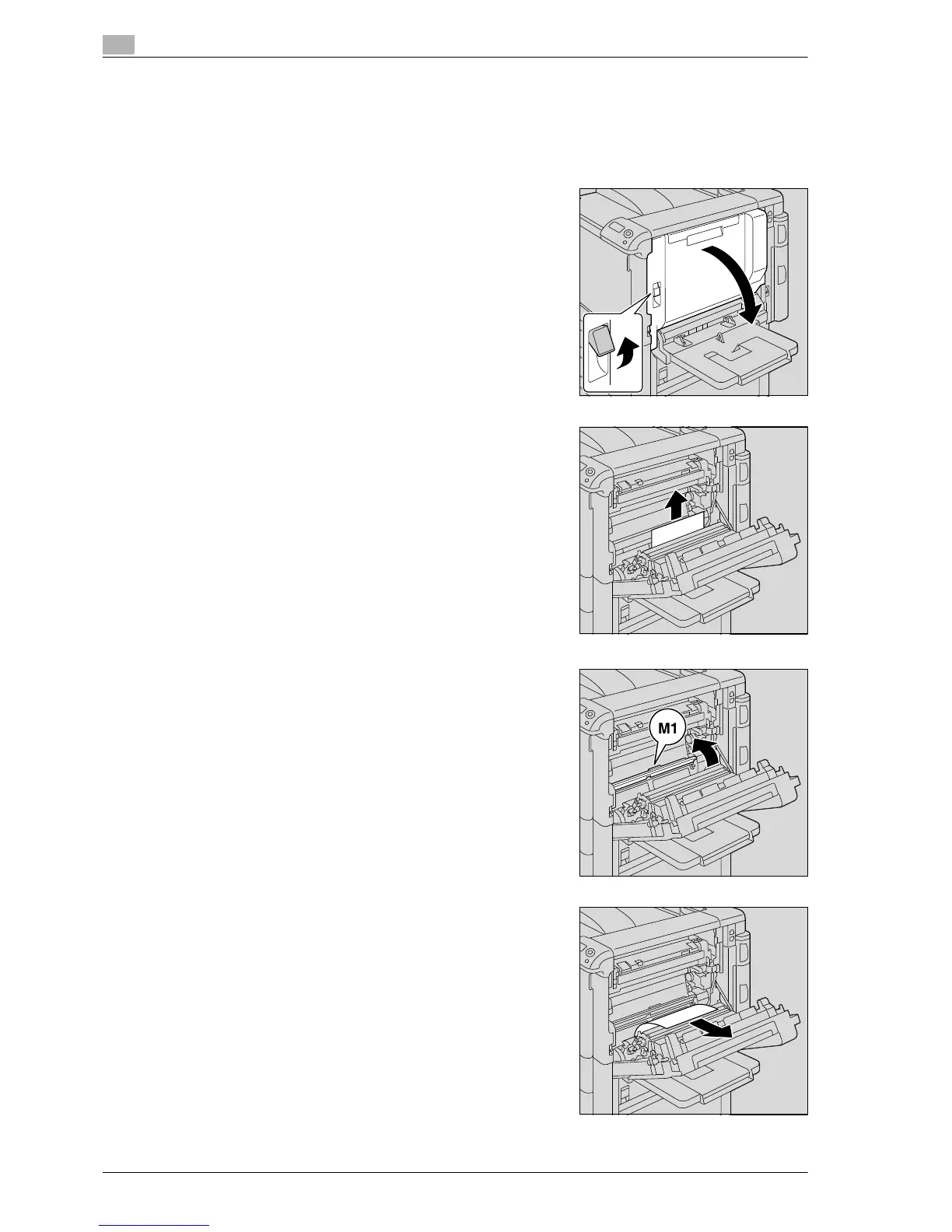
1 Pull up the upper right-side door release lever, and then open
the upper right-side door.
2 Slowly remove any misfed paper from the main unit.
3 If the edge of the paper is around the timing roller, open the
internal cover M1.
4 Slowly remove any misfed paper from the timing roller.
– Toner that did not pass through the fusing unit may get on
your hands or clothes. Be extremely careful when
removing the paper.














 To Next Page