magicolor 8650 6-19
Print functions of the printer drivers for Windows
6
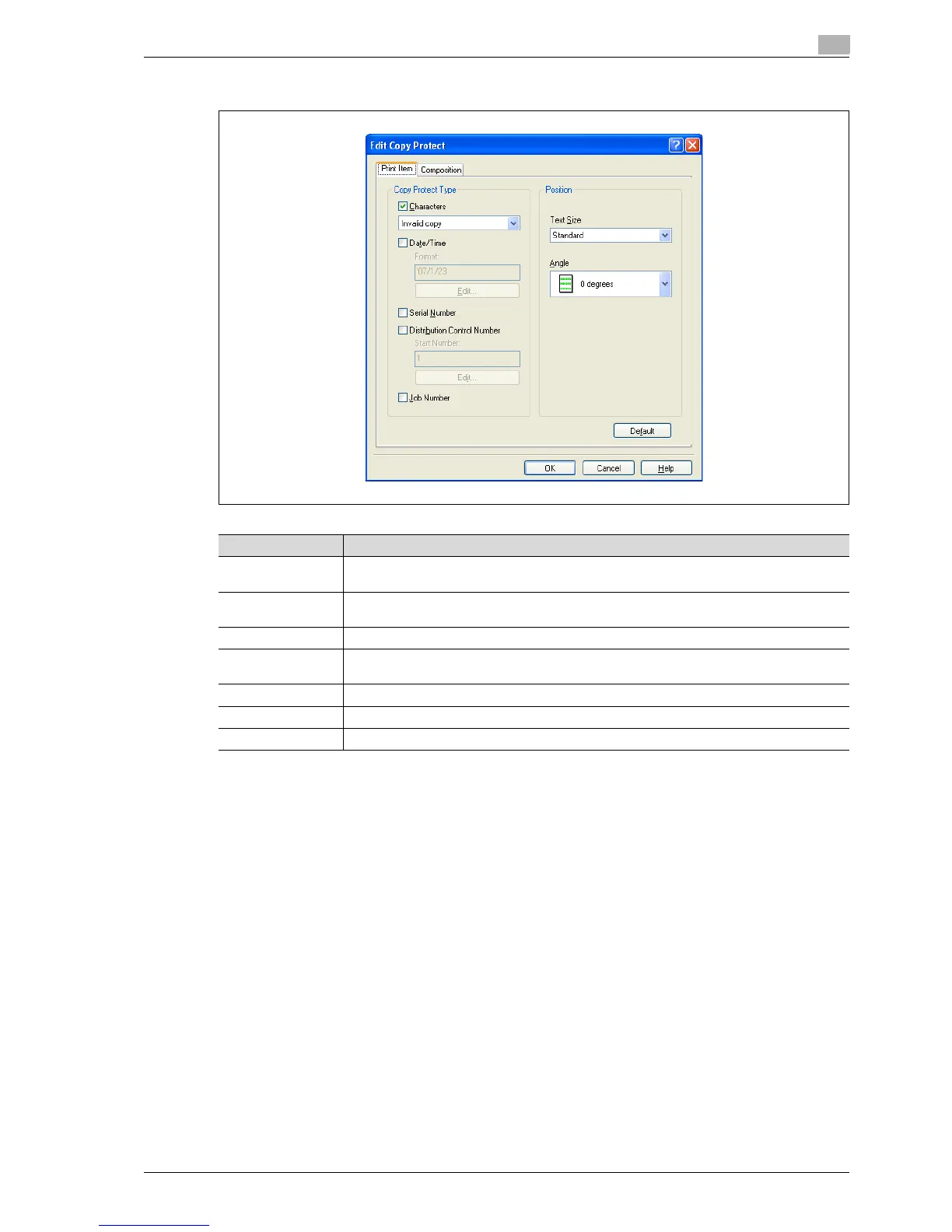
Editing copy protect
Item Description
Characters Embeds the selected character string in a pattern. A preregistered character string (common
stamp) or a character string registered on this machine (registered stamp) can be specified.
Date/Time Embeds the selected date and time in a pattern. By clicking the
[Edit] button under "Format", you can specify the display type or the time format.
Serial Number Embeds the serial number of this machine in a pattern.
Distribution Control
Number
Embeds the copy number in a pattern when printing multiple copies. By clicking the
[Edit] button under "Start Number", you can specify the start number or the display type.
Job Number Embeds the print job number in a pattern for documents that are automatically paginated.
Text Size Specifies the text size of a pattern.
Angle Specifies the pattern angle.














 To Next Page