Reminder
If the message "StaplesJamDetection" appears, perform the operation described below.
Do not forcibly remove the paper without performing the operation described below, otherwise the
staple unit may be damaged.
Detail
For details on clearing misfed paper in the finisher, refer to "To clear a paper misfeed in finisher FS-609"
on page 11-38.
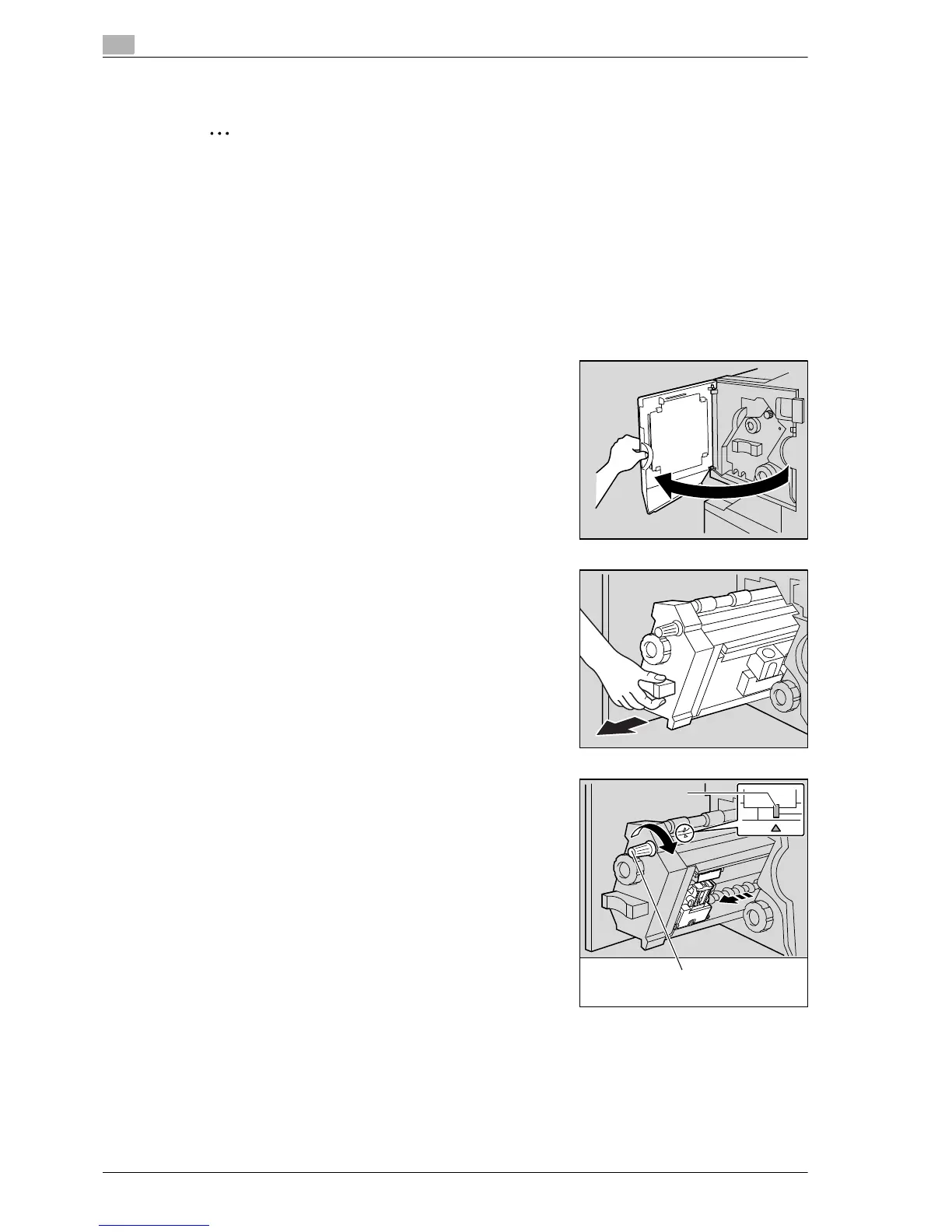
1 Remove all paper from the finisher.
2 Open the front door of the finisher.
3 Slowly pull out the stapler unit as far as possible.
4 Turn misfeed-clearing dial 2 clockwise until the cartridge
removal indicators are aligned.
The staple cartridge moves to a position from where it can be
removed.
?
What should be done if misfeed-clearing dial 2 is turned
too far?
% Turn the misfeed-clearing dial 2 counterclockwise to
adjust it so the cartridge removal indicators are aligned.














 To Next Page