3
Network settings
3-6 magicolor 8650
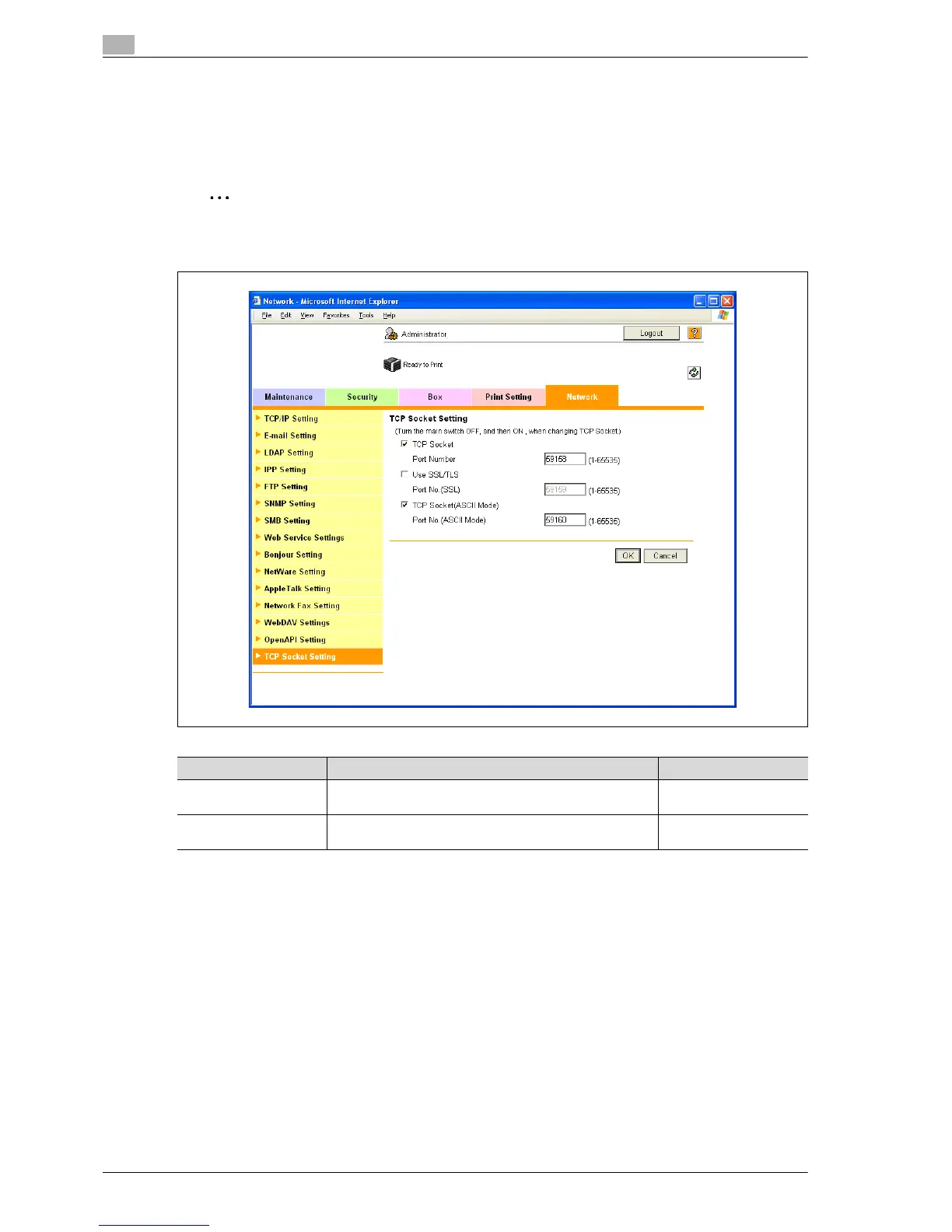
3.2.3 TCP Socket Setting
1 In Administrator mode of PageScope Web Connection, select the Network tab - "TCP Socket Setting".
2 Specify the following settings.
Note
For details on logging in to Administrator mode of PageScope Web Connection, refer to "Logging in to
Administrator mode of PageScope Web Connection" on page 3-7.
3.2.4 SSL/TLS Setting
Specifying settings for SSL-based communication
For details, refer to "Creating a certificate for this machine for SSL-based communication" on page 10-57.
Item Definition Prior confirmation
TCP Socket
(ASCII Mode)
To use in the Flash format, select the "TCP Socket (ASCII
Mode)" check box.
Port No.
(ASCII Mode)
Specify the port number.














 To Next Page