magicolor 8650 2-25
Before using the machine
2
2.4 Loading paper
2.4.1 Loading paper into the tray 1 (bypass tray)
Paper can be fed manually through the tray 1 if you wish to print onto paper that is not loaded into a paper
tray, or if you wish to print onto thick paper 4, postcards, envelopes, OHP transparencies or label sheets.
Detail
For thick paper 4, only A3 w, A4 v, 11 e 17 w and Letter v are available for printing.
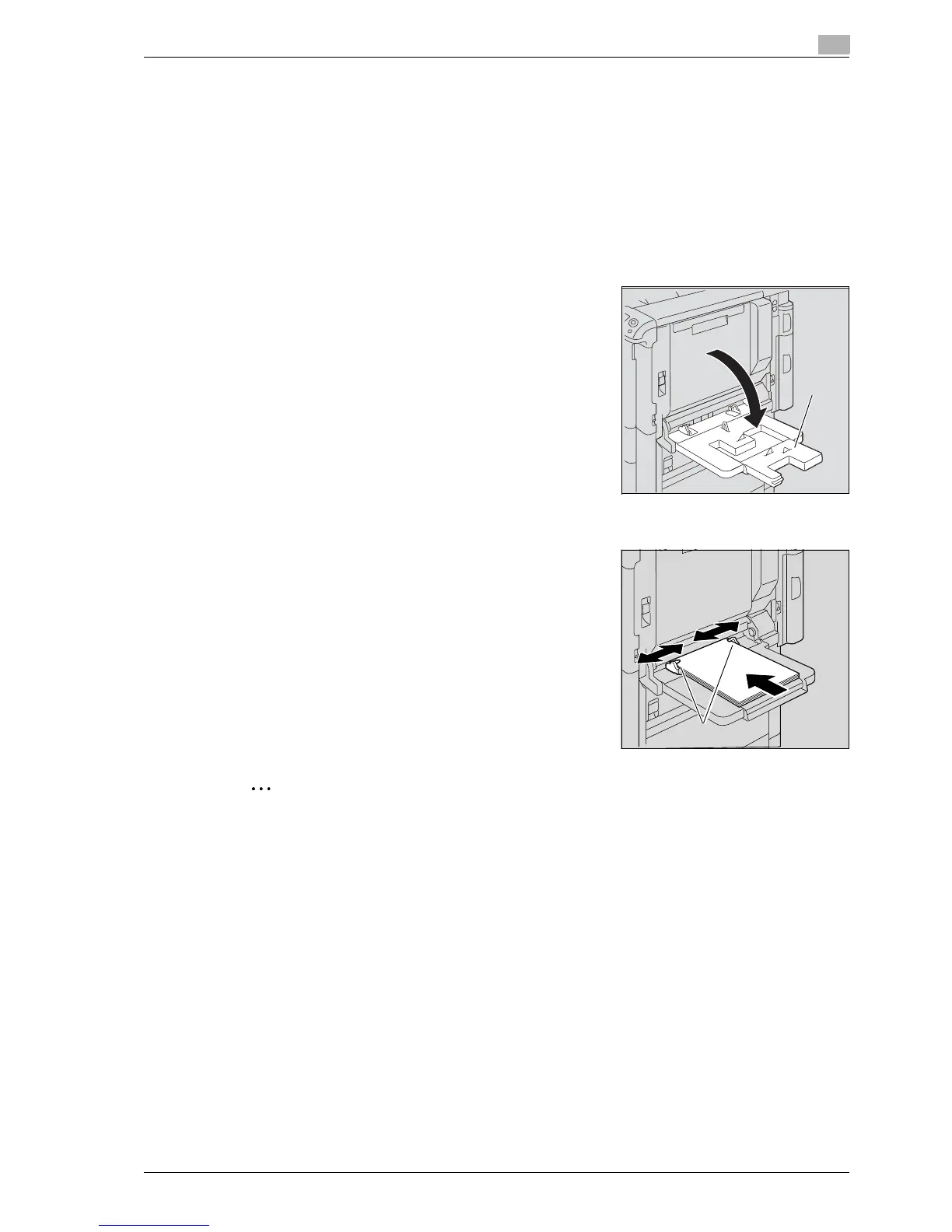
1 Open the tray 1.
– When loading large-sized paper, pull out the tray
extension.
2 With the side to be printed on facing down, insert the paper as much as possible into the feed slot.
3 Slide the lateral guides to fit the size of paper being loaded.
?
How is curled paper loaded?
% Flatten the paper before loading it.
?
How many sheets of paper and other media can be
loaded?
% Do not load so many sheets of plain paper that the top of
the stack is higher than the , mark.
Note
If necessary, specify the paper size and paper type.
For details, refer to "Paper Settings Menu" on page 9-17.














 To Next Page