Reminder
Push the paper guides firmly up against the edges of the paper.
If postcards are loaded, select "Thick 3".
If label sheets are loaded, select "Thick 1".
Printing on OHP transparencies is possible only in black. When selecting OHP transparencies, select
the "Gray Scale" from "Select Color" in "Quality" tab.
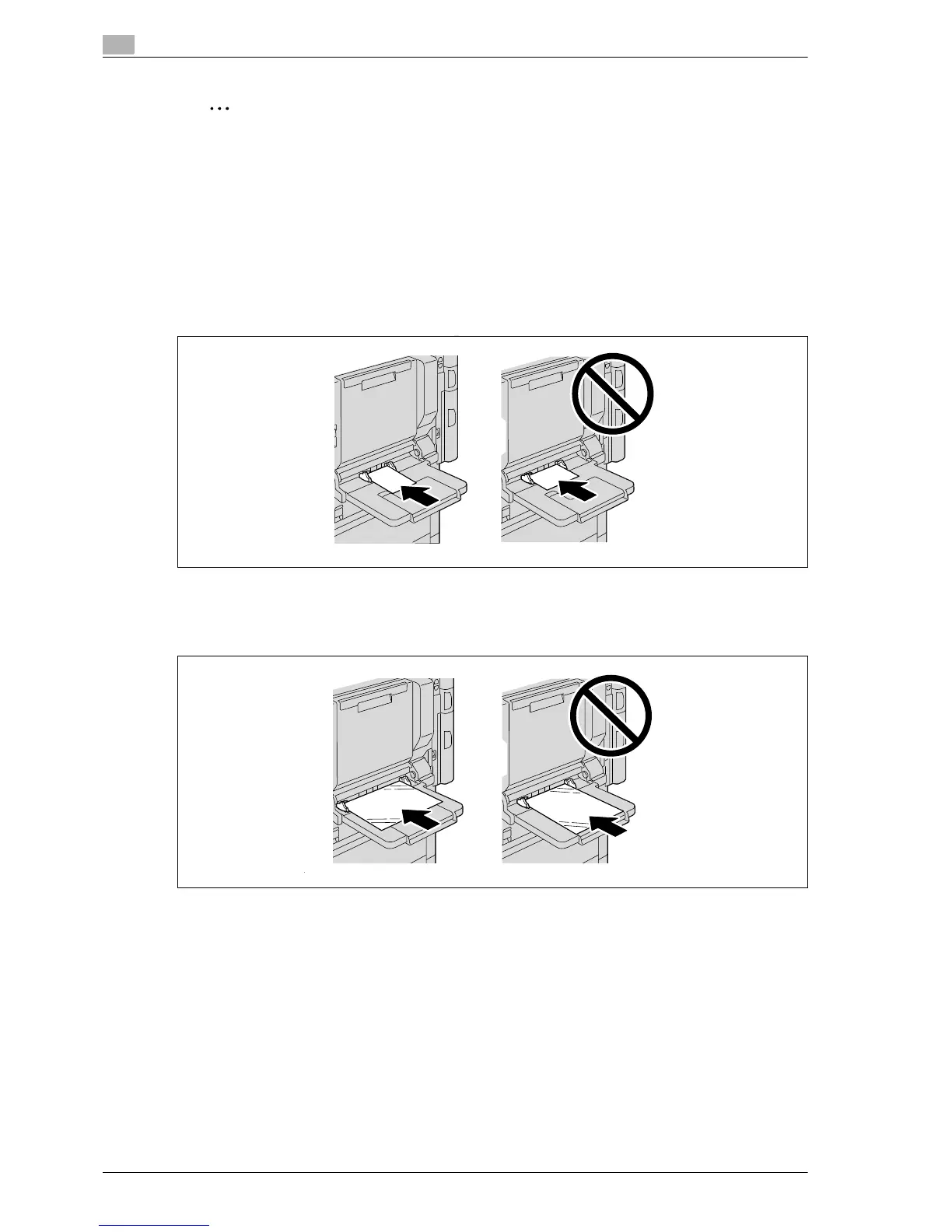
When loading postcards, load them in the w orientation, as shown in the illustration. Do not load
postcards in the v orientation.
A maximum of 20 postcards can be loaded into the tray 1.
When loading OHP transparencies, load them in the w orientation, as shown in the illustration. Do not
load OHP transparencies in the v orientation.
A maximum of 20 OHP transparencies can be loaded into the tray 1.














 To Next Page