EasyManua.ls Logo

Konica Minolta magicolor 8650 - Clearing a Paper Misfeed in the Automatic Duplex Unit

Konica Minolta magicolor 8650
569 pages
Print Icon
To Next Page IconTo Next Page
To Previous Page IconTo Previous Page
Loading...
magicolor 8650 11-13
Troubleshooting
11
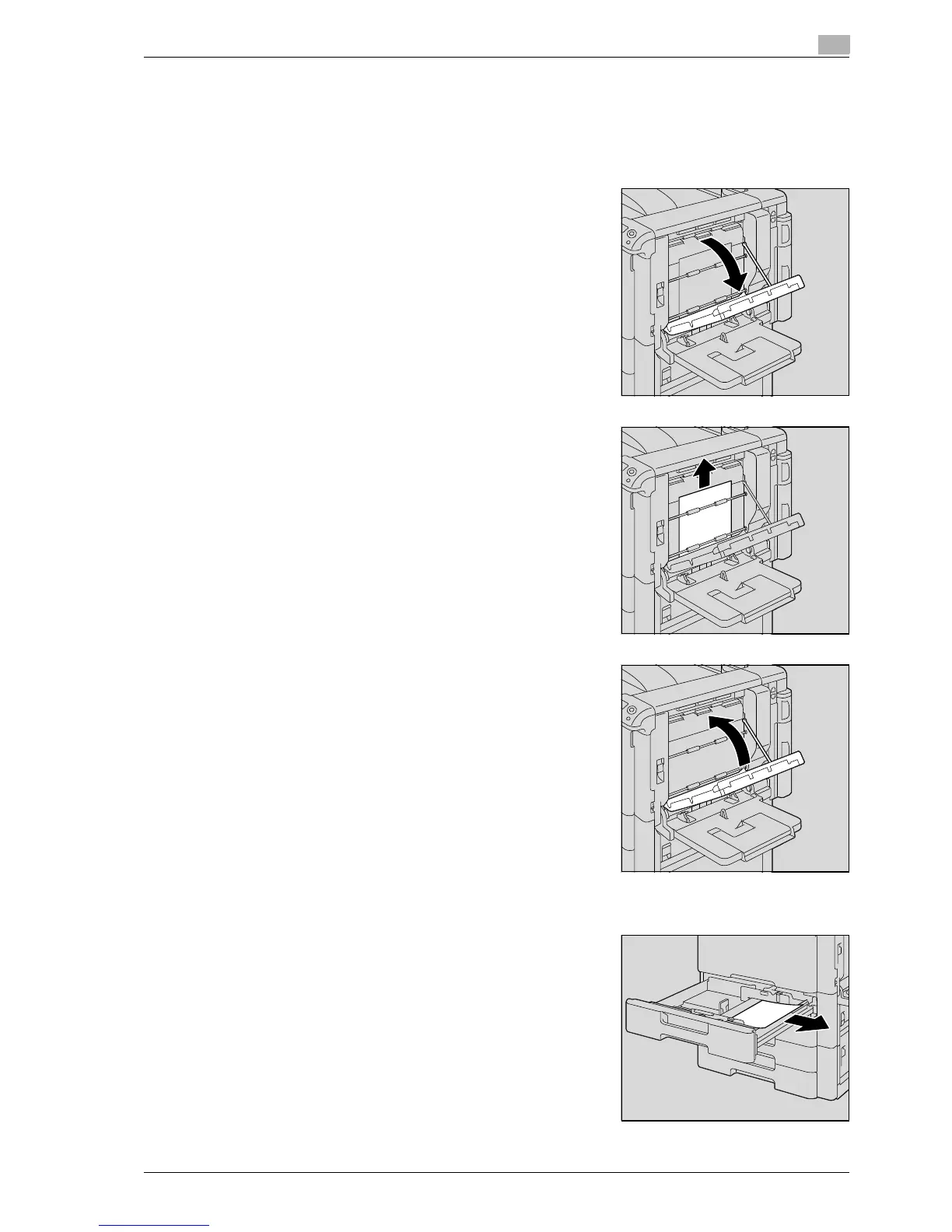
11.2.4 Clearing a paper misfeed in the automatic duplex unit
!
Detail
For details on the positions of paper misfeeds, refer to "Paper misfeed indications" on page 11-4.
1 Open the door of the automatic duplex unit.
2 Slowly remove any misfed paper from the automatic duplex
unit.
3 Close the door of the automatic duplex unit.
4 Pull out the tray being used.
5 Remove any misfed paper.

EDNord - Istedgade 37A - 900 Aalborg - telefon 9633 3500

Table of Contents

Other manuals for Konica Minolta magicolor 8650

Related product manuals