magicolor 8650 10-99
PageScope Web Connection
10
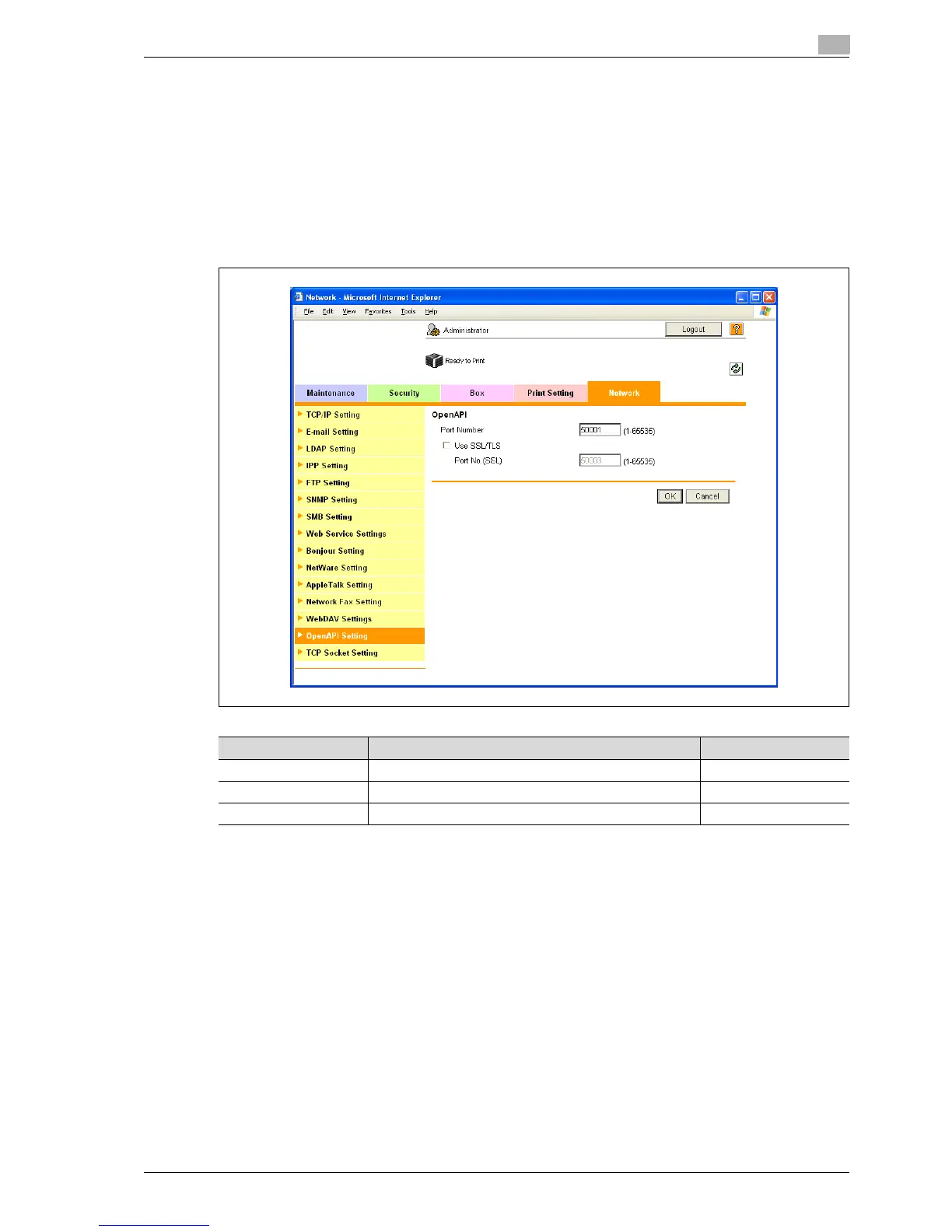
10.21.4 OpenAPI Setting
1 In Administrator mode of PageScope Web Connection, select the Network tab - "OpenAPI Setting".
2 Specify the following settings.
Detail
To use SSL/TLS, install the certificate in advance. For details, refer to "Creating a certificate for this
machine for SSL-based communication" on page 10-57.
Detail
If "EnhancedSecurity" is set to "ON", the "Use SSL/TLS" check box is selected.
Item Definition Prior confirmation
Port Number Specify the port number.
Use SSL/TLS To use SSL/TLS, select the "Use SSL/TLS" check box. Whether to use SSL/TLS
Port No. (SSL/TLS) Specify the port number used in SSL communication.
EDNord - Istedgade 37A - 900 Aalborg - telefon 9633 3500














 To Next Page