7
Print functions of the printer driver for Macintosh
7-30 magicolor 8650
7.8.2 Setting Custom Page Sizes
Select "Custom Paper Sizes" on the Page Setting dialog box.
Note
The custom size that can be specified on this machine is as follows.
Width: 3.54 to 12.25 inches (90.0 to 311.1mm)
Height: 5.50 to 18.00 inches (139.7 to 457.2mm)
Banner printing is not supported.
1 In the [File] menu, select "Paper Setup" (or "Page Setup").
2 Select "Custom Page Sizes".
3 Click the [Add] button.
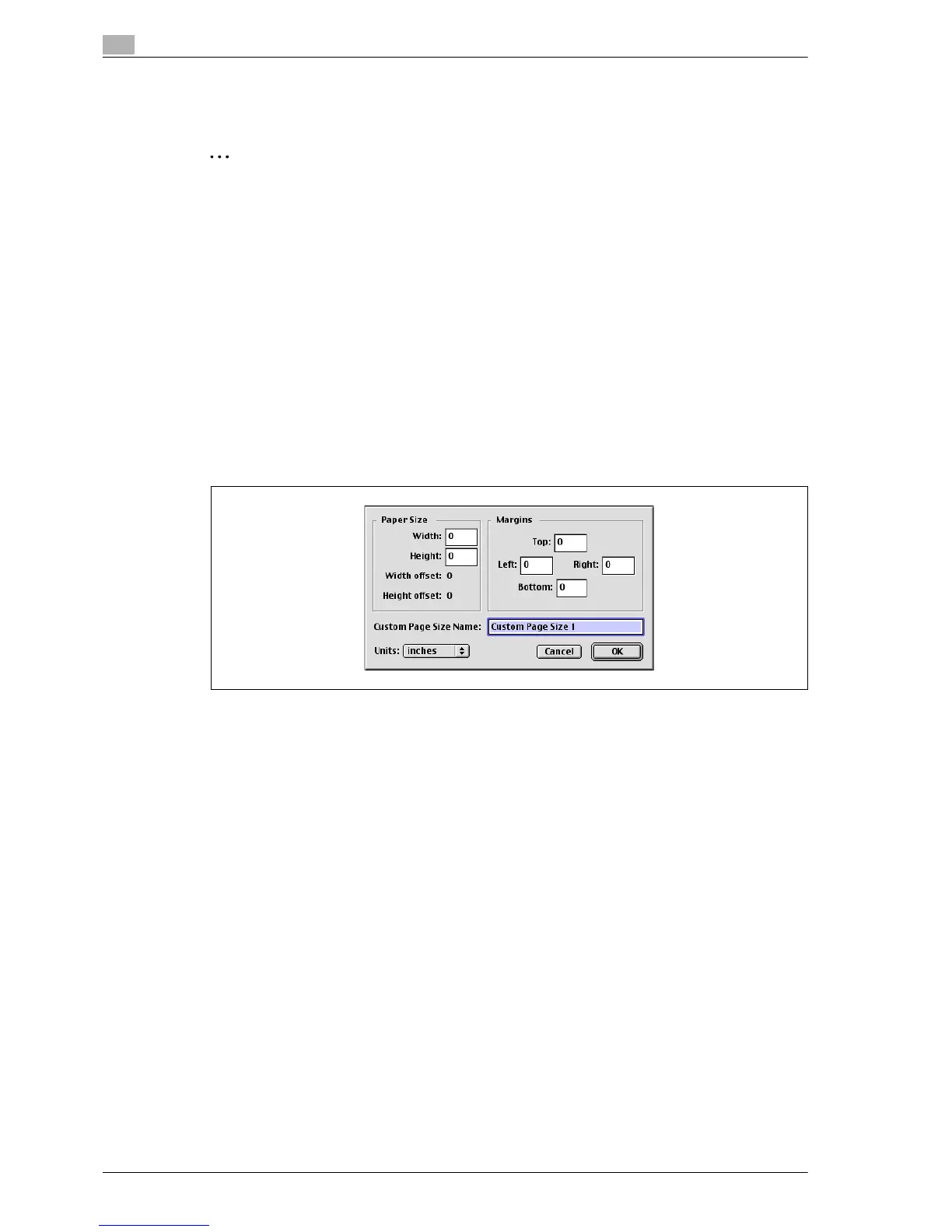
4 Specify settings for the following:
– Paper size: Specifies the intended paper size.
– Printer Margins: Specifies the paper margins.
– Custom Page Size Name: Enter the registered name for the specified paper size and margins, and
then click the [OK] button.
– Unit: Selects the specified unit.
5 Click the [OK] button.
This saves the custom page size, which can be selected from the "Paper" drop-down list in the Page
Attributes dialog box.














 To Next Page