Maintenance & Supplies 8-5
Maintenance & Supplies
Loading Paper (continued)
Loading Paper in Multi-Sheet Bypass Tray
The Multi-sheet bypass tray can be used to stack regular 13 lb~110 lb Bond paper.
When loading tabbed sheets in the Multi-sheet bypass tray, see p. 8-8.
❒ Bypass tray paper size: 11"x17"~5.5"x8.5"
❒ Bypass tray paper weight range: 13~110 lb (200g/m
2
thick paper)
❒ Bypass tray paper capacity: up to 100 sheets 20 lb
❒ Bypass tray Transparency film capacity: 1 sheet
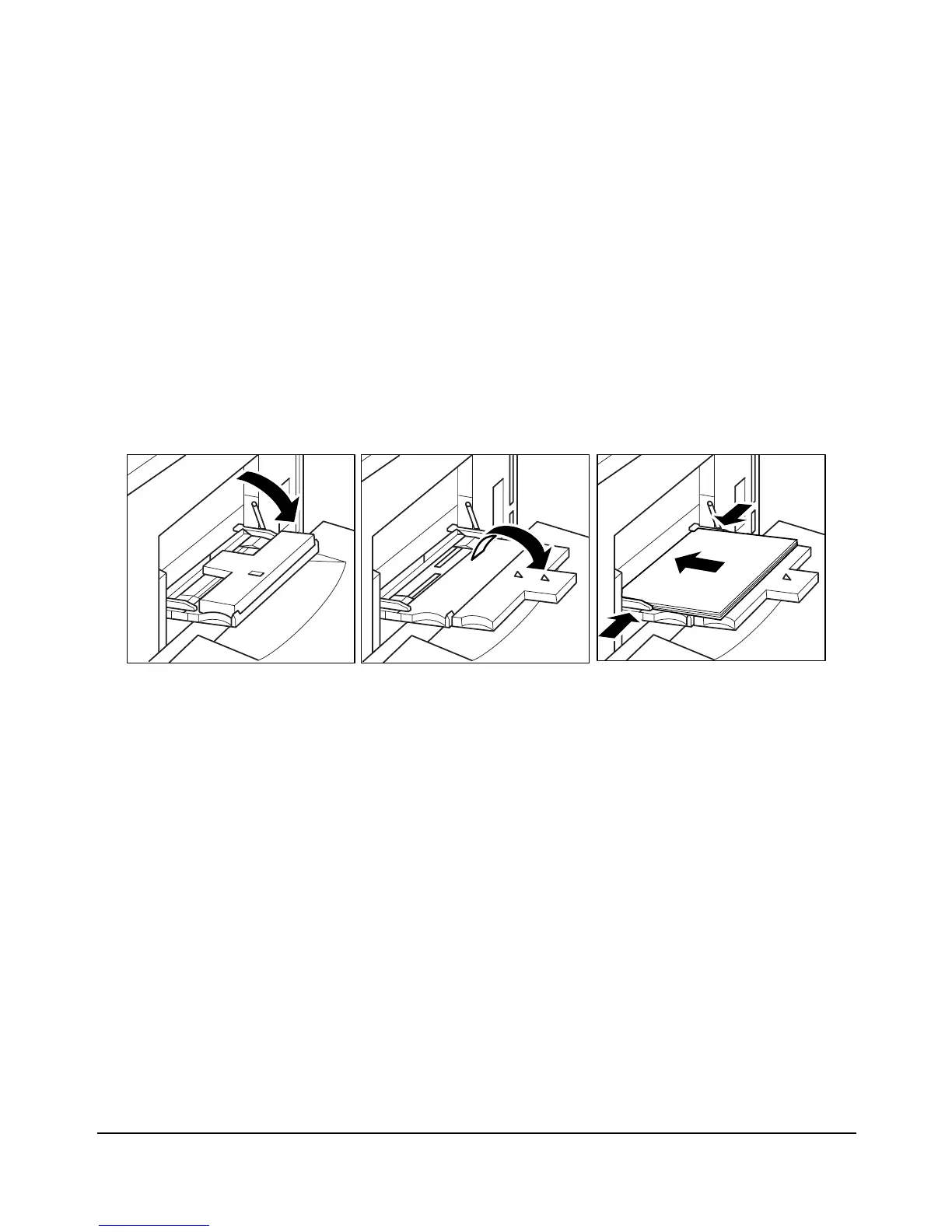
1 Open the Multi-sheet bypass tray located on the right side of the printer.
When loading 11"x17" or 8.5"x14" paper, withdraw the right edge of the Multi-sheet
bypass tray.
2 Load print paper, and align the paper guides to the paper size.
Load Transparency film one sheet at a time or stack paper, up to 100 sheets 20 lb Bond.














 To Next Page