Printing Operations 5-9
Printing Operations
Job Deletion
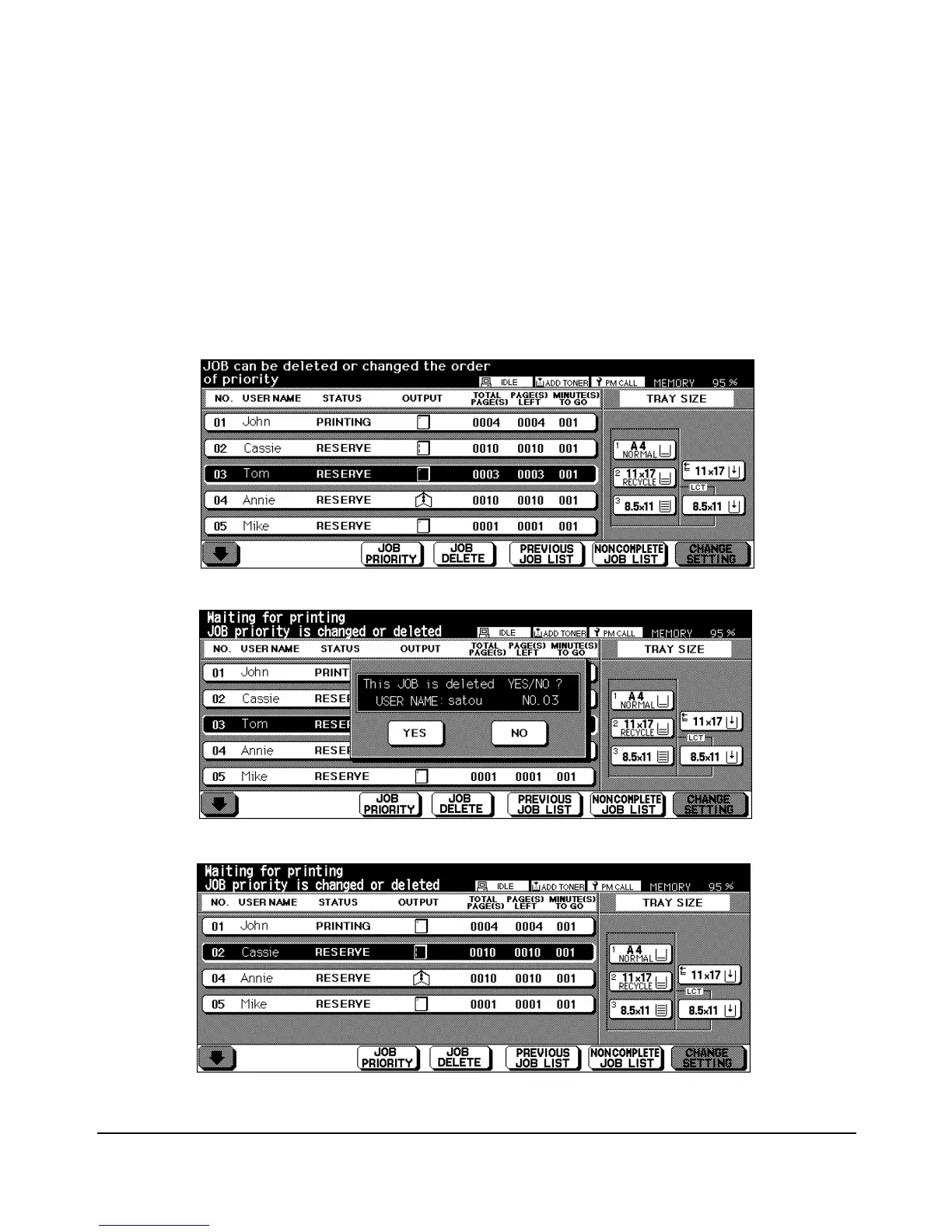
Touch the Status key to highlight a Job, then touch the JOB DELETE key to delete the Job.
Before the Job is deleted, a pop up screen allows you to confirm the deletion.
Touch YES to delete the Job. Touch NO to keep the Job. Keep in mind that a Job in
progress and a Job in data transmission cannot be deleted.
Job Selected for Deletion
Pop Up Screen Confirmation
Screen Displayed After Deletion














 To Next Page