5-12 Printing Operations
Printing Operations
Change Setting
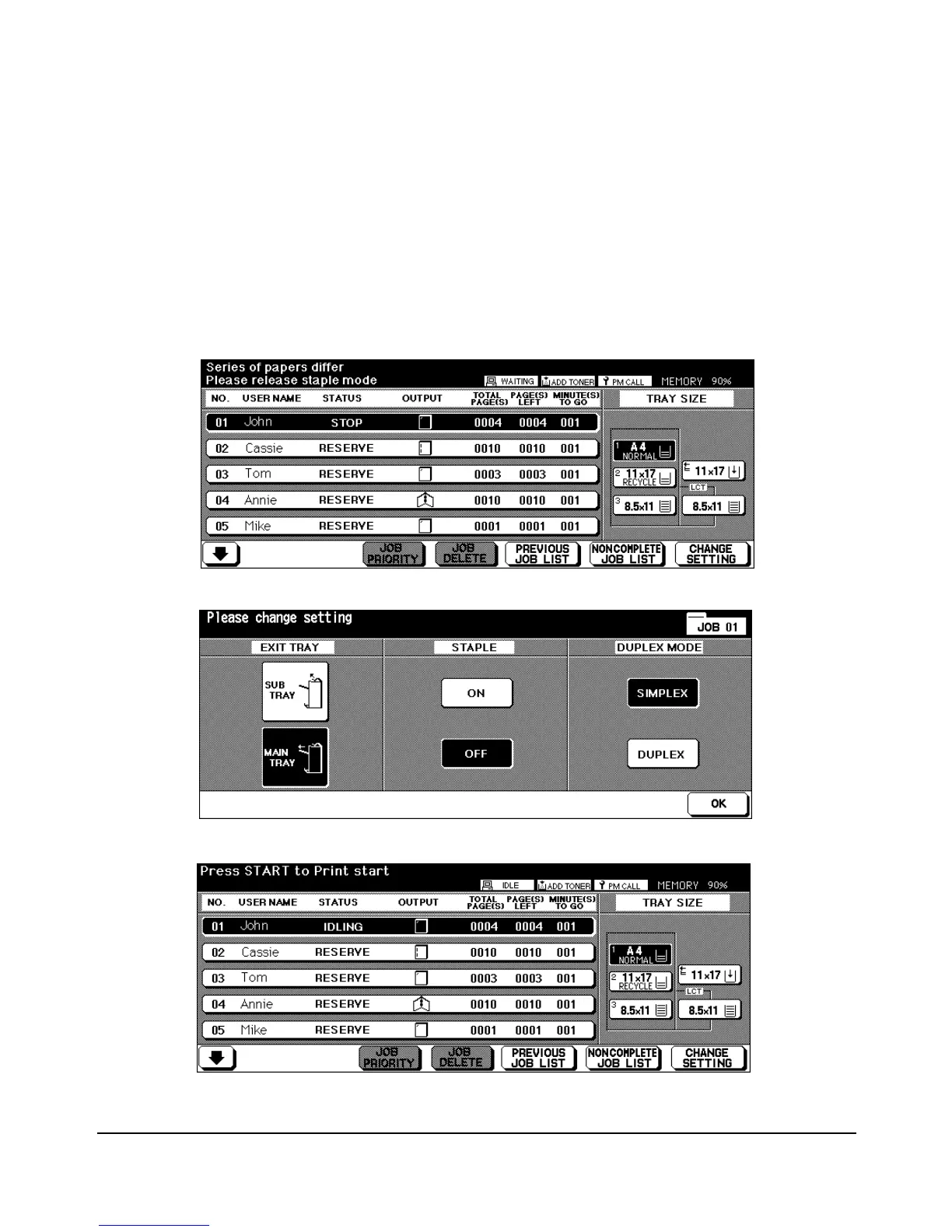
In the event that the machine detects mixed originals with different widths that cannot be
stapled, printing will stop and the machine will enter Wait Mode. The CHANGE SETTING
key enables you to change the setting and restart the Job. Touch the CHANGE SETTING
key, change the setting, then touch OK.
When the Reservation List Screen reappears, press [START] key to restart the Job.
Waiting screen alternately displays "Print on Letter if you restart the Job."
Touch "OFF" to change the mode.
After changing the setting, the Job is ready to be printed.














 To Next Page