Maintenance & Supplies 8-11
Maintenance & Supplies
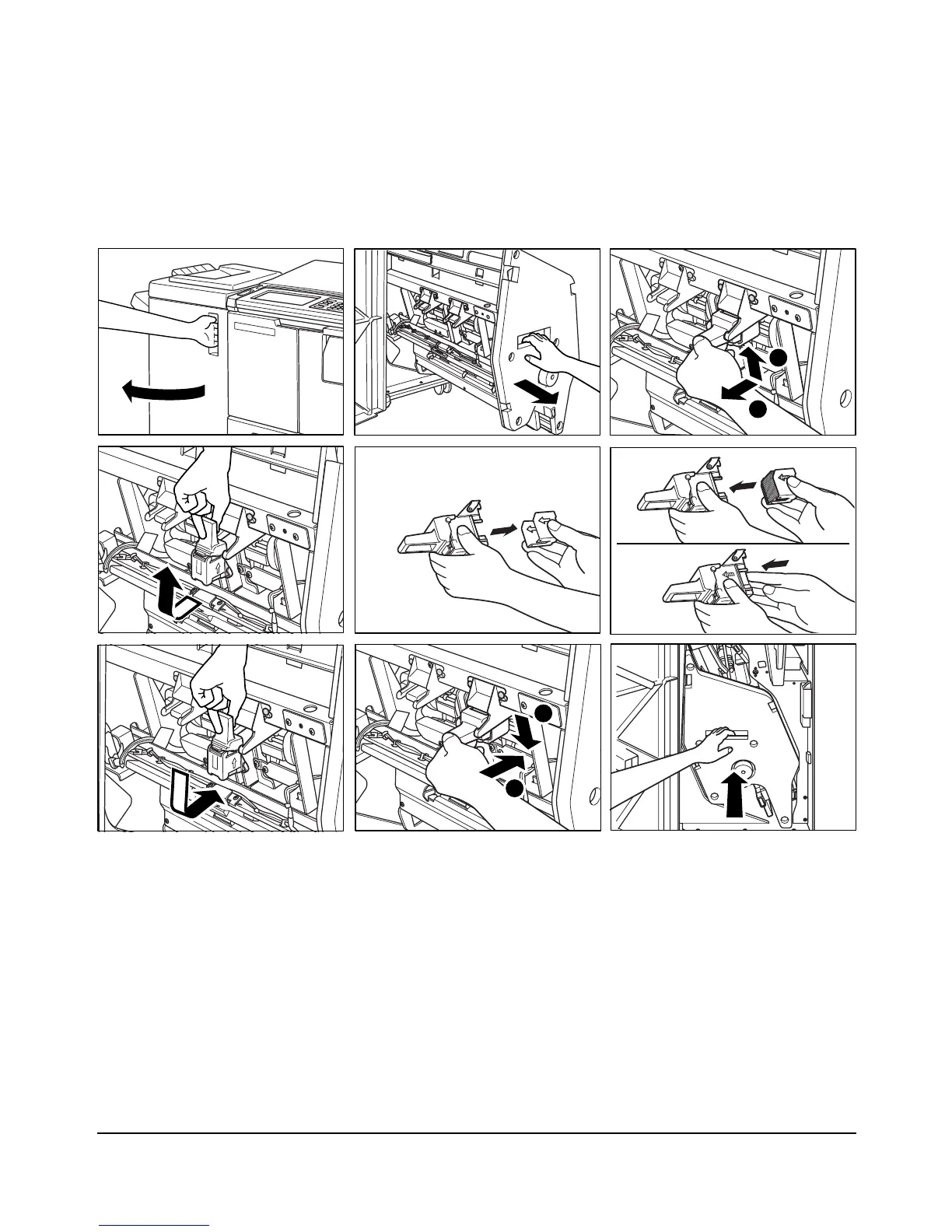
Inserting a New Staple Cartridge into FS-110/210 Finisher
Use only the staples supplied by Konica. Contact your service representative to reorder.
1 Open the Finisher door.
2 Pull out the stacker unit by holding the stacker unit handle.
3 Pull up the cartridge housing, then remove it while sliding it along the stapler rail.
4 Remove the empty cartridge from the cartridge housing.
5 Insert the new cartridge into the housing.
NOTE: Do not remove the staples remaining inside the housing; otherwise, the first sheet output after the
replenishment will not be stapled.
6 Insert the cartridge housing while sliding it along the stapler rail, then push down in to
secure it in place.
7 Return the stacker unit to its original position.
8 Close the Finisher door.
1
2
1
2














 To Next Page