ECM (Electronic Copy Monitor) Function Setting [4] (continued)
9-12 Key Operator Mode
Key Operator Mode
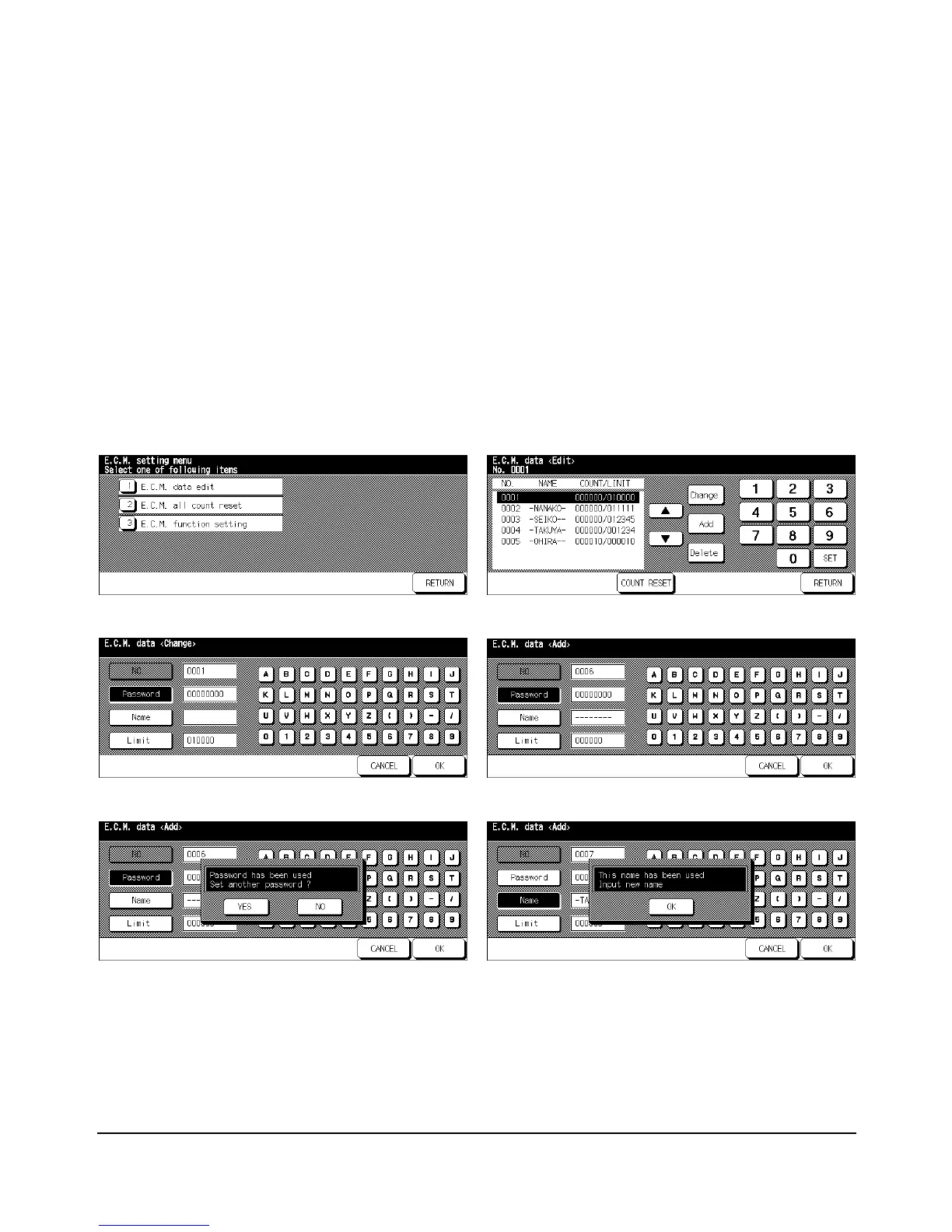
E.C.M. Data Edit [1]
Use this setting to display the list of print count and print limit for each account, to change,
add, or delete the ECM data, and to reset the print count of the individual account.
❒ ECM No.: Designated by Key Operator
❒ ECM Password: Unique 8-digit numeric code programmed by Key Operator for user
❒ User Name: Max. 8 characters
❒
Print Limit: 0 to 999,999 prints
ECM Setting Menu Screen ECM Data Edit Screen
ECM Data Change Screen ECM Data Add Screen
Password Duplication Screen Name Duplication Screen














 To Next Page