Configuration
1-101
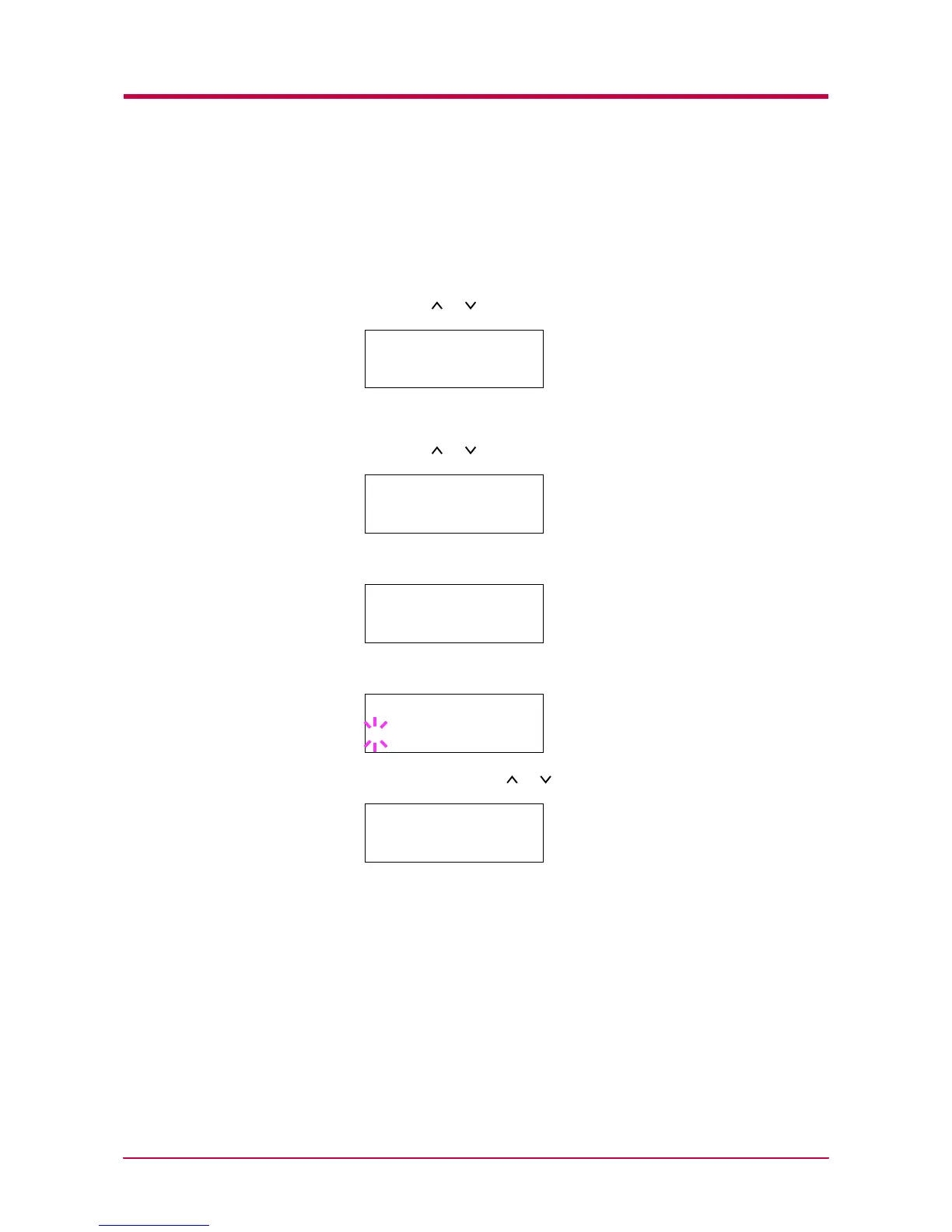
Turning Off the Sleep Timer
You can turn off the sleep timer function by following the procedure given
below.
1
Press the MENU key.
2
Press the or key repeatedly until Others > appears.
3
Press the > key.
4
Press the or key repeatedly until >Sleep Timer > appears.
5
Press the > key and display >>Sleep Mode.
6
Press the ENTER key. A blinking question mark (?) appears.
7
Select Off using the or key.
8
Press the ENTER key.
9
Press the MENU key. The message display returns to Ready.
Others >
>Sleep Timer >
015 min.
>>Sleep Mode
On
>>Sleep Mode
? On
>>Sleep Mode
? Off


 To Next Page
 Loading...