6 Laborie alpHaONE User & Service Manual LBL-01791 [B]
7
6
5
8
9
1 2 3
4
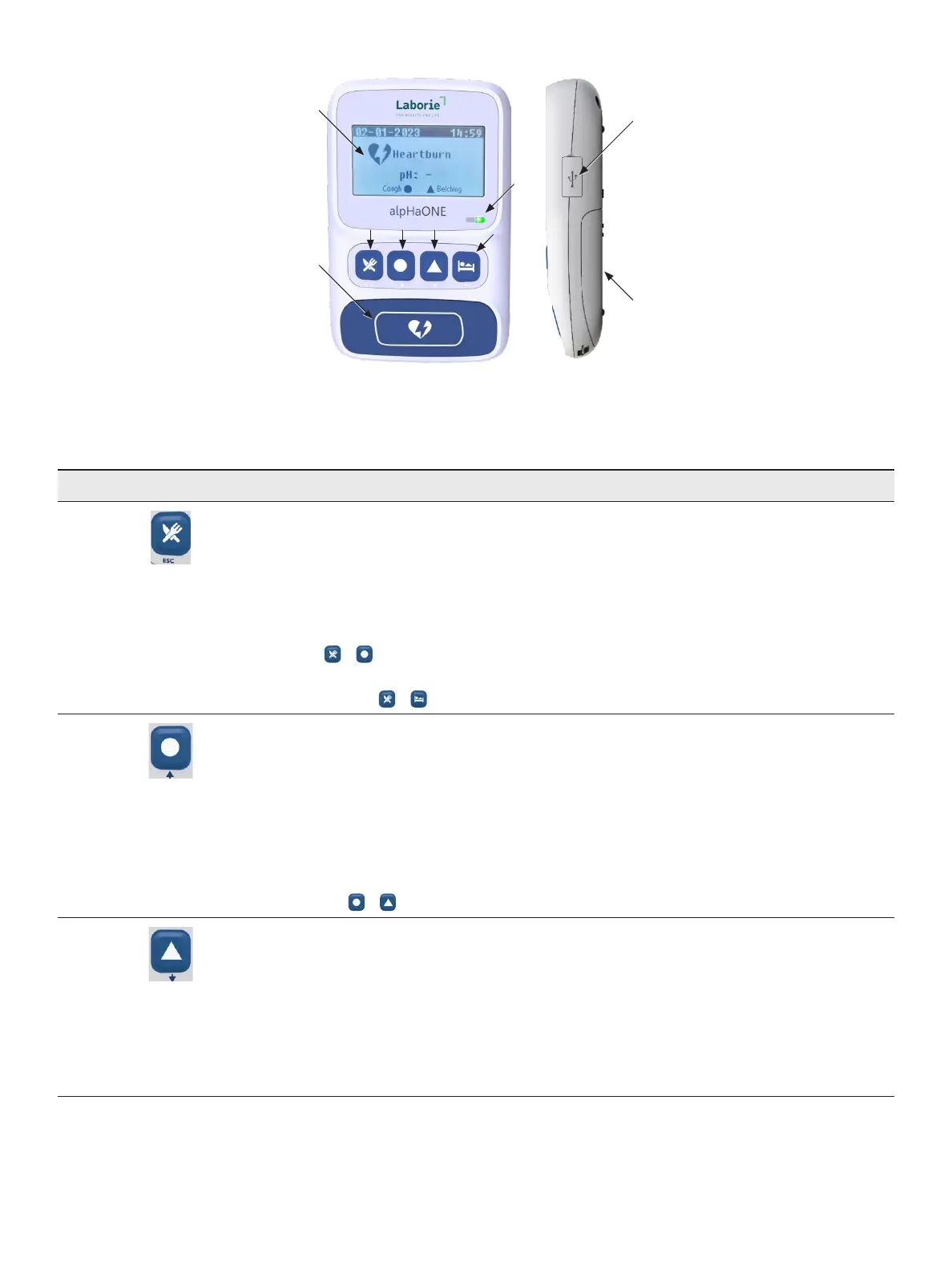
Figure1-5: The pH Capsule System Data Recorder
Table1-1 provides descriptions of the user interface elements of the data recorder.
Table1-1: pH Capsule System Data Recorder User Interface
InterfaceElement Description
1 Multifunctional key
• Backbutton
UsedastheBackkeyduringpairingwiththerecorder
• Meal event button
Ifthepatienteatsordrinksduringmonitoring,pressthisbuttontostartaMealevent.Pressthis
button again to end a Meal event
Press + simultaneouslytosetsystemLanguagewarningtone,backlightduration,and
view information
Keep pressing + simultaneously to enter the pH pairing program
2 Multifunctional button
User-denedeventbutton
User-denedeventbuttons serveasextraeventrecordingmarkersforeventssuchasacough,
belch, chest pain, laryngospasm, wheeze, or regurgitation. For example, if the patient belches during
monitoring, press this button tostartabelchingevent;therecorderwillautomaticallyreturntothe
normal event in 10 seconds.
Addbutton
UsedastheAddkeyduringpairingwithrecorder.
Keep pressing + simultaneously to stop the pH study
3 Multifunctional button
User-denedeventbutton
User-denedeventbuttonsserveasextraeventrecordingmarkersforeventssuchasacough,
belch, chest pain, laryngospasm, wheeze, or regurgitate. For example, if the patient coughs during
monitoring, press this button tostartacoughevent;therecorderwillautomaticallyreturntothe
normal event in 10 seconds.
Subtract button
UsedastheSubtractkeyduringpairingwiththerecorder.



 To Next Page