Chapter 4 TheAnalysisModule 63
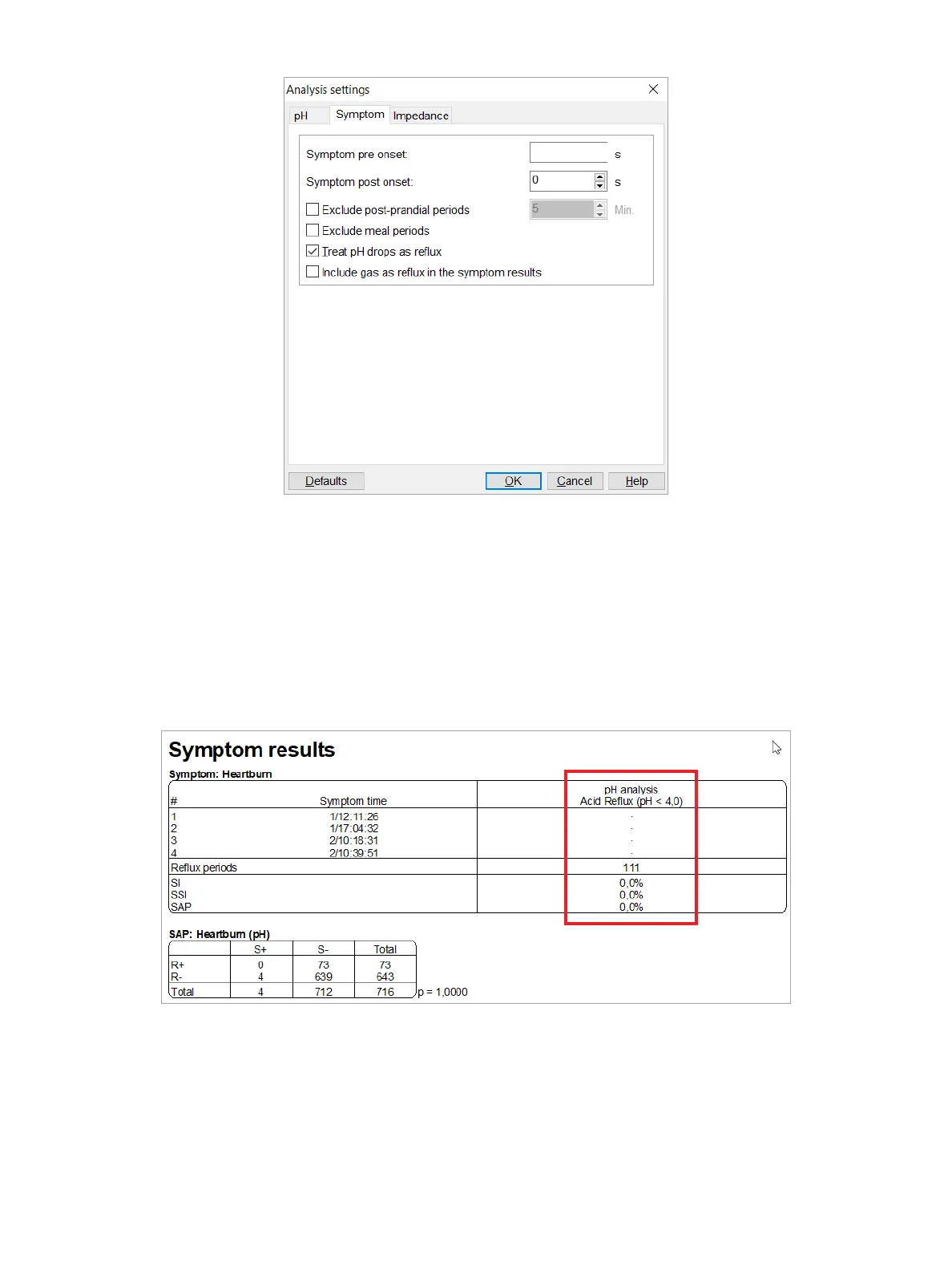
Figure4-29: TheAnalysisSettingsDialogBox—SymptomTab
Youcansetthesymptompreandpostonsettime,excludepost-prandialormealperiods,andtreatpHdropsasreux.
If you selected the Excludepost-prandialperiods or Excludemealperiods, the settings on the pH tab automatically
will also be selected, as well.
The TreatpHdropsasreuxoptioninuencesthepHanalysisresultsinthesymptomtable(Figure4-30). This option
establishesadifferencebetweenacidpHReux(basedonpH<4orbasedonpHreuxmarkerswhenenabledinthe
pHanalysissettings;seethesection“pHAnalysisResults” on page 44) and a pH drop. When a symptom is related
toapHDrop,a”D”isshowninthesymptomtable.WhenasymptomisrelatedtoacidReux(pH<4orpHreux
markers),aplussign(+)isshown.
Figure4-30: SymptomAnalysisTablewith”Treatdropsasreux”OptionSelected
ThetotalnumberofreuxinthepH column will be shown as numberofreux(pH<4)(‘+’) and numberofpH
drops(‘D’).



 To Next Page