Faxing
18
2
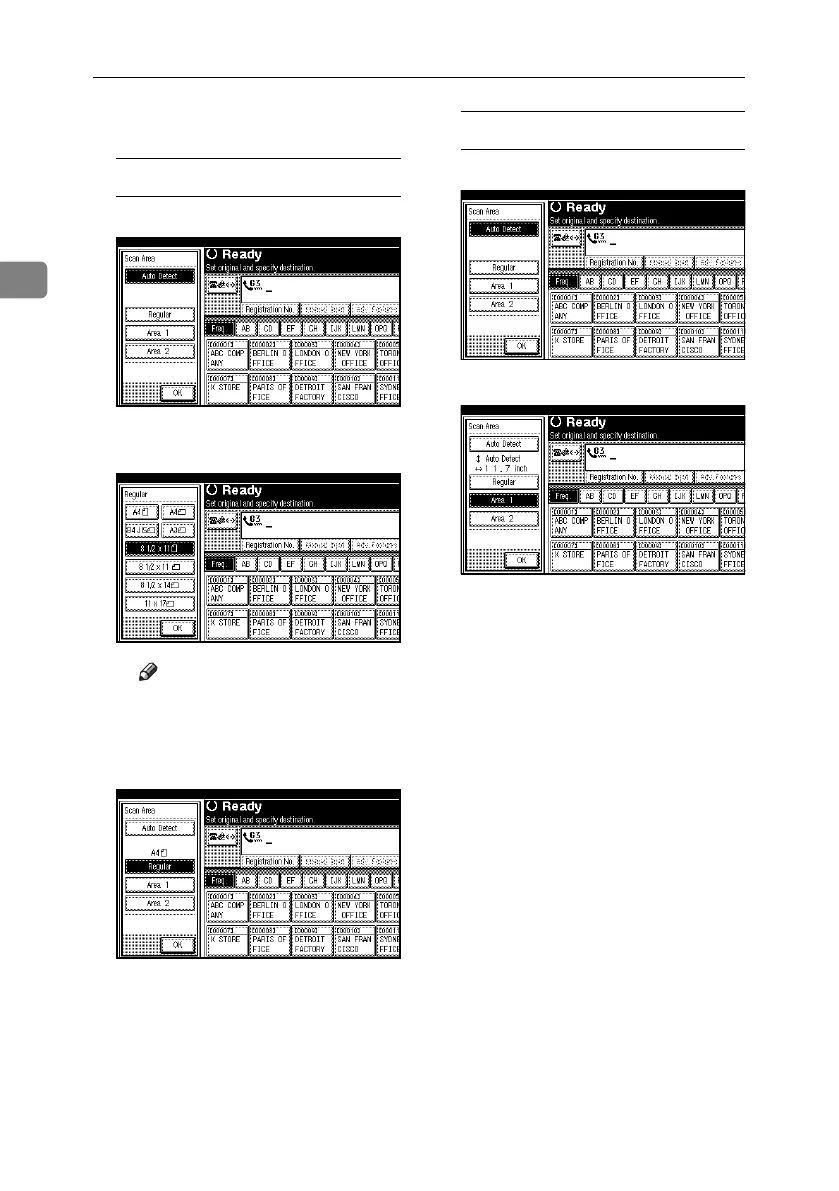
C Select the scan area.
Specifying standard sizes
A Press [Regular].
B Press the size of the originals
to be sent, and then press [OK].
Note
❒ 8
1
/
2
"×11" indicates LT. 8
1
/
2
"×14"
indicates LG. 11"×17" indicates
DLT.
C Press [OK].
The selected size is shown above
the highlighted [Scan Area].
Specifying programmed sizes
A Press [Area 1] or [Area 2].
B Press [OK].
“Area 1” or “Area 2” is shown
above the highlighted [Scan Ar-
ea].
RussianC4-EN_Combine-F_FM.book Page 18 Wednesday, April 27, 2005 2:01 PM



 To Next Page