Specifying a Destination
47
2
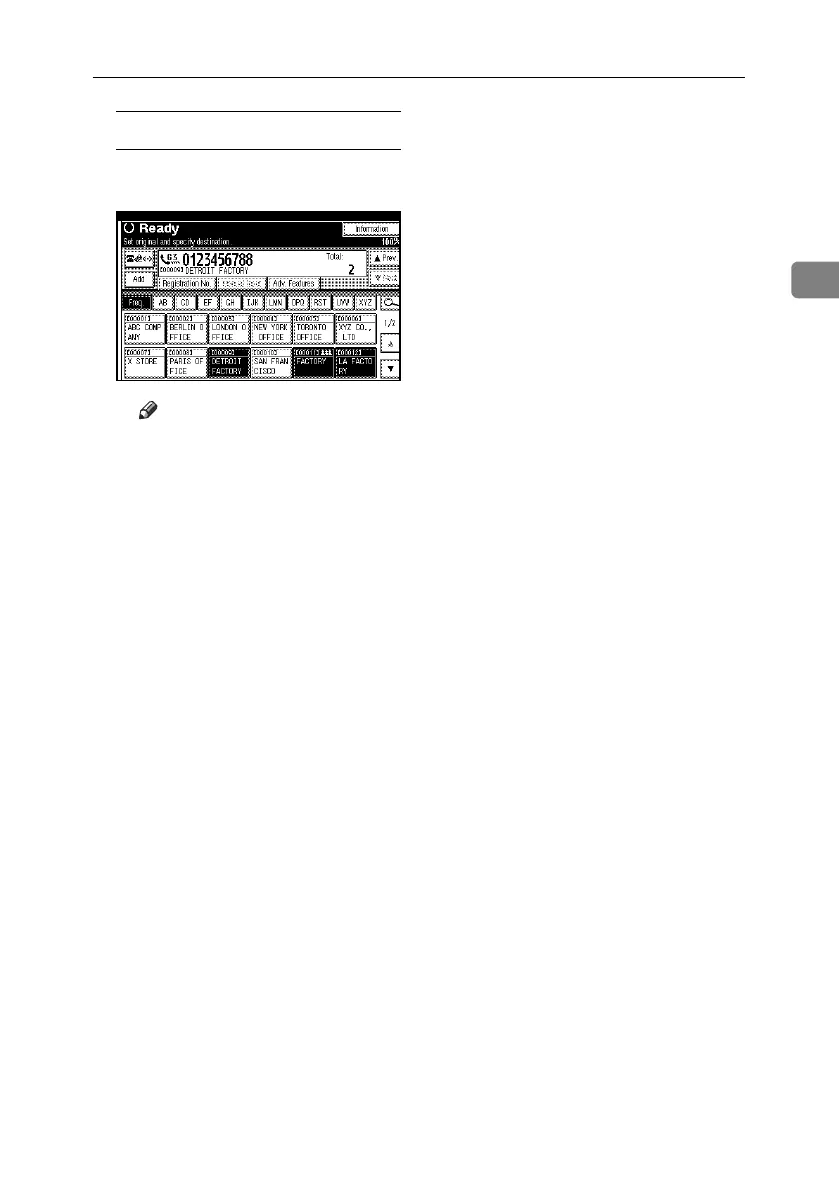
Specifying group destinations
A Press the Destination key pro-
grammed with the desired group.
Note
❒ The destination list registered in
the desired group, whose type
is selected in step
A
, appears.
❒ To cancel any destination(s)
among the group, press [UP-
rev.] and [TNext] to display
the desired destination.
Then, press the {Clear/Stop}
key. You can also cancel a
transmission by pressing the
highlighted Destination key
to deselect it.
❒ If a destination where a fax
number, e-mail address, or
IP-Fax number is not pro-
grammed is included in the
specified group, the “
The
specified group con-
tains some invalid des-
tination(s). Do you want
to select only valid
destination(s)?
” mes-
sage appears. Press [Select] to
specify destinations where
the fax number, the e-mail
address, or IP-Fax is pro-
grammed. Press [Cancel] to
change the destination. If the
destination in destination
type does not exist, you can
prioritize a destination you
want to quote. See p.167 “Us-
er Parameters”, Facsimile Ref-
erence <Advanced Features>
(switch 32, bit 0).
❒ To select more groups, repeat
steps
B
and
C
.
D Press the {Start} key.
RussianC4-EN_Combine-F_FM.book Page 47 Wednesday, April 27, 2005 2:01 PM



 To Next Page