Using Internet Fax Functions
64
3
Limitation
❒ When available memory is low,
you may not be able to send Inter-
net Fax documents.
Note
❒ Because the machine sends docu-
ments as e-mail messages with an
attached TIFF-F image, viewer ap-
plications are required in order to
view documents when they are re-
ceived on a computer.
❒ You can limit the size of transmit-
ted e-mail messages in “E-mail Set-
tings” of “Facsimile Features”. See
p.148 “E-mail Settings”, Facsimile
Reference <Advanced Features> .
❒ See p.76 “Received Images” for
how e-mail is actually received by
the computer when it is sent with
mail options selected.
❒ If you send Internet Fax docu-
ments specifying a user code, and
the e-mail address is set as the
routing destination of the specified
user code, a Communication Re-
sult Report is sent after the trans-
mission is completed. This makes
it possible to verify the result of a
transmission.
❒ For details about how to confirm
the transmission result, see p.31
“Confirming Transmission”.
❒ You can specify fax destination
and Internet Fax destination si-
multaneously.
❒ You cannot send e-mails to a desti-
nation as cc.
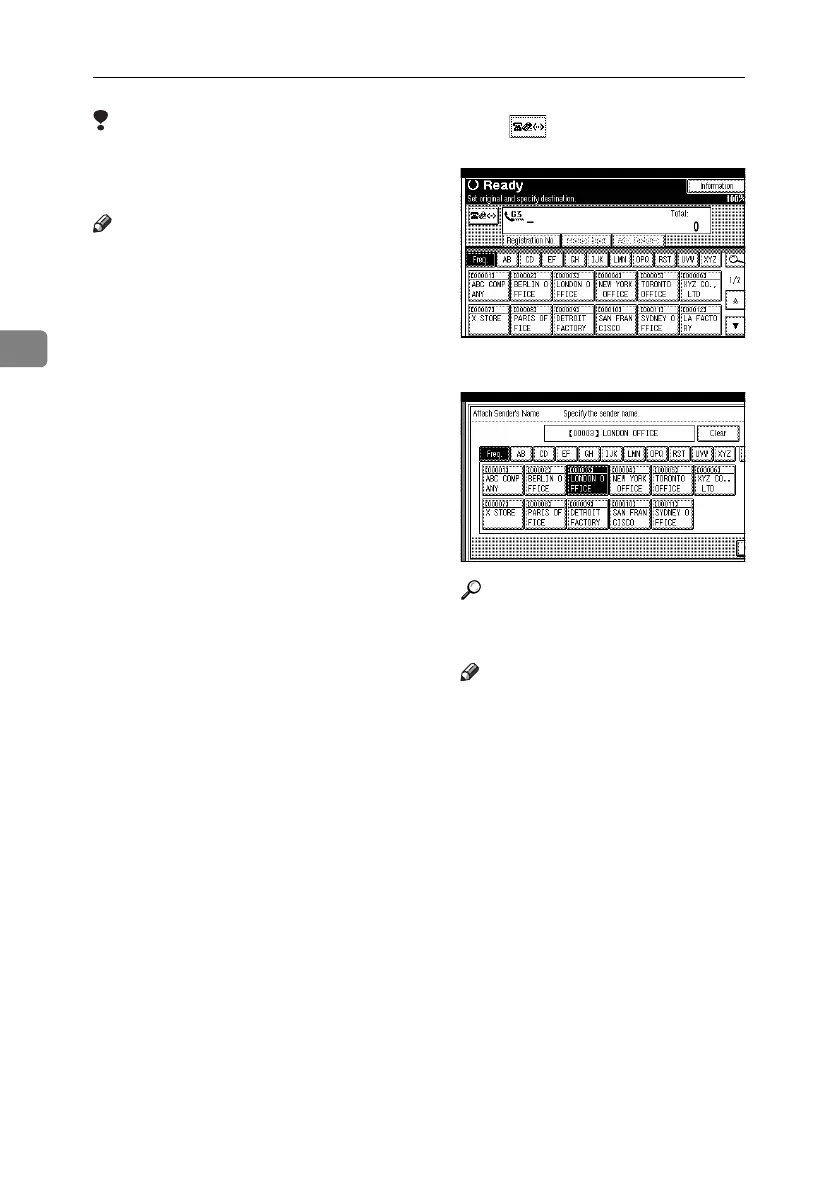
A Press to switch the destination
to e-mail address.
B Specify the sender.
Reference
p.5 “Sender Settings”, Facsimile
Reference <Advanced Features>
Note
❒ If “Auto Specify Sender Name”
is set to “On”, the sender is au-
tomatically specified and you
can omit the procedure for spec-
ifying a sender. If “On” is select-
ed, the specified e-mail address
is printed at “From:”. If no e-
mail address is specified for the
sender, or if the specified e-mail
address is not programmed in
the destination list, Internet Fax
documents cannot be sent. See
“File Transfer”, Network Guide.
RussianC4-EN_Combine-F_FM.book Page 64 Wednesday, April 27, 2005 2:01 PM



 To Next Page