Sending Internet Fax Documents
65
3
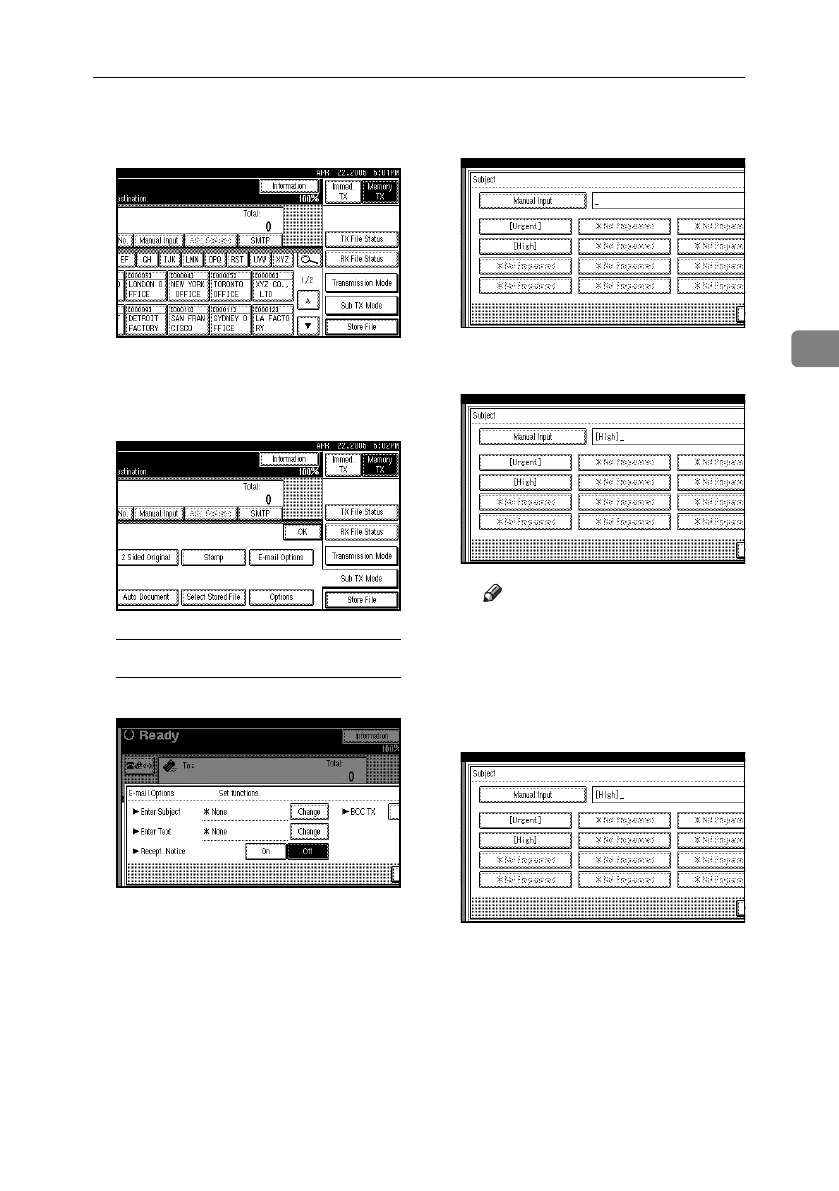
C When you set an e-mail option, press
[Sub TX Mode].
If you are not setting e-mail options,
proceed to step
G
.
D Press [E-mail Options].
To enter the subject
A Press [Change] for Enter Subject.
There are two methods of enter-
ing a subject: Selecting from
programmed subjects, or enter-
ing characters directly. If you
are entering characters, proceed
to step C.
B Select the subject from the dis-
played list.
The selected subject appears in
the manual input column.
Note
❒ You can enter extra characters
after the selected subject. If
you do not need to enter extra
characters, proceed to step
E.
C Press [Manual Input].
RussianC4-EN_Combine-F_FM.book Page 65 Wednesday, April 27, 2005 2:01 PM



 To Next Page